Pasar al contenido principal
No se ha encontrado ningún elemento.
Logotipo de Dropbox Sign
¿Por qué elegir Dropbox Sign?
Desplegar o contraer acordeón

Qué puedes hacer

Firmar documentos en línea
Crea firmas electrónicas
Selecciona o crea plantillas
Rellenar y firmar PDF
Finalizar contratos en línea
Gestión de documentos‍
Ver funciones
Icono de flecha hacia la derecha

Casos prácticos

Desarrollo comercial y de negocio
Recursos humanos
Start-ups
Tecnología financiera
Propiedad inmobiliaria
Servicios a la carta
Productos
Desplegar o contraer acordeón
Icono de Dropbox
Sign
Facilita el envío y la firma
Icono de Dropbox
Sign API
Integra las firmas electrónicas en tu flujo de trabajo
Icono de Dropbox Fax
Fax
Envía faxes sin tener fax
Icono de integraciones de Dropbox
Integraciones
Estamos donde trabajas
Recursos
Desplegar o contraer acordeón
Blog
Amplios conocimientos sobre flujos de trabajo y noticias sobre productos
Experiencias de clientes
Historias reales con resultados tangibles
Centro de ayuda
Consejos avanzados para usar nuestros productos
Colección de recursos
Informes, vídeos y hojas informativas
Desarrolladores
Precios
Desplegar o contraer acordeón
Precios de Dropbox Sign
Encuentra el plan perfecto para ti
Precios de Dropbox Sign API
Historias reales con resultados tangibles
Contactar con ventas
Registrarse
Contactar con ventas
Iniciar sesión
Desplegar o contraer acordeón
Dropbox Sign
Dropbox Forms
Dropbox Fax
Pruébalo gratis
Logotipo de Dropbox Signicono de sumaLogotipo de Zapier
Integraciones
Zapier

Effortlessly add eSignatures to existing workflows with Dropbox Sign and Zapier

Zapier connects Dropbox Sign with thousands of popular apps to automate your eSignature workflows. And there’s no coding required.

Comenzar
Get valuable time back

Stop sinking time into manually setting up eSignature requests. Connect Zapier and Dropbox Sign to create valuable time savings and get your docs signed, fast.

‍

Get valuable time back

Stop sinking time into manually setting up eSignature requests. Connect Zapier and Dropbox Sign to create valuable time savings and get your docs signed, fast.

‍

Minimize context switching

Transform the way your team gets documents signed by connecting Dropbox Sign with Zapier. Say goodbye to inefficiencies while juggling multiple apps. Instead, effortlessly keep track of everything in one place.

‍

Minimize context switching

Transform the way your team gets documents signed by connecting Dropbox Sign with Zapier. Say goodbye to inefficiencies while juggling multiple apps. Instead, effortlessly keep track of everything in one place.

‍

Start integrating instantly—no developer needed

Dropbox Sign and Zapier integrate seamlessly, right out of the box. There’s no coding or adjustments needed—just connect and start adding eSignatures to your workflows today.

‍

Start integrating instantly—no developer needed

Dropbox Sign and Zapier integrate seamlessly, right out of the box. There’s no coding or adjustments needed—just connect and start adding eSignatures to your workflows today.

‍

Build a Zap to connect Dropbox Sign with the tools you need

Automatically create Asana tasks for new Dropbox Sign eSignature requests

Asana can be a one-stop-shop when it comes keeping business tasks, goals, and projects on track. But what happens when you introduce eSignature software into the mix?

Create a Zap to set up custom triggers and actions, and instantly enhance your team’s project management capabilities.

‍

Comenzar
The Asana logo.

Get Slack messages when documents are signed with Dropbox Sign

Stay on top of your documents directly from Slack.

With Dropbox Sign integrated, your team will receive real-time Slack notifications for each document signed or signature request made. Keep everyone in sync without missing a beat.

‍

Más información
The Slack logo.

Update ActiveCampaign deals as soon as new eSignatures are finalized

Say goodbye to manually updating your deals in ActiveCampaign.

When a Dropbox Sign signature request is completed, Zapier ensures your records are always current. That means your data is always up-to-date, and your sales pipeline can keep running smoothly.

‍

Pruébalo hoy mismo.
The ActiveCampaign logo.

No se ha encontrado ningún elemento.

Soluciones que impulsan resultados cuantificables

No se ha encontrado ningún elemento.
icono de reproducir

Consulta el caso práctico
Tres personas hablando ante un diagrama desplegado en una mesa de oficina
logotipo de Cosi
"La cantidad de tiempo que Dropbox Sign y Dropbox nos ha ahorrado a la empresa es increíble. Hemos recuperado cientos de horas que invertíamos en papeleo y gestión de archivos, y eso nos ha permitido dedicarnos más a las tareas creativas”.
Matt Seigel,
Presidente de Collier.Simon

Preguntas frecuentes

Visita nuestras preguntas frecuentes

How do I connect Dropbox Sign and Zapier?

Desplegar o contraer acordeón

Zapier and Dropbox Sign integrate seamlessly, making it easy to set up and implement eSignatures in a few simple steps.

  1. Set up your Zapier and Dropbox Sign accounts.
  2. Create your “Zap”.
  3. Connect your Dropbox Sign API account.
  4. Start signing documents!

For more information, read our full guide to setting up and testing Zapier and the Dropbox Sign API.

‍

Can I log Dropbox Sign signature requests in a Google Sheets spreadsheet?

Desplegar o contraer acordeón

If you want to record all your Dropbox Sign signature requests in a Google Spreadsheet, you can do that using the Zapier integration.

You will need each of the following:

  • a Dropbox Sign API account
  • a Google Drive account
  • a Zapier account

To get started, check out our helpful article on how to log Dropbox Sign signature requests in a Google Sheets spreadsheet.

‍

How do I send a signature request from a template?

Desplegar o contraer acordeón

Sending a signature request from a template is quick and easy with the Zapier integration.

  1. Log in to your Zapier account.
  2. Create a new Zap with Dropbox Sign as the action.
  3. Check Signature Request from Template is the default action, then click Save + Continue.
  4. Connect your Dropbox Sign account using your email and password. Click Save + Continue.
  5. Select a template, as prompted.
  6. When asked “Is Your Dropbox Sign API Plan Paid?":
    • Select No if you do not have a paid account or are testing.
    • Select Yes if you have a paid account to start sending legally binding eSignature requests.

‍

Recursos

Image of the Dropbox Sign integration within the Salesforce app.

Seamlessly integrate eSignatures with Salesforce

Send contracts for signature, track status updates, and auto-fill contract details without ever leaving Salesforce
‍

Más información
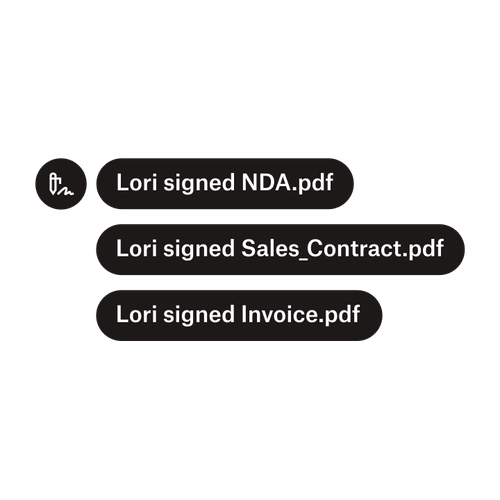
Tres notificaciones muestran que Lori ha firmado "Acuerdo_de_confidencialidad.pdf", "Contrato_de_ventas.pdf" y "Factura.pdf".

Envía documentos a varios firmantes

Crear flujos de trabajo de aprobación con varios firmantes es más sencillo de lo que parece. Solo necesitas las herramientas adecuadas.

‍

Leer artículo
Ejemplo de un código en el que se está trabajando para implementar Dropbox Sign API.

Simplifica los flujos de trabajo con nuestra API intuitiva de firma electrónica

Descubre la facilidad con la que se integra Dropbox Sign API en tu aplicación o sitio web.

‍

Más información

Eliminate friction in your workflows with Dropbox Sign and Zapier

Iniciar prueba gratuita

Dropbox Sign te permite crear firmas electrónicas en documentos de Word de forma gratuita. Descubre lo fácil que es firmar documentos de Word de forma electrónica aquí.

Más rápido, más inteligente y más seguro: descubre cómo Dropbox Sign está acelerando los negocios en 2025

Incorporación de cohortes con Dropbox Sign API

Productos
Dropbox SignDropbox Sign APIDropbox FaxIntegraciones
Por qué Dropbox Sign
Firmas electrónicasFirmar documentosFirma y rellena documentos PDFContratos onlineCrea firmas electrónicasEditor de firmasFirma de documentos de Word
Asistencia
Centro de ayudaContactar con ventasPonte en contacto con el departamento de asistencia.Gestionar cookiesPrimeros pasos: Dropbox SignPrimeros pasos: Dropbox Sign API
Recursos
BlogExperiencias de clientesCentro de recursosGuía de legalidadCentro de confianza
Socios
Socios estratégicosLocalizador de socios
Empresa
EmpleoCondicionesPrivacidad
Icono de FacebookIcono de YouTube

Métodos de pago aceptados

Logotipo de MastercardLogotipo de VisaLogotipo de American ExpressLogotipo de Discover
Insignia de conformidad con la CPAInsignia de conformidad con la HIPAAInsignia de Sky High Enterprise-ReadyInsignia de certificación ISO 9001

Las firmas electrónicas de Dropbox Sign son legalmente vinculantes en los Estados Unidos, la Unión Europea, el Reino Unido y en muchos otros países.
Para obtener más información, consulta nuestros Términos y condiciones y la Política de privacidad.