Перейти до основного вмісту
Жодних об'єктів не знайдено.
логотип dropboxsign
Переваги Dropbox Sign
Розгорнути або згорнути акордеон

Що ви можете зробити

Підписати документи онлайн
Створення електронних підписів
Виберіть або створіть шаблони
Заповнити і підписати документи PDF
Підготовити онлайн-контракти
Керування документами
Докладніше про функції
піктограма arrow right

Приклади використання

Продажі та розвиток бізнесу
Відділ кадрів
Стартапи
Фінансові технології
Нерухомість
Послуги на вимогу
Продукти
Розгорнути або згорнути акордеон
піктограма dropbox
Sign
Спростіть надсилання та підпис
піктограма dropbox
Sign API
Інтегруйте eSign у свій робочий процес
піктограма dropbox fax
Fax
Надсилайте факси без використання факсимільного апарата
піктограма dropbox integrations
Інтеграції
Ми завжди там, де вам це потрібно
Ресурси
Розгорнути або згорнути акордеон
Блог
Експертиза робочих процесів і новини про продукти
Історії клієнтів
Реальні історії з реальними наслідками
Центр довідки
Поглиблені рекомендації щодо наших продуктів
Бібліотека ресурсів
Звіти, відеозаписи та інформаційні бюлетені
Розробникам
Тарифи
Розгорнути або згорнути акордеон
Тарифи Dropbox Sign
Знайдіть потрібний тарифний план
Тарифи API Dropbox Sign
Реальні історії з реальними наслідками
Звернутися до відділу продажів
Зареєструватися
Звернутися до відділу
продажів
Увійти
Розгорнути або згорнути акордеон
Dropbox Sign
Dropbox Forms
Dropbox Fax
Безкоштовна пробна підписка
логотип dropboxsignпіктограма «Додати»Логотип Procore
Інтеграції
Procore

Close construction contracts faster with built-in eSignatures for Procore

Sign and send commitments, change orders, and prime construction contracts for signature with Dropbox Sign. All without leaving Procore.

Book a demo
Start using your Procore templates right away

Effortlessly create your document from an existing Procore template or craft a brand new one. Either way, your documents will be ready for eSignature in a flash, making your workflow smoother and faster.

Start using your Procore templates right away

Effortlessly create your document from an existing Procore template or craft a brand new one. Either way, your documents will be ready for eSignature in a flash, making your workflow smoother and faster.

Automatically send email reminders

Eliminate the hassle of tracking signers. Simply create then send a form, and automated reminders will ensure the document gets signed.

Automatically send email reminders

Eliminate the hassle of tracking signers. Simply create then send a form, and automated reminders will ensure the document gets signed.

Save signed agreements back to Procore, hassle free

Executed agreements are automatically saved back to Procore for consistent record keeping and accountability. That means all your documents are stored in the right folder and accessible when you need them.

Save signed agreements back to Procore, hassle free

Executed agreements are automatically saved back to Procore for consistent record keeping and accountability. That means all your documents are stored in the right folder and accessible when you need them.

Send and sign agreements up to 80% faster with Dropbox Sign

Accelerate contract turnaround times

No more chasing signers on endless email chains and messages to get a contract signed.

Send a construction contract via Dropbox Sign, and let the integration do the work for you. Each signer will receive regular email reminders until that document is signed.

And just like that, construction managers can spend more time managing projects, rather than chasing signatures.

‍

Illustration of Dropbox Sign signature box functionality on an online contract.

Streamline subcontractor agreements

From collective bargaining agreements to worker certifications, send documents out to multiple signers with ease, without ever needing to leave Procore.

Implementing Dropbox Sign into your workflow is easy, and minimizes delays to contractor onboarding so you can get started on projects quicker.

‍

A user is organizing the “Signer Settings” for their document, with three different signers arranged in an order, complete with their names and email addresses.

Digitize key construction documents in one safe space

Correspondences, commitments, prime contracts, RFI's, submittals, inspections, observations, and more. There’s a lot of paperwork to keep track of on a construction project.

Documents signed via the Dropbox Sign for Procore integration are automatically saved back to Procore. It saves time, standardizes your record keeping, and keeps things organized throughout each project.

Each completed document will also be legally-binding, legally admissible, and conform to legislation—giving you peace of mind.

‍

An illustration of two documents and a folder, side-by-side. One document has a set of scales pictured on it, the other has a signature applied to it with a green checkmark below, and the folder features a lock symbol.

Жодних об'єктів не знайдено.

Рішення, які приносять відчутні результати

Жодних об'єктів не знайдено.
відтворення піктограм

Переглянути приклад використання
Троє людей обговорюють діаграму, розгорнуту біля них на офісному столі
логотип CoSi
Наша компанія заощадила неймовірну кількість часу завдяки Dropbox Sign і Dropbox. Ми можемо звільнити сотні годин, які витрачали на документообіг і впорядкування файлів, що дозволяє нам швидше виконувати творчі завдання», —
Матт Сайгель,
голова Collier.Simon

Запитання та відповіді

Перейти до розділу запитань і відповідей

How do I implement the Dropbox Sign for Procore eSignature integration?

Розгорнути або згорнути акордеон

If you have a Procore subscription, start by installing the Dropbox Sign for Procore APP via Procore Marketplace.

If you haven’t already, you should then sign up for Dropbox Sign.

Finally, follow the Dropbox Sign for Procore setup guide from Shake IT to setup and configure your new and improved workflow.

If you have any questions or concerns, contact Shake IT

‍

How do I find and sign a contract in Procore?

Розгорнути або згорнути акордеон

Finding a document in Procore and sending it for eSignature is easy with the Dropbox Sign integration.

  1. Start by using the search bar in Procore to find the purchase order, subcontract, or prime contract you wish to be signed.
  2. Export it as a PDF by selecting Export > PDF.
  3. Once the document is opened in a new window, download it to your device.
  4. Click on the Dropbox Sign logo in the side panel.
  5. Browse for file and select the file you just exported as a PDF.
  6. Add signers using the Add Procore User or Add External E-Mail buttons.
  7. Launch Dropbox Sign once signers have been added to open the Dropbox Sign Embedded Requesting tool.
  8. Place signature locations and any other data that the signer needs to provide.
  9. Add a Title and Message under the Email to signers heading. This will create an email that will be sent to signers as part of the request.
  10. Send for Signature to send the request.

For more detailed guidance, read the Shake IT Dropbox Sign for Procore User Guide.

‍

Does it cost anything to use the Dropbox Sign and Procore integration?

Розгорнути або згорнути акордеон

Shake IT manages the ProCore integration connector for Dropbox Sign. Please contact Shake IT to receive a quote.

Ресурси

Image of the Dropbox Sign integration within the Salesforce app.

Seamlessly integrate eSignatures with Salesforce

Send contracts for signature, track status updates, and auto-fill contract details without ever leaving Salesforce
Дізнатися більше
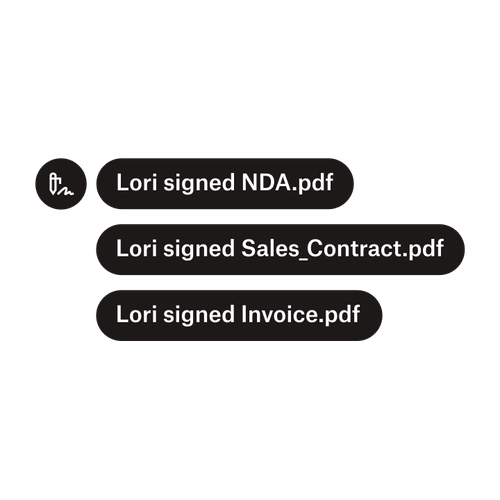
Три сповіщення вказують на те, що Лорі підписала NDA.pdf, Договір_продажу.pdf, і Рахунок-фактура.pdf.

Надсилання документів кільком підписувачам

Створити робочі процеси затвердження з кількома сторонами, що підписують, простіше, ніж ви думаєте. Вам просто потрібні правильні інструменти.

Прочитати статтю
Приклад коду, над яким ведеться робота у рамках реалізації Dropbox Sign API.

Спрощуйте робочі процеси за допомогою нашого простого у використанні API для е‑підписів

Дізнайтеся, як Dropbox Sign API легко інтегрується у вашу програму чи веб-сайт.

Дізнатися більше

Finalize bids, gather approvals and onboard workers more efficiently with Dropbox Sign for Procore

Спробувати безкоштовно

Dropbox Sign надає можливість користувачам створювати безпечні й надійні цифрові підписи за лічені хвилини. Реєструйтеся та починайте підписувати вже сьогодні!

Швидше, розумніше, безпечніше: як Dropbox Sign прискорює бізнес у 2025 році

Ознайомлення когорти з Dropbox Sign API

Продукти
Dropbox SignDropbox Sign APIDropbox FaxІнтеграції
Переваги Dropbox Sign
Електронні підписиПідписати документиПідписування та заповнення документа PDFОнлайн-угодиСтворення електронних підписівРедактор підписівПідписати документи Word
Служба підтримки
Центр довідкиЗвернутися до відділу продажівЗвернутися до служби підтримкиКерування файлами cookieПочаток роботи: Dropbox SignПочаток роботи: API Dropbox Sign
Ресурси
БлогІсторії клієнтівРесурсний центрПосібник із питань дотримання вимог законодавстваЦентр управління безпекою
Партнери
Стратегічні партнериПошук партнерів
Компанія
ВакансіїУмовиКонфіденційність
піктограма facebookпіктограма youtube

Прийняті способи оплати

логотип Mastercardлоготип Visaлоготип American Expressлоготип Discover
Бейдж Відповідності CPAбейдж Відповідність HIPAAбейдж Sky High Enterprise Readyбейдж Сертифіковано ISO 9001

Електронні підписи Dropbox Sign є юридично зобов'язувальними на території США, Європейського Союзу, Великої Британії та багатьох інших країн світу.
Для отримання додаткової інформації перегляньте наші Умови та Політику конфіденційності