ข้ามไปยังเนื้อหาหลัก
ไม่พบรายการ
โลโก้ Dropbox Sign
ทำไมถึงต้องเป็น Dropbox Sign
ขยายหรือซ่อนเนื้อหา

สิ่งที่คุณสามารถทำได้

ลงนามเอกสารออนไลน์
สร้างลายเซ็นอิเล็กทรอนิกส์
เลือกหรือสร้างแม่แบบ
กรอกข้อมูลและลงนามใน PDF
ทำสัญญาออนไลน์ให้เสร็จสมบูรณ์
การจัดการเอกสาร
สำรวจคุณสมบัติ
ไอคอนลูกศรชี้ไปทางขวา

กรณีการใช้งาน

การขายและการพัฒนาธุรกิจ
ทรัพยากรมนุษย์
สตาร์ทอัพ
เทคโนโลยีทางการเงิน
อสังหาริมทรัพย์
บริการตามความต้องการ
ผลิตภัณฑ์
ขยายหรือซ่อนเนื้อหา
ไอคอน Dropbox
Sign
ช่วยให้การส่งและลงนามเป็นเรื่องง่าย
ไอคอน Dropbox
Sign API
ผสาน eSign เข้ากับขั้นตอนการทำงานของคุณ
ไอคอน Dropbox Fax
Fax
ส่งแฟกซ์โดยไม่ต้องใช้เครื่องส่งแฟกซ์
ไอคอนการผสานการทำงานกับ Dropbox
การผนวกรวม
เราพร้อมให้บริการในที่ที่คุณทำงาน
ทรัพยากร
ขยายหรือซ่อนเนื้อหา
บล็อก
ความเชี่ยวชาญด้านขั้นตอนการทำงานและข่าวสารผลิตภัณฑ์
เรื่องราวของลูกค้า
เรื่องราวที่เกิดขึ้นจริงพร้อมผลลัพธ์ที่จับต้องได้
ศูนย์ความช่วยเหลือ
คำแนะนำอย่างละเอียดเกี่ยวกับผลิตภัณฑ์ของเรา
ไลบรารีแหล่งข้อมูล
รายงาน วิดีโอ และเอกสารข้อมูล
นักพัฒนา
ค่าบริการ
ขยายหรือซ่อนเนื้อหา
ราคา Dropbox Sign
หาแผนบริการที่ใช่สำหรับคุณ
ราคา Dropbox Sign API
เรื่องราวที่เกิดขึ้นจริงพร้อมผลลัพธ์ที่จับต้องได้
ติดต่อฝ่ายขาย
ลงทะเบียน
ติดต่อฝ่ายขาย
ลงชื่อเข้าใช้
ขยายหรือซ่อนเนื้อหา
Dropbox Sign
Dropbox Forms
Dropbox Fax
การทดลองใช้ฟรี
โลโก้ Dropbox Signไอคอนเพิ่มโลโก้ Zapier
การผนวกรวม
Zapier

Effortlessly add eSignatures to existing workflows with Dropbox Sign and Zapier

Zapier connects Dropbox Sign with thousands of popular apps to automate your eSignature workflows. And there’s no coding required.

เริ่มต้นใช้งาน
Get valuable time back

Stop sinking time into manually setting up eSignature requests. Connect Zapier and Dropbox Sign to create valuable time savings and get your docs signed, fast.

‍

Get valuable time back

Stop sinking time into manually setting up eSignature requests. Connect Zapier and Dropbox Sign to create valuable time savings and get your docs signed, fast.

‍

Minimize context switching

Transform the way your team gets documents signed by connecting Dropbox Sign with Zapier. Say goodbye to inefficiencies while juggling multiple apps. Instead, effortlessly keep track of everything in one place.

‍

Minimize context switching

Transform the way your team gets documents signed by connecting Dropbox Sign with Zapier. Say goodbye to inefficiencies while juggling multiple apps. Instead, effortlessly keep track of everything in one place.

‍

Start integrating instantly—no developer needed

Dropbox Sign and Zapier integrate seamlessly, right out of the box. There’s no coding or adjustments needed—just connect and start adding eSignatures to your workflows today.

‍

Start integrating instantly—no developer needed

Dropbox Sign and Zapier integrate seamlessly, right out of the box. There’s no coding or adjustments needed—just connect and start adding eSignatures to your workflows today.

‍

Build a Zap to connect Dropbox Sign with the tools you need

Automatically create Asana tasks for new Dropbox Sign eSignature requests

Asana can be a one-stop-shop when it comes keeping business tasks, goals, and projects on track. But what happens when you introduce eSignature software into the mix?

Create a Zap to set up custom triggers and actions, and instantly enhance your team’s project management capabilities.

‍

เริ่มต้นใช้งาน
The Asana logo.

Get Slack messages when documents are signed with Dropbox Sign

Stay on top of your documents directly from Slack.

With Dropbox Sign integrated, your team will receive real-time Slack notifications for each document signed or signature request made. Keep everyone in sync without missing a beat.

‍

เรียนรู้เพิ่มเติม
The Slack logo.

Update ActiveCampaign deals as soon as new eSignatures are finalized

Say goodbye to manually updating your deals in ActiveCampaign.

When a Dropbox Sign signature request is completed, Zapier ensures your records are always current. That means your data is always up-to-date, and your sales pipeline can keep running smoothly.

‍

ลองเลยวันนี้
The ActiveCampaign logo.

ไม่พบรายการ

บริการที่นำมาซึ่งผลลัพธ์อันวัดผลได้

ไม่พบรายการ
ไอคอนเล่น

ดูกรณีศึกษา
คน 3 คนกำลังยืนพูดคุยกันโดยมีแผนภาพกางอยู่บนโต๊ะสำนักงาน
โลโก้ CoSi
“ระยะเวลาที่ Dropbox Sign และ Dropbox ช่วยให้บริษัทของเราประหยัดไปได้นั้นเหลือเชื่อมาก เราสามารถลดเวลาที่ต้องใช้ทำงานเอกสารและจัดการไฟล์ไปได้หลายร้อยชั่วโมง ทำให้เราสร้างสรรค์งานต่างๆ ให้เสร็จได้เร็วยิ่งขึ้น”
Matt Seigel ประธานบริษัท Collier.Simon

คำถามที่พบบ่อย

ดูคำถามที่พบบ่อยของเรา

How do I connect Dropbox Sign and Zapier?

ขยายหรือซ่อนเนื้อหา

Zapier and Dropbox Sign integrate seamlessly, making it easy to set up and implement eSignatures in a few simple steps.

  1. Set up your Zapier and Dropbox Sign accounts.
  2. Create your “Zap”.
  3. Connect your Dropbox Sign API account.
  4. Start signing documents!

For more information, read our full guide to setting up and testing Zapier and the Dropbox Sign API.

‍

Can I log Dropbox Sign signature requests in a Google Sheets spreadsheet?

ขยายหรือซ่อนเนื้อหา

If you want to record all your Dropbox Sign signature requests in a Google Spreadsheet, you can do that using the Zapier integration.

You will need each of the following:

  • a Dropbox Sign API account
  • a Google Drive account
  • a Zapier account

To get started, check out our helpful article on how to log Dropbox Sign signature requests in a Google Sheets spreadsheet.

‍

How do I send a signature request from a template?

ขยายหรือซ่อนเนื้อหา

Sending a signature request from a template is quick and easy with the Zapier integration.

  1. Log in to your Zapier account.
  2. Create a new Zap with Dropbox Sign as the action.
  3. Check Signature Request from Template is the default action, then click Save + Continue.
  4. Connect your Dropbox Sign account using your email and password. Click Save + Continue.
  5. Select a template, as prompted.
  6. When asked “Is Your Dropbox Sign API Plan Paid?":
    • Select No if you do not have a paid account or are testing.
    • Select Yes if you have a paid account to start sending legally binding eSignature requests.

‍

ทรัพยากร

Image of the Dropbox Sign integration within the Salesforce app.

Seamlessly integrate eSignatures with Salesforce

Send contracts for signature, track status updates, and auto-fill contract details without ever leaving Salesforce
‍

เรียนรู้เพิ่มเติม
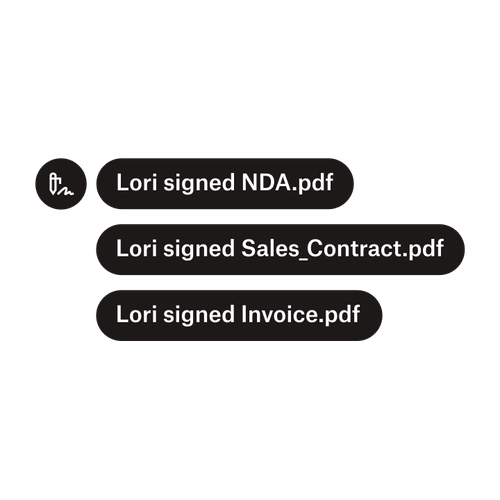
การแจ้งเตือนสามรายการระบุว่า Lori ได้ลงนามใน “NDA.pdf”, “Sale_Contract.pdf” และ “Invoice.pdf”

ส่งเอกสารไปยังผู้ลงนามหลายคน

การสร้างเวิร์กโฟลว์การอนุมัติที่มีผู้ลงนามหลายคนนั้นง่ายดายกว่าที่คุณคิด คุณเพียงแค่ต้องมีเครื่องมือที่เหมาะสม

‍

อ่านบทความ
ตัวอย่างของโค้ดบางส่วนที่กำลังทำงานอยู่โดยเป็นส่วนหนึ่งของการนำ Dropbox Sign API มาใช้

ลดความซับซ้อนของขั้นตอนการทำงานด้วย API ลายเซ็นอิเล็กทรอนิกส์ที่ใช้งานง่ายของเรา

ค้นพบว่า Dropbox Sign API ผสานการทำงานเข้ากับแอปพลิเคชันหรือเว็บไซต์ของคุณได้อย่างไร

‍

เรียนรู้เพิ่มเติม

Eliminate friction in your workflows with Dropbox Sign and Zapier

เริ่มช่วงทดลองฟรีของคุณ

Dropbox Sign ช่วยให้คุณสามารถสร้างลายเซ็นอิเล็กทรอนิกส์ในเอกสารไฟล์ Word ได้ฟรี ดูว่าสามารถลงนามในเอกสารไฟล์ Word แบบอิเล็กทรอนิกส์ได้ง่ายเพียงใดที่นี่

เร็วขึ้น ฉลาดกว่าเดิม ปลอดภัยยิ่งกว่า: วิธีที่ Dropbox Sign จะช่วยพาธุรกิจคุณพุ่งไปข้างหน้าได้เร็วขึ้นในปี 2025

การเตรียมความพร้อมสำหรับกลุ่มผู้ใช้ด้วย Dropbox Sign API

ผลิตภัณฑ์
Dropbox SignDropbox Sign APIDropbox Faxการผนวกรวม
ทำไมถึงต้องเป็น Dropbox Sign
ลายเซ็นอิเล็กทรอนิกส์ลงนามเอกสารลงนามและกรอกข้อมูลใน PDFสัญญาออนไลน์สร้างลายเซ็นอิเล็กทรอนิกส์โปรแกรมแก้ไขลายเซ็นลงนามในเอกสาร Word
การสนับสนุน
ศูนย์ความช่วยเหลือติดต่อฝ่ายขายติดต่อฝ่ายสนับสนุนจัดการคุกกี้เริ่มต้นใช้งาน Dropbox Signเริ่มต้นใช้งาน Dropbox Sign API
ทรัพยากร
บล็อกเรื่องราวของลูกค้าศูนย์ทรัพยากรคู่มือการปฎิบัติตามกฎหมายศูนย์ความไว้วางใจ
พันธมิตรทางธุรกิจ
พันธมิตรเชิงกลยุทธ์ตัวระบุตำแหน่งพันธมิตร
บริษัท
ร่วมงานกับเราเงื่อนไขความเป็นส่วนตัว
ไอคอน Facebookไอคอน Youtube

วิธีการชำระเงินที่ยอมรับ

โลโก้ Mastercardโลโก้ Visaโลโก้ American Expressโลโก้ Discover
ป้ายการปฏิบัติตามข้อกำหนดของ CPAป้ายการปฏิบัติตามข้อกำหนดของ HIPAAป้าย Sky High Enterprise Readyป้ายการรับรองตามมาตรฐาน ISO 9001

ลายเซ็นอิเล็กทรอนิกส์ของ Dropbox Sign มีผลผูกพันทางกฎหมายในสหรัฐอเมริกา สหภาพยุโรป สหราชอาณาจักร และในหลายประเทศทั่วโลก
สำหรับข้อมูลเพิ่มเติม โปรดดูข้อตกลงและเงื่อนไขและนโยบายความเป็นส่วนตัวของเรา