Pular para conteúdo principal
Nenhum item encontrado.
Logo do DropboxSign
Por que usar o Dropbox Sign?
Expandir ou recolher o acordeão

O que você é possível fazer

Assinar documentos on‑line
Crie assinaturas eletrônicas
Escolha ou crie modelos
Preencher e assinar PDFs
Concluir contratos on-line
Gerenciamento de documentos
Explorar recursos
Ícone de flecha para direita

Casos de uso

Vendas e desenvolvimento de negócios
Recursos humanos
Startups
Tecnologia financeira
Imobiliária
Serviços sob demanda
Produtos
Expandir ou recolher o acordeão
ícone do Dropbox
Sign
Facilite o envio e a assinatura
ícone do Dropbox
Sign API
Integre a eSign em seus fluxos de trabalho
Ícone de Dropbox Fax
Fax
Envie faxes sem usar um aparelho de fax
Ícone de Integrações do Dropbox
Integrações
Nós vamos até você
Recursos
Expandir ou recolher o acordeão
Blog
Experiência em fluxo de trabalho e novidades sobre produtos
Histórias de clientes
Histórias do mundo real com resultados reais
Central de ajuda
Orientação detalhada para nossos produtos
Biblioteca de recursos
Relatórios, vídeos e folhetos de informações
Desenvolvedores
Preços
Expandir ou recolher o acordeão
Preços do Dropbox Sign
Encontre o plano mais adequado para você
Preços da Dropbox Sign API
Histórias do mundo real com resultados reais
Fale com vendas
Registrar‑se
Fale com vendas
Acessar conta
Expandir ou recolher o acordeão
Dropbox Sign
Dropbox Forms
Dropbox Fax
Conta de avaliação gratuita
Logo do DropboxSignÍcone de adiçãoLogo ProCore
Integrações
ProCore

Close construction contracts faster with built-in eSignatures for Procore

Sign and send commitments, change orders, and prime construction contracts for signature with Dropbox Sign. All without leaving Procore.

Book a demo
Start using your Procore templates right away

Effortlessly create your document from an existing Procore template or craft a brand new one. Either way, your documents will be ready for eSignature in a flash, making your workflow smoother and faster.

Start using your Procore templates right away

Effortlessly create your document from an existing Procore template or craft a brand new one. Either way, your documents will be ready for eSignature in a flash, making your workflow smoother and faster.

Automatically send email reminders

Eliminate the hassle of tracking signers. Simply create then send a form, and automated reminders will ensure the document gets signed.

Automatically send email reminders

Eliminate the hassle of tracking signers. Simply create then send a form, and automated reminders will ensure the document gets signed.

Save signed agreements back to Procore, hassle free

Executed agreements are automatically saved back to Procore for consistent record keeping and accountability. That means all your documents are stored in the right folder and accessible when you need them.

Save signed agreements back to Procore, hassle free

Executed agreements are automatically saved back to Procore for consistent record keeping and accountability. That means all your documents are stored in the right folder and accessible when you need them.

Send and sign agreements up to 80% faster with Dropbox Sign

Accelerate contract turnaround times

No more chasing signers on endless email chains and messages to get a contract signed.

Send a construction contract via Dropbox Sign, and let the integration do the work for you. Each signer will receive regular email reminders until that document is signed.

And just like that, construction managers can spend more time managing projects, rather than chasing signatures.

‍

Illustration of Dropbox Sign signature box functionality on an online contract.

Streamline subcontractor agreements

From collective bargaining agreements to worker certifications, send documents out to multiple signers with ease, without ever needing to leave Procore.

Implementing Dropbox Sign into your workflow is easy, and minimizes delays to contractor onboarding so you can get started on projects quicker.

‍

A user is organizing the “Signer Settings” for their document, with three different signers arranged in an order, complete with their names and email addresses.

Digitize key construction documents in one safe space

Correspondences, commitments, prime contracts, RFI's, submittals, inspections, observations, and more. There’s a lot of paperwork to keep track of on a construction project.

Documents signed via the Dropbox Sign for Procore integration are automatically saved back to Procore. It saves time, standardizes your record keeping, and keeps things organized throughout each project.

Each completed document will also be legally-binding, legally admissible, and conform to legislation—giving you peace of mind.

‍

An illustration of two documents and a folder, side-by-side. One document has a set of scales pictured on it, the other has a signature applied to it with a green checkmark below, and the folder features a lock symbol.

Nenhum item encontrado.

Soluções que proporcionam resultados mensuráveis

Nenhum item encontrado.
ícone de reprodução

Ver estudo de caso
Três pessoas conversando sobre uma imagem aberta numa mesa de escritório
Logo Cosi
"O tempo que nossa empresa conseguiu economizar com o Dropbox Sign e o Dropbox é incrível. Liberamos centenas de horas normalmente gastas em papelada e gerenciamento de arquivos, permitindo agilidade na criatividade."
Matt Seigel,
presidente, Collier.Simon

Perguntas frequentes

Acesse nossas perguntas frequentes

How do I implement the Dropbox Sign for Procore eSignature integration?

Expandir ou recolher o acordeão

If you have a Procore subscription, start by installing the Dropbox Sign for Procore APP via Procore Marketplace.

If you haven’t already, you should then sign up for Dropbox Sign.

Finally, follow the Dropbox Sign for Procore setup guide from Shake IT to setup and configure your new and improved workflow.

If you have any questions or concerns, contact Shake IT

‍

How do I find and sign a contract in Procore?

Expandir ou recolher o acordeão

Finding a document in Procore and sending it for eSignature is easy with the Dropbox Sign integration.

  1. Start by using the search bar in Procore to find the purchase order, subcontract, or prime contract you wish to be signed.
  2. Export it as a PDF by selecting Export > PDF.
  3. Once the document is opened in a new window, download it to your device.
  4. Click on the Dropbox Sign logo in the side panel.
  5. Browse for file and select the file you just exported as a PDF.
  6. Add signers using the Add Procore User or Add External E-Mail buttons.
  7. Launch Dropbox Sign once signers have been added to open the Dropbox Sign Embedded Requesting tool.
  8. Place signature locations and any other data that the signer needs to provide.
  9. Add a Title and Message under the Email to signers heading. This will create an email that will be sent to signers as part of the request.
  10. Send for Signature to send the request.

For more detailed guidance, read the Shake IT Dropbox Sign for Procore User Guide.

‍

Does it cost anything to use the Dropbox Sign and Procore integration?

Expandir ou recolher o acordeão

Shake IT manages the ProCore integration connector for Dropbox Sign. Please contact Shake IT to receive a quote.

Recursos

Image of the Dropbox Sign integration within the Salesforce app.

Seamlessly integrate eSignatures with Salesforce

Send contracts for signature, track status updates, and auto-fill contract details without ever leaving Salesforce
Saiba mais
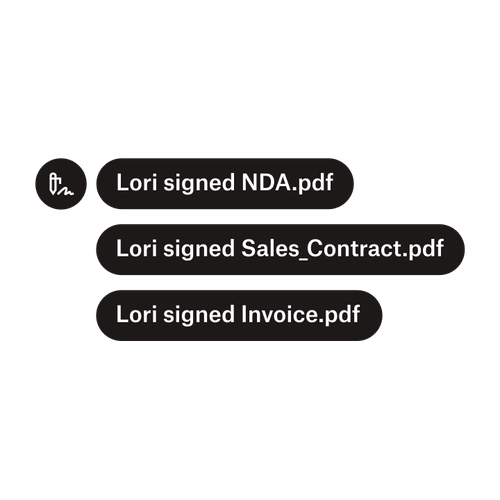
Três notificações indicando que Lori assinou “AcordoConfidencialidade.pdf”, “Contrato_venda.pdf”, e “Fatura.pdf”.

Enviar documentos para vários signatários

Criar fluxos de trabalho de aprovação com vários signatários é mais fácil do que você imagina. Bastar usar as ferramentas certas.

Ler o artigo
Um exemplo de código sendo trabalhado como parte da implementação da Dropbox Sign API.

Simplifique os fluxos de trabalho com nossa API de assinatura eletrônica fácil de usar

Descubra como a Dropbox Sign API se integra perfeitamente ao seu aplicativo ou site.

Saiba mais

Finalize bids, gather approvals and onboard workers more efficiently with Dropbox Sign for Procore

Iniciar sua avaliação gratuita

O Dropbox Sign permite que os usuários criem assinaturas digitais com segurança em questão de minutos. Registre-se e comece a assinar hoje mesmo!

Mais rápido, inteligente e seguro: como o Dropbox Sign está impulsionando negócios em 2025

Integração de novos membros com o Dropbox Sign API

Produtos
Dropbox SignDropbox Sign APIDropbox FaxIntegrações
Por que o Dropbox Sign?
Assinaturas eletrônicasAssinar documentosAssinar e preencher PDFsContratos on-lineCrie assinaturas eletrônicasEditor de assinaturasAssine documentos do Word
Atendimento
Central de ajudaFale com vendasEntrar em contato com o atendimentoGerenciar cookiesIntrodução: Dropbox SignIntrodução: Dropbox Sign API
Recursos
BlogHistórias de clientesCentral de recursosGuia de legalidadeCentral de confiança
Parceiros
Parceiros estratégicosLocalizador de parceiros
Empresa
CarreirasTermosPrivacidade
ícone do Facebookícone do Youtube

Métodos de pagamento aceitos

Logo da MastercardLogo do VisaLogo da American ExpressLogo do Discover
Emblema de conformidade CPAEmblema de Conformidade com HIPAAEmblema da Sky High Enterprise ReadyEmblema do Certificado ISO 9001

As assinaturas eletrônicas do Dropbox Sign são juridicamente vinculativas nos Estados Unidos, União Europeia, Reino Unido e muitos outros países do mundo.
Para mais informações, consulte nossosTermos e Condições e nossa Política de Privacidade