メイン コンテンツにスキップする
該当する項目はありません。
Dropbox Sign のロゴ
Dropbox Sign が選ばれる理由
アコーディオンの展開と折りたたみ

機能

ドキュメントへのオンライン署名
電子署名の作成
テンプレートを選択または作成する
PDF への入力と署名
契約書へのオンライン署名
ドキュメント管理
機能を見る
右矢印のアイコン

ユースケース

セールス/ビジネス開発
人事
スタートアップ
金融テクノロジー
不動産
オンデマンド サービス
製品
アコーディオンの展開と折りたたみ
Dropbox のアイコン
Sign
手軽に送信、手軽に署名
Dropbox のアイコン
Sign API
電子署名をワークフローに統合
Dropbox Fax のアイコン
Fax
ファクス機なしでファクスを送信
Dropbox インテグレーションのアイコン
インテグレーション
さまざまなツールと連携
リソース
アコーディオンの展開と折りたたみ
公式ブログ
ワークフローの専門知識と製品ニュース
お客様の体験談
実際の導入事例とその成果
ヘルプセンター
当社製品の詳細ガイド
リソース ライブラリ
レポート、動画、情報シート
開発者向け情報
価格
アコーディオンの展開と折りたたみ
Dropbox Sign の価格
ニーズに合わせてお選びください
Dropbox Sign API の価格
実際の導入事例とその成果
セールス担当に連絡
登録
セールス担当へ連絡する
ログイン
アコーディオンの展開と折りたたみ
Dropbox Sign
Dropbox Forms
Dropbox Fax
無料トライアル
Dropbox Sign のロゴ追加アイコンProcore のロゴ
インテグレーション
Procore

Close construction contracts faster with built-in eSignatures for Procore

Sign and send commitments, change orders, and prime construction contracts for signature with Dropbox Sign. All without leaving Procore.

Book a demo
Start using your Procore templates right away

Effortlessly create your document from an existing Procore template or craft a brand new one. Either way, your documents will be ready for eSignature in a flash, making your workflow smoother and faster.

Start using your Procore templates right away

Effortlessly create your document from an existing Procore template or craft a brand new one. Either way, your documents will be ready for eSignature in a flash, making your workflow smoother and faster.

Automatically send email reminders

Eliminate the hassle of tracking signers. Simply create then send a form, and automated reminders will ensure the document gets signed.

Automatically send email reminders

Eliminate the hassle of tracking signers. Simply create then send a form, and automated reminders will ensure the document gets signed.

Save signed agreements back to Procore, hassle free

Executed agreements are automatically saved back to Procore for consistent record keeping and accountability. That means all your documents are stored in the right folder and accessible when you need them.

Save signed agreements back to Procore, hassle free

Executed agreements are automatically saved back to Procore for consistent record keeping and accountability. That means all your documents are stored in the right folder and accessible when you need them.

Send and sign agreements up to 80% faster with Dropbox Sign

Accelerate contract turnaround times

No more chasing signers on endless email chains and messages to get a contract signed.

Send a construction contract via Dropbox Sign, and let the integration do the work for you. Each signer will receive regular email reminders until that document is signed.

And just like that, construction managers can spend more time managing projects, rather than chasing signatures.

‍

Illustration of Dropbox Sign signature box functionality on an online contract.

Streamline subcontractor agreements

From collective bargaining agreements to worker certifications, send documents out to multiple signers with ease, without ever needing to leave Procore.

Implementing Dropbox Sign into your workflow is easy, and minimizes delays to contractor onboarding so you can get started on projects quicker.

‍

A user is organizing the “Signer Settings” for their document, with three different signers arranged in an order, complete with their names and email addresses.

Digitize key construction documents in one safe space

Correspondences, commitments, prime contracts, RFI's, submittals, inspections, observations, and more. There’s a lot of paperwork to keep track of on a construction project.

Documents signed via the Dropbox Sign for Procore integration are automatically saved back to Procore. It saves time, standardizes your record keeping, and keeps things organized throughout each project.

Each completed document will also be legally-binding, legally admissible, and conform to legislation—giving you peace of mind.

‍

An illustration of two documents and a folder, side-by-side. One document has a set of scales pictured on it, the other has a signature applied to it with a green checkmark below, and the folder features a lock symbol.

該当する項目はありません。

ソリューションがもたらす具体的な成果

該当する項目はありません。
再生アイコン

導入事例を見る
オフィスのテーブルに広げた図を見ながら立って議論する 3 人の人物
Co.Si のロゴ
「Dropbox Sign と Dropbox のおかげで短縮できた時間は計り知れません。書類手続きやファイルの管理に費やしていた膨大な時間を他の業務に回すことができ、制作物を迅速に仕上げられるようになりました。」
マット・シーゲル氏
Collier.Simon 社長

よくある質問

よくある質問を見る

How do I implement the Dropbox Sign for Procore eSignature integration?

アコーディオンの展開と折りたたみ

If you have a Procore subscription, start by installing the Dropbox Sign for Procore APP via Procore Marketplace.

If you haven’t already, you should then sign up for Dropbox Sign.

Finally, follow the Dropbox Sign for Procore setup guide from Shake IT to setup and configure your new and improved workflow.

If you have any questions or concerns, contact Shake IT

‍

How do I find and sign a contract in Procore?

アコーディオンの展開と折りたたみ

Finding a document in Procore and sending it for eSignature is easy with the Dropbox Sign integration.

  1. Start by using the search bar in Procore to find the purchase order, subcontract, or prime contract you wish to be signed.
  2. Export it as a PDF by selecting Export > PDF.
  3. Once the document is opened in a new window, download it to your device.
  4. Click on the Dropbox Sign logo in the side panel.
  5. Browse for file and select the file you just exported as a PDF.
  6. Add signers using the Add Procore User or Add External E-Mail buttons.
  7. Launch Dropbox Sign once signers have been added to open the Dropbox Sign Embedded Requesting tool.
  8. Place signature locations and any other data that the signer needs to provide.
  9. Add a Title and Message under the Email to signers heading. This will create an email that will be sent to signers as part of the request.
  10. Send for Signature to send the request.

For more detailed guidance, read the Shake IT Dropbox Sign for Procore User Guide.

‍

Does it cost anything to use the Dropbox Sign and Procore integration?

アコーディオンの展開と折りたたみ

Shake IT manages the ProCore integration connector for Dropbox Sign. Please contact Shake IT to receive a quote.

リソース

Image of the Dropbox Sign integration within the Salesforce app.

Seamlessly integrate eSignatures with Salesforce

Send contracts for signature, track status updates, and auto-fill contract details without ever leaving Salesforce

詳しくはこちら
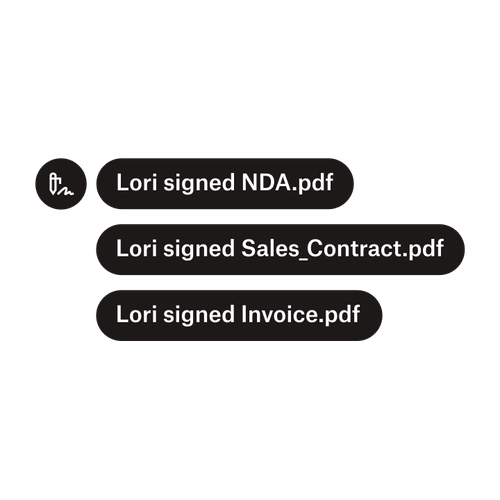
Lori さんが NDA.pdf、販売契約書.pdf、請求書.pdf に署名したことを示す 3 つの通知。

複数の署名者にドキュメントを送信

複数の署名者を対象とした承認ワークフローが思ったよりも簡単に作成できます。必要なのは適切なツールだけです。

記事を読む
Dropbox Sign API の実装の一環として作業中のコードの例。

Dropbox Sign の使いやすい電子署名 API でワークフローをシンプルに

Dropbox Sign API をどれほどスムーズに自社アプリやウェブサイトに組み込めるかをご覧ください。

詳しくはこちら

Finalize bids, gather approvals and onboard workers more efficiently with Dropbox Sign for Procore

無料トライアルを始める

Dropbox Sign を使ってすばやく簡単に署名を作成する方法をご紹介します。無料で始められます。

これまで以上に速く、スマートで、安全に:Dropbox Sign で事業強化をめざす

Dropbox Sign API によるグループオンボーディング

製品
Dropbox SignDropbox Sign APIDropbox Faxインテグレーション
Dropbox Sign が選ばれる理由
電子署名ドキュメントへの署名PDF への入力と署名オンライン契約書電子署名の作成署名エディタWord ドキュメントへの署名
サポート
ヘルプセンターセールス担当に連絡サポートへのお問い合わせCookie の管理スタート ガイド:Dropbox Signスタート ガイド:Dropbox Sign API
リソース
公式ブログお客様の体験談リソース センター適法性ガイドトラスト センター
パートナー
戦略的パートナーパートナー ロケーター
会社
採用情報利用規約プライバシー
Facebook のアイコンYouTube のアイコン

利用可能なお支払い方法

Mastercard のロゴVISA のロゴAmerican Express のロゴDiscover のロゴ
CPA 準拠のバッジHIPAA 準拠のバッジSky High Enterprise Ready のバッジISO 9001 認証のバッジ

Dropbox Sign の電子署名は、米国、欧州連合、英国などを含め、世界中の多くの国で法的に有効です。
詳細については、利用規約およびプライバシー ポリシーをご覧ください。