Passa ai contenuti principali
Nessun elemento trovato.
Logo di Dropbox Sign
Perché scegliere Dropbox Sign?
Fisarmonica aperta o chiusa

Cosa puoi fare

Firma documenti online
Creare firme elettroniche
Scegli o crea modelli
Firmare e compilare file PDF
Completare contratti online
Gestione dei documenti
Esplora le funzionalità
Icona di una freccia che indica a destra

Casi d'uso

Vendite e sviluppo aziendale
Risorse umane
Startup
Tecnologia finanziaria
Immobiliare
Servizi on demand
Prodotti
Fisarmonica aperta o chiusa
icona dropbox
Sign
Semplifica l'invio e la firma
icona dropbox
Sign API
Integra eSign nel tuo flusso di lavoro
Icona di Dropbox Fax
Fax
Invia fax senza ricorrere al fax
Icona delle integrazioni Dropbox
Integrazioni
Noi ci adattiamo al tuo lavoro
Risorse
Fisarmonica aperta o chiusa
Blog
Competenza nei flussi di lavoro e novità sui prodotti
Storie di clienti
Storie reali con risultati concreti
Centro assistenza
Guide approfondite per i nostri prodotti
Libreria delle risorse
Report, video e schede informative
Sviluppatori
Prezzi
Fisarmonica aperta o chiusa
Prezzi di Dropbox Sign
Trova il piano che fa per te
Prezzi di Dropbox Sign API
Storie reali con risultati concreti
Contatta l'ufficio vendite
Registrati
Contatta l'ufficio vendite
Accedi
Fisarmonica aperta o chiusa
Dropbox Sign
Dropbox Forms
Dropbox Fax
Prova gratuita
Logo di Dropbox Signicona aggiungiLogo di Zapier
Integrazioni
Zapier

Effortlessly add eSignatures to existing workflows with Dropbox Sign and Zapier

Zapier connects Dropbox Sign with thousands of popular apps to automate your eSignature workflows. And there’s no coding required.

Come iniziare
Get valuable time back

Stop sinking time into manually setting up eSignature requests. Connect Zapier and Dropbox Sign to create valuable time savings and get your docs signed, fast.

‍

Get valuable time back

Stop sinking time into manually setting up eSignature requests. Connect Zapier and Dropbox Sign to create valuable time savings and get your docs signed, fast.

‍

Minimize context switching

Transform the way your team gets documents signed by connecting Dropbox Sign with Zapier. Say goodbye to inefficiencies while juggling multiple apps. Instead, effortlessly keep track of everything in one place.

‍

Minimize context switching

Transform the way your team gets documents signed by connecting Dropbox Sign with Zapier. Say goodbye to inefficiencies while juggling multiple apps. Instead, effortlessly keep track of everything in one place.

‍

Start integrating instantly—no developer needed

Dropbox Sign and Zapier integrate seamlessly, right out of the box. There’s no coding or adjustments needed—just connect and start adding eSignatures to your workflows today.

‍

Start integrating instantly—no developer needed

Dropbox Sign and Zapier integrate seamlessly, right out of the box. There’s no coding or adjustments needed—just connect and start adding eSignatures to your workflows today.

‍

Build a Zap to connect Dropbox Sign with the tools you need

Automatically create Asana tasks for new Dropbox Sign eSignature requests

Asana can be a one-stop-shop when it comes keeping business tasks, goals, and projects on track. But what happens when you introduce eSignature software into the mix?

Create a Zap to set up custom triggers and actions, and instantly enhance your team’s project management capabilities.

‍

Come iniziare
The Asana logo.

Get Slack messages when documents are signed with Dropbox Sign

Stay on top of your documents directly from Slack.

With Dropbox Sign integrated, your team will receive real-time Slack notifications for each document signed or signature request made. Keep everyone in sync without missing a beat.

‍

Ulteriori informazioni
The Slack logo.

Update ActiveCampaign deals as soon as new eSignatures are finalized

Say goodbye to manually updating your deals in ActiveCampaign.

When a Dropbox Sign signature request is completed, Zapier ensures your records are always current. That means your data is always up-to-date, and your sales pipeline can keep running smoothly.

‍

Provalo oggi stesso
The ActiveCampaign logo.

Nessun elemento trovato.

Soluzioni che garantiscono risultati visibili

Nessun elemento trovato.
Icona Riproduci

Visualizza il case study
3 persone discutono chinate sopra un diagramma disposto sul tavolo dell'ufficio
logo cosi
“È incredibile il tempo che Dropbox Sign e Dropbox ci hanno fatto risparmiare. Abbiamo risparmiato centinaia di ore che prima dedicavamo alla gestione e all'archiviazione della documentazione cartacea, mentre ora possiamo realizzare i nostri lavori creativi più velocemente”.
Matt Seigel,
Presidente, Collier.Simon

Domande frequenti

Visita le nostre domande frequenti

How do I connect Dropbox Sign and Zapier?

Fisarmonica aperta o chiusa

Zapier and Dropbox Sign integrate seamlessly, making it easy to set up and implement eSignatures in a few simple steps.

  1. Set up your Zapier and Dropbox Sign accounts.
  2. Create your “Zap”.
  3. Connect your Dropbox Sign API account.
  4. Start signing documents!

For more information, read our full guide to setting up and testing Zapier and the Dropbox Sign API.

‍

Can I log Dropbox Sign signature requests in a Google Sheets spreadsheet?

Fisarmonica aperta o chiusa

If you want to record all your Dropbox Sign signature requests in a Google Spreadsheet, you can do that using the Zapier integration.

You will need each of the following:

  • a Dropbox Sign API account
  • a Google Drive account
  • a Zapier account

To get started, check out our helpful article on how to log Dropbox Sign signature requests in a Google Sheets spreadsheet.

‍

How do I send a signature request from a template?

Fisarmonica aperta o chiusa

Sending a signature request from a template is quick and easy with the Zapier integration.

  1. Log in to your Zapier account.
  2. Create a new Zap with Dropbox Sign as the action.
  3. Check Signature Request from Template is the default action, then click Save + Continue.
  4. Connect your Dropbox Sign account using your email and password. Click Save + Continue.
  5. Select a template, as prompted.
  6. When asked “Is Your Dropbox Sign API Plan Paid?":
    • Select No if you do not have a paid account or are testing.
    • Select Yes if you have a paid account to start sending legally binding eSignature requests.

‍

Risorse

Image of the Dropbox Sign integration within the Salesforce app.

Seamlessly integrate eSignatures with Salesforce

Send contracts for signature, track status updates, and auto-fill contract details without ever leaving Salesforce
‍

Ulteriori informazioni
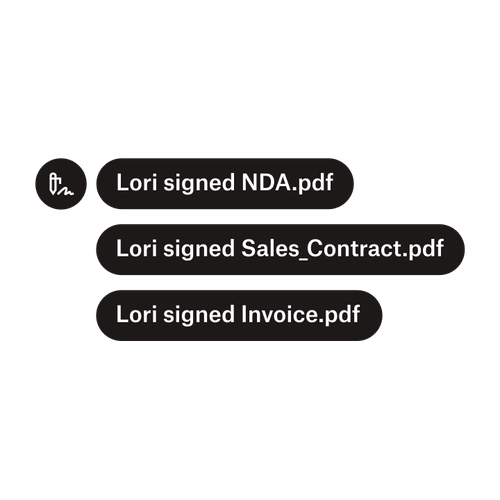
Tre notifiche indicano che Lori ha firmato “NDA.pdf”, “Sale_Contract.pdf” e “Invoice.pdf”.

Inviare documenti a più firmatari

Creare flussi di lavoro di approvazione con più firmatari è più semplice di quanto potresti pensare. Hai solo bisogno degli strumenti giusti.

‍

Leggi l'articolo
Un esempio di codice in fase di elaborazione nell'ambito dell'implementazione di Dropbox Sign API.

Semplifica i flussi di lavoro con la nostra API di firma elettronica facile da usare

Scopri come Dropbox Sign API si integra perfettamente nella tua applicazione o nel tuo sito web.

‍

Ulteriori informazioni

Eliminate friction in your workflows with Dropbox Sign and Zapier

Inizia la tua prova gratuita

Dropbox Sign consente di creare firme elettroniche in Word gratuitamente. Scopri quanto è semplice firmare elettronicamente i documenti Word qui.

Più veloce, più intelligente, più sicuro: ecco come Dropbox Sign accelera il business nel 2025

Onboarding di gruppo con Dropbox Sign API

Prodotti
Dropbox SignDropbox Sign APIDropbox FaxIntegrazioni
Perché scegliere Dropbox Sign
Firme elettronicheFirma documentiFirmare e compilare i PDFContratti onlineCreare firme elettronicheEditor di firmaFirma su Word
Supporto
Centro assistenzaContatta l'ufficio venditeContatta il supportoGestisci cookieGuida introduttiva: Dropbox SignGuida introduttiva: Dropbox Sign API
Risorse
BlogStorie di clientiCentro risorseGuida alla legalitàTrust Center
Partner
Partner strategiciPartner Locator
Azienda
Opportunità di lavoroTerminiPrivacy
icona facebookicona youtube

Metodi di pagamento accettati

Logo di MastercardLogo di VisaLogo di American ExpressLogo di Discover
Badge di conformità con la legge CPABadge di conformità con le norme HIPAABadge di Sky High Enterprise ReadyBadge della certificazione ISO 9001

Le firme elettroniche di Dropbox Sign sono legalmente vincolanti negli Stati Uniti, nell'Unione Europea, nel Regno Unito e in molti altri Paesi nel mondo.
Per ulteriori informazioni, consulta i nostri termini e condizioni e le Norme sulla privacy