直接跳至主要內容
找不到項目。
dropbox sign 標誌
為何選擇 Dropbox Sign?
展開或收起手風琴

我們提供的功能

線上簽署文件
建立電子簽章
選擇或建立範本
填寫及簽署 PDF
完成線上合約
文件管理
探索功能
向右箭頭圖示

使用案例

銷售和業務開發
人力資源
新創公司
金融科技
房地產
隨需服務
產品
展開或收起手風琴
Dropbox 圖示
Sign
輕鬆進行簽名與傳送
Dropbox 圖示
Sign API
將 eSign 與既有工作流程整合
Dropbox Fax 圖示
Fax
不用傳真機就能傳真
Dropbox 整合圖示
整合
與您相約在工作地點見
資源
展開或收起手風琴
部落格
工作流程專業與產品新聞
客戶故事
具實績佐證的真實故事
說明中心
詳盡產品指南
資源庫
報告、影片和資訊表
開發人員
價格
展開或收起手風琴
Dropbox Sign 價格
找出符合您需求的方案
Dropbox Sign API 價格
具實績佐證的真實故事
聯絡銷售人員
註冊
聯絡銷售人員
登入
展開或收起手風琴
Dropbox Sign
Dropbox Forms
Dropbox Fax
免費試用
dropbox sign 標誌新增圖示ProCore 標誌
整合
Procore

Close construction contracts faster with built-in eSignatures for Procore

Sign and send commitments, change orders, and prime construction contracts for signature with Dropbox Sign. All without leaving Procore.

Book a demo
Start using your Procore templates right away

Effortlessly create your document from an existing Procore template or craft a brand new one. Either way, your documents will be ready for eSignature in a flash, making your workflow smoother and faster.

Start using your Procore templates right away

Effortlessly create your document from an existing Procore template or craft a brand new one. Either way, your documents will be ready for eSignature in a flash, making your workflow smoother and faster.

Automatically send email reminders

Eliminate the hassle of tracking signers. Simply create then send a form, and automated reminders will ensure the document gets signed.

Automatically send email reminders

Eliminate the hassle of tracking signers. Simply create then send a form, and automated reminders will ensure the document gets signed.

Save signed agreements back to Procore, hassle free

Executed agreements are automatically saved back to Procore for consistent record keeping and accountability. That means all your documents are stored in the right folder and accessible when you need them.

Save signed agreements back to Procore, hassle free

Executed agreements are automatically saved back to Procore for consistent record keeping and accountability. That means all your documents are stored in the right folder and accessible when you need them.

Send and sign agreements up to 80% faster with Dropbox Sign

Accelerate contract turnaround times

No more chasing signers on endless email chains and messages to get a contract signed.

Send a construction contract via Dropbox Sign, and let the integration do the work for you. Each signer will receive regular email reminders until that document is signed.

And just like that, construction managers can spend more time managing projects, rather than chasing signatures.

‍

Illustration of Dropbox Sign signature box functionality on an online contract.

Streamline subcontractor agreements

From collective bargaining agreements to worker certifications, send documents out to multiple signers with ease, without ever needing to leave Procore.

Implementing Dropbox Sign into your workflow is easy, and minimizes delays to contractor onboarding so you can get started on projects quicker.

‍

A user is organizing the “Signer Settings” for their document, with three different signers arranged in an order, complete with their names and email addresses.

Digitize key construction documents in one safe space

Correspondences, commitments, prime contracts, RFI's, submittals, inspections, observations, and more. There’s a lot of paperwork to keep track of on a construction project.

Documents signed via the Dropbox Sign for Procore integration are automatically saved back to Procore. It saves time, standardizes your record keeping, and keeps things organized throughout each project.

Each completed document will also be legally-binding, legally admissible, and conform to legislation—giving you peace of mind.

‍

An illustration of two documents and a folder, side-by-side. One document has a set of scales pictured on it, the other has a signature applied to it with a green checkmark below, and the folder features a lock symbol.

找不到項目。

促進顯著業務成果的解決方案

找不到項目。
播放圖示

查看案例研究
3 個人站在辦公桌前對著攤開的圖表討論
CoSi 標誌
「Dropbox Sign 和 Dropbox 為本公司省下的時間相當驚人。我們可以騰出數百小時的時間,減少文書和檔案管理工作,更快完成創作。」
Collier.Simon 總裁
Matt Seigel

常見問題集

參考我們的常見問題集

How do I implement the Dropbox Sign for Procore eSignature integration?

展開或收起手風琴

If you have a Procore subscription, start by installing the Dropbox Sign for Procore APP via Procore Marketplace.

If you haven’t already, you should then sign up for Dropbox Sign.

Finally, follow the Dropbox Sign for Procore setup guide from Shake IT to setup and configure your new and improved workflow.

If you have any questions or concerns, contact Shake IT

‍

How do I find and sign a contract in Procore?

展開或收起手風琴

Finding a document in Procore and sending it for eSignature is easy with the Dropbox Sign integration.

  1. Start by using the search bar in Procore to find the purchase order, subcontract, or prime contract you wish to be signed.
  2. Export it as a PDF by selecting Export > PDF.
  3. Once the document is opened in a new window, download it to your device.
  4. Click on the Dropbox Sign logo in the side panel.
  5. Browse for file and select the file you just exported as a PDF.
  6. Add signers using the Add Procore User or Add External E-Mail buttons.
  7. Launch Dropbox Sign once signers have been added to open the Dropbox Sign Embedded Requesting tool.
  8. Place signature locations and any other data that the signer needs to provide.
  9. Add a Title and Message under the Email to signers heading. This will create an email that will be sent to signers as part of the request.
  10. Send for Signature to send the request.

For more detailed guidance, read the Shake IT Dropbox Sign for Procore User Guide.

‍

Does it cost anything to use the Dropbox Sign and Procore integration?

展開或收起手風琴

Shake IT manages the ProCore integration connector for Dropbox Sign. Please contact Shake IT to receive a quote.

資源

Image of the Dropbox Sign integration within the Salesforce app.

Seamlessly integrate eSignatures with Salesforce

Send contracts for signature, track status updates, and auto-fill contract details without ever leaving Salesforce

瞭解詳情
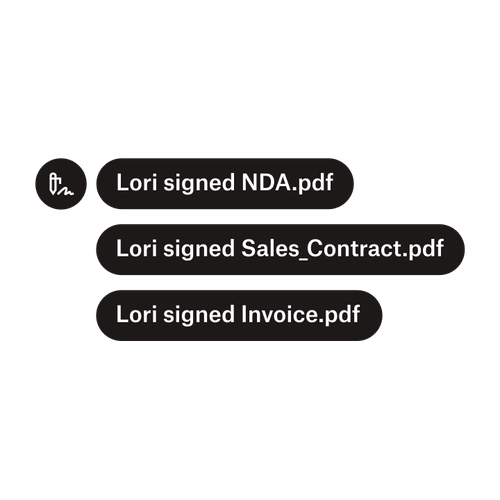
三則通知表示 Lori 已簽署「保密協議.pdf」、「銷售合約.pdf」和「發票.pdf」。

將文件傳送給多位簽署者

建立涉及多名簽署者的核准工作流程其實比您預期的還容易,只要有對的工具便能諸事暢通。

閱讀文章
處理部分程式碼作為 Dropbox Sign API 執行作業的範例

簡單易用的電子簽章 API 為您簡化工作流程

瞭解 Dropbox Sign API 如何流暢整合到應用程式或網站。

瞭解詳情

Finalize bids, gather approvals and onboard workers more efficiently with Dropbox Sign for Procore

開始免費試用

Dropbox Sign 讓使用者在幾分鐘內就能安全無虞地建立數位簽名。立即註冊並開始簽署!

更高效、更智慧、更安全:Dropbox Sign 如何在 2025 年推動企業加速成長

使用 Dropbox Sign API 進行夥伴部署

產品
Dropbox SignDropbox Sign APIDropbox Fax整合
為何選擇 Dropbox Sign
電子簽章簽署文件簽署及填寫 PDF線上合約建立電子簽章簽名編輯工具簽署 Word 文件
支援服務
說明中心聯絡銷售人員聯絡支援團隊管理 Cookie開始使用:Dropbox Sign開始使用:Dropbox Sign API
資源
部落格客戶故事資源中心合法性指南信賴中心
合作夥伴
策略合作夥伴合作夥伴搜尋工具
公司
職涯條款隱私權
Facebook 圖示Youtube 圖示

可接受的付款方式

萬事達卡標誌Visa 卡標誌美國運通卡標誌Discover 標誌
CPA 法規遵循標章HIPAA 法規遵循標章Sky High Enterprise ready 標章ISO 9001 認證標章

Dropbox Sign 電子簽名在美國、歐盟地區、英國和世界上許多國家均已具備法律約束力。
詳情請參閱我們的條款與條件以及隱私權政策