


全新設計,優秀如初!HelloSign 現已更名為 Dropbox Sign。

Dropbox Sign’s signature maker creates a totally new electronic signature experience. People assume that “
Not so!
Dropbox Sign lets you create signatures in four different ways.
Do you feel more comfortable with your hand-drawn signature on your documents? That’s no problem. You can take a photo of your actual signature on a piece of paper and upload it to Dropbox Sign’s signature maker using a smartphone or regular camera.
Some people prefer to draw their signature on a document each time rather than using the same exact image over and over again. For this kind of authenticity, you can use our signature maker to draw your signature using your mouse.
You can also always choose to type your eSignature. We have a variety of fonts in our signature maker as well, so you can find one that looks natural and that you feel best represents you.
And if you’re sending a document out for a client or applicant to sign and you want to limit the signing options - you can! Just go to "Settings" to select the signature type or types that you are willing to accept.
Here's how to create each of the four signature types in Dropbox Sign's signature maker:
1. Take a photo of your signature with your smartphone
Snap a photograph of your signature using the camera on your smartphone. For best results, be sure the signature is on white, unlined paper. Then, email the image on your phone to
and use the unique subject code provided for you in the signature maker. When you click “Next,” your signature will pop up in a few seconds.

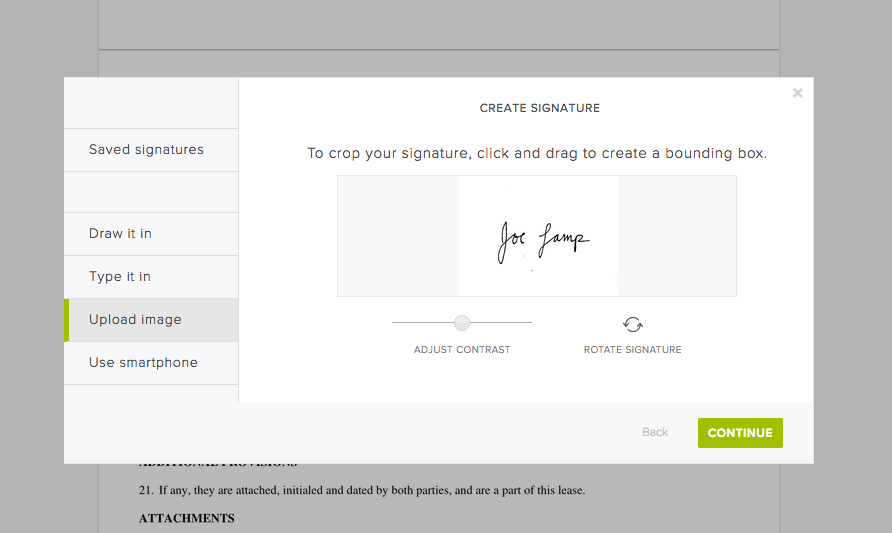
2. Upload an image from your computer
If you have a signed and scanned document on your computer, you can take a quick screenshot of your signature, then upload the image file. As with the smartphone option, you can rotate, crop, and contrast the signature as you see fit and save it for later use.
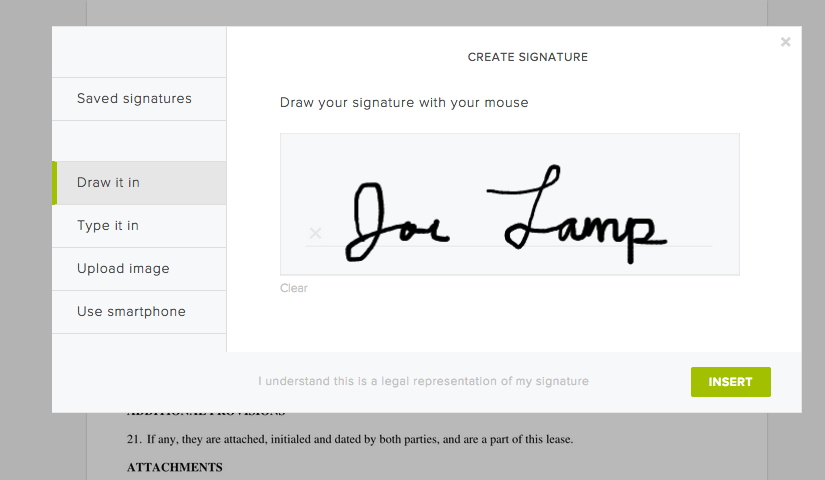
3. Draw your signature with your mouse
Use your mouse or touch pad to draw in your signature. You can save the mouse-drawn version to use it again and again, or re-draw from scratch each time. It’s up to you.
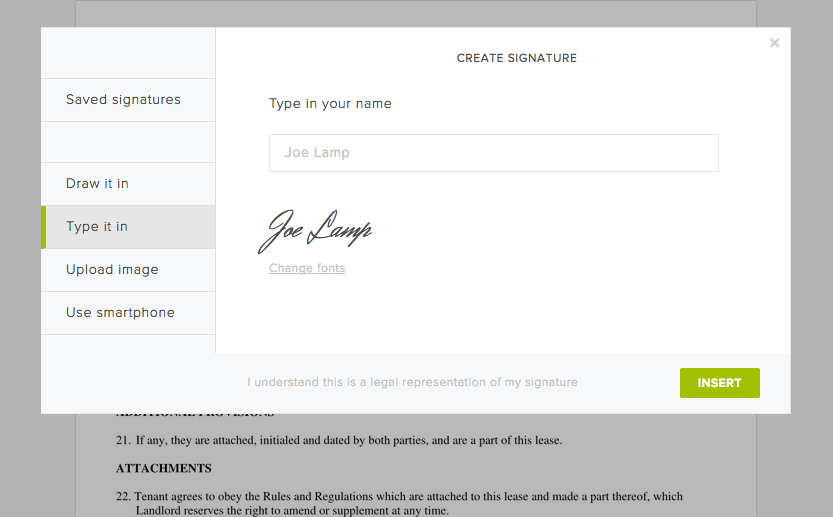
4. Type your signature
Of course, you can always simply type your name and then select a font you like. Just click "Change fonts" to sample the various styles we have available, then click "Add signature" to place it on your document.
And that's it!
Pretty easy right? Now go and enjoy the extra time you get back from not printing and faxing your documents!
時時參與其中
Thank you!
Thank you for subscribing!



