Pular para conteúdo principal
Nenhum item encontrado.
Logo do DropboxSign
Por que usar o Dropbox Sign?
Expandir ou recolher o acordeão

O que você é possível fazer

Assinar documentos on‑line
Crie assinaturas eletrônicas
Escolha ou crie modelos
Preencher e assinar PDFs
Concluir contratos on-line
Gerenciamento de documentos
Explorar recursos
Ícone de flecha para direita

Casos de uso

Vendas e desenvolvimento de negócios
Recursos humanos
Startups
Tecnologia financeira
Imobiliária
Serviços sob demanda
Produtos
Expandir ou recolher o acordeão
ícone do Dropbox
Sign
Facilite o envio e a assinatura
ícone do Dropbox
Sign API
Integre a eSign em seus fluxos de trabalho
Ícone de Dropbox Fax
Fax
Envie faxes sem usar um aparelho de fax
Ícone de Integrações do Dropbox
Integrações
Nós vamos até você
Recursos
Expandir ou recolher o acordeão
Blog
Experiência em fluxo de trabalho e novidades sobre produtos
Histórias de clientes
Histórias do mundo real com resultados reais
Central de ajuda
Orientação detalhada para nossos produtos
Biblioteca de recursos
Relatórios, vídeos e folhetos de informações
Desenvolvedores
Preços
Expandir ou recolher o acordeão
Preços do Dropbox Sign
Encontre o plano mais adequado para você
Preços da Dropbox Sign API
Histórias do mundo real com resultados reais
Fale com vendas
Registrar‑se
Fale com vendas
Acessar conta
Expandir ou recolher o acordeão
Dropbox Sign
Dropbox Forms
Dropbox Fax
Conta de avaliação gratuita
Blog
/
Fundamentos da assinatura eletrônica

Keep Your Teams in the Loop With These Dropbox Sign Features

by 
Claire Murdough
November 29, 2016
3
minutos de leitura
ícone de dica de ferramenta

Novo visual, mesmo produto incrível! O HelloSign agora é Dropbox Sign.

ícone fechar

We don’t subscribe to every catchy slogan, but “teamwork makes the dream work” is one we can stand behind. There’s nothing more important than collaborating and communicating effectively within teams. 

‍

Below you’ll find our favorite tips and tricks for using Dropbox Sign to keep your team in the loop. 

‍

Enjoy!

‍

1. Keep everyone in the know by cc'ing all stakeholders

‍

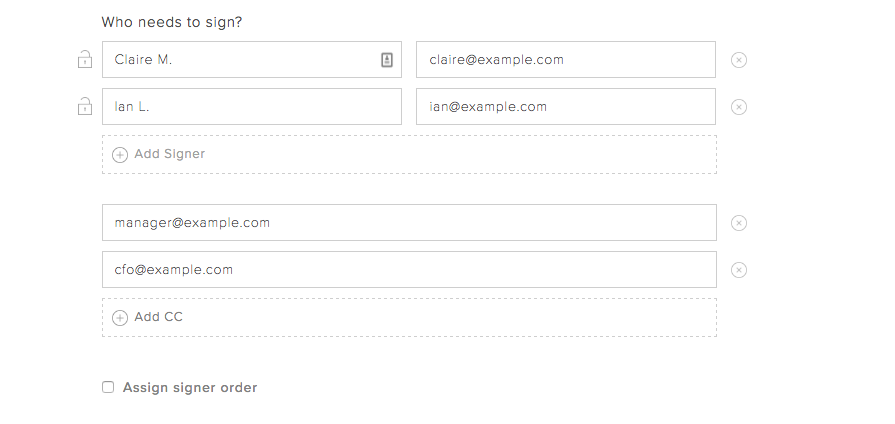
Did you know you can "cc" email addresses when sending your document for signature? It’s the perfect way to keep stakeholders in the know, even when their signature isn’t required. 

‍

You can “cc” your company’s CFO if you’re pushing through payroll paperwork, your Director of Sales when closing a deal, and much more.

‍

‍

Simply select the “Add CC” option when determining who needs to sign your document.
‍

‍

2. Make sure the right people get the document at the right time by creating a signing order

‍

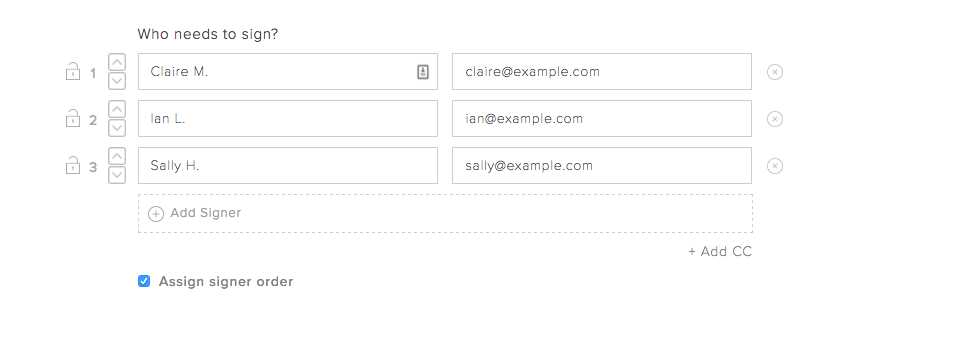
Many documents require an order of operations when it comes to getting them completed. For example, maybe you need to have something approved by HR before you can send it to your employee.That’s not a problem with Dropbox Sign’s signing order option. You’ll see it when you’re determining who needs to sign the document.
‍

‍

Use the up and down arrows to reorder names and emails. The first person on the list will receive the document first, with others getting the document in the descending order.

‍

3. Set signer permissions so your document is only accessible to the right people

‍

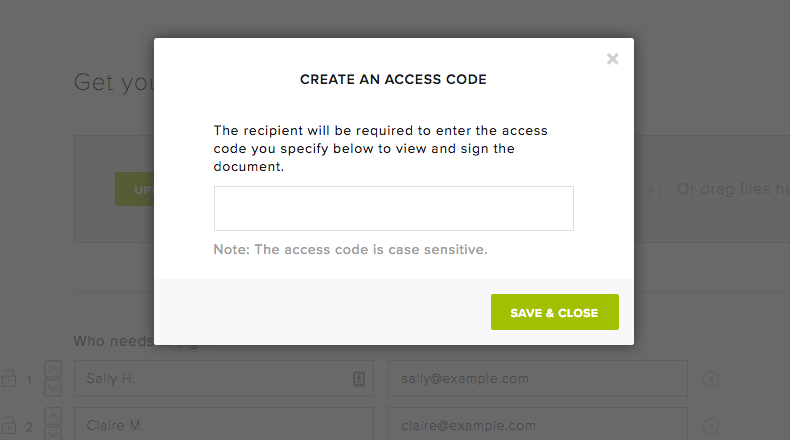
Sensitive documents require extra precautions. Dropbox Sign allows you to set a unique access code for each document. Signers or viewers won’t be able to access the document until they’ve entered the correct code. 

‍

This is an excellent option when you’re dealing confidential or sensitive team documents like internal financial information and the likes.
‍

‍

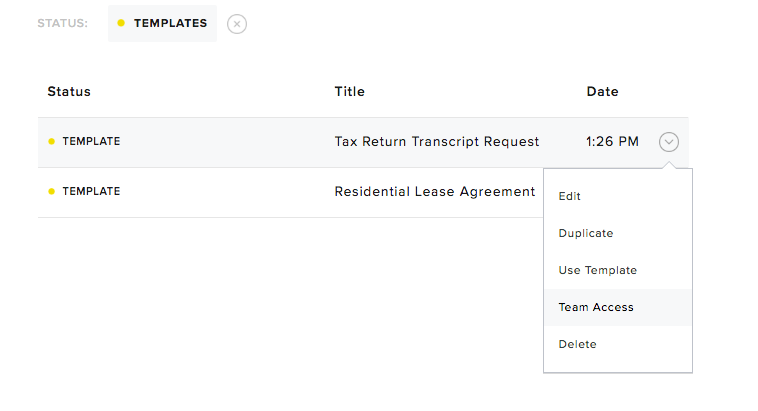
4. Share Dropbox Sign templates with team members to eliminate redundant formatting

‍

Dropbox Sign templates are an excellent way to get your team members on the same page without requiring them to double down on work. 

‍

You can easily share pre-formatted document templates with team members on your Dropbox Sign account. For example, say you’re a real estate agency and all your brokers send out the same lease paperwork when closing a deal. You can share the lease paperwork template with them so they can start selling. No redundant administrative work required! 

‍

It’s also easy to change access permissions for templates at any time. 
‍

‍

5. Standardize your team’s messaging for each document email

‍

If you’re an admin of your Dropbox Sign business account, you can customize and control the email messaging that goes out in document activity emails.

‍

This includes managing things like email tagline, “From” field, email signature, logo, and the page where signers are taken after they complete signing the document. 

‍

This is perfect for standardizing messaging and making sure that every recipient is getting the right (and consistent) information.

‍

‍

‍

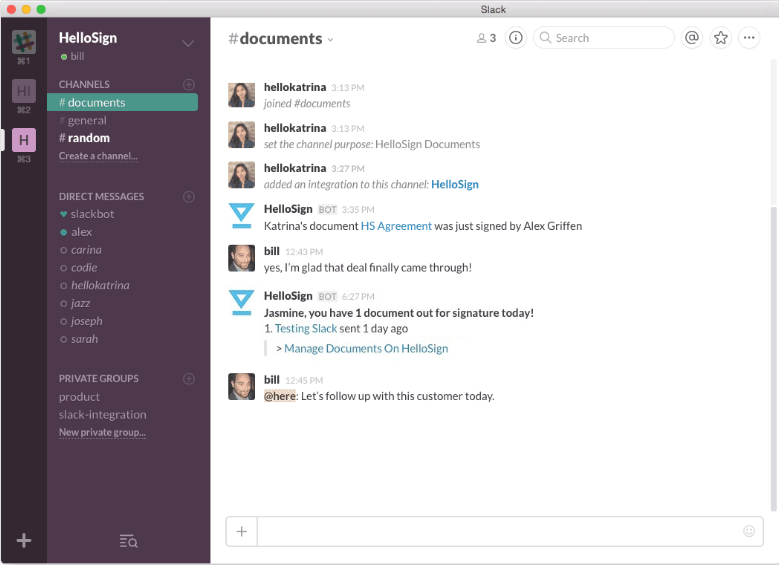
6. Celebrate team wins in real time using the Slack integration

‍

Most companies use an internal chat tool to communicate across teams. Many use Slack! If that’s you, then the Dropbox Sign for Slack integration is the perfect fit. 

‍

By connecting your Dropbox Sign and Slack accounts, you can see document activity in real time on a devoted Slack channel.You’ll see when a document has been viewed, opened – and most importantly – signed. 

‍

Click here to enable the integration!

‍

‍

Empower Your Dream Team

‍

Interested in learning more? You can try out Dropbox Sign’s team features by signing up for a free 30-day trial. If you’re already a Dropbox Sign customer, simply visit our plans page to see what upgrades might be right for you. 

Fique por dentro

Pronto! Verifique sua caixa de entrada.

Thank you!
Thank you for subscribing!

Lorem ipsum

Lorem ipsum dolor sit amet, consectetur adipiscing elit. Suspendisse varius enim in eros elementum tristique. Duis cursus, mi quis viverra ornare, eros dolor interdum nulla, ut commodo diam libero vitae erat. Aenean faucibus nibh et justo cursus id rutrum lorem imperdiet. Nunc ut sem vitae risus tristique posuere.

Lorem ipsum
Ícone de flecha para direita
ícone fechar

Up next:

Pessoa trabalhando em um laptop em uma mesa. A tela mostra uma assinatura eletrônica sendo adicionada a um documento.
Fundamentos da assinatura eletrônica
8
minutos de leitura

SES, AES e QES: Explicação sobre tipos de assinaturas eletrônicas

Person signing a document on a tablet in a living room.
Fundamentos da assinatura eletrônica
5
minutos de leitura

How to validate a digital signature—and why it matters

Infográfico

Quatro maneiras pelas quais as APIs de assinatura eletrônica ajudam os negócios SaaS a impulsionarem as receitas

Produtos
Dropbox SignDropbox Sign APIDropbox FaxIntegrações
Por que o Dropbox Sign?
Assinaturas eletrônicasAssinar documentosAssinar e preencher PDFsContratos on-lineCrie assinaturas eletrônicasEditor de assinaturasAssine documentos do Word
Atendimento
Central de ajudaFale com vendasEntrar em contato com o atendimentoGerenciar cookiesIntrodução: Dropbox SignIntrodução: Dropbox Sign API
Recursos
BlogHistórias de clientesCentral de recursosGuia de legalidadeCentral de confiança
Parceiros
Parceiros estratégicosLocalizador de parceiros
Empresa
CarreirasTermosPrivacidade
ícone do Facebookícone do Youtube

Métodos de pagamento aceitos

Logo da MastercardLogo do VisaLogo da American ExpressLogo do Discover
Emblema de conformidade CPAEmblema de Conformidade com HIPAAEmblema da Sky High Enterprise ReadyEmblema do Certificado ISO 9001

As assinaturas eletrônicas do Dropbox Sign são juridicamente vinculativas nos Estados Unidos, União Europeia, Reino Unido e muitos outros países do mundo.
Para mais informações, consulte nossosTermos e Condições e nossa Política de Privacidade