Przejdź do głównej zawartości
Nie znaleziono żadnych elementów.
logo dropboxsign
Dlaczego warto używać Dropbox Sign?
Rozwiń lub zwiń akordeon

Co możesz zrobić

Podpisywanie dokumentów online
Tworzenie podpisów elektronicznych
Wybierz lub utwórz szablony
Wypełnianie i podpisywanie plików PDF
Wypełnianie umów online
Zarządzanie dokumentami
Zapoznaj się z funkcjami
ikona strzałki w prawo

Przypadki użycia

Sprzedaż i rozwój firmy
Kadry
Startupy
Technologia finansowa
Nieruchomości
Usługi na żądanie
Produkty
Rozwiń lub zwiń akordeon
ikona dropbox
Sign
Łatwe wysyłanie i podpisywanie
ikona dropbox
Sign API
Zintegruj podpisy eSign z istniejącymi procedurami
ikona dropbox fax
Fax
Wysyłaj faksy bez urządzenia do faksowania
ikona integracji dropbox
Integracje
Spotykamy się w Twojej pracy
Zasoby
Rozwiń lub zwiń akordeon
Blog
Informacje na temat przepływu pracy i wiadomości o produktach
Historie klientów
Prawdziwe historie z rzeczywistymi wynikami
Centrum pomocy
Szczegółowe wskazówki dotyczące naszych produktów
Biblioteka zasobów
Raporty, filmy i arkusze informacyjne
Programiści
Cennik
Rozwiń lub zwiń akordeon
Cennik Dropbox Sign
Znajdź odpowiednią taryfę dla siebie
Cennik Dropbox Sign API
Prawdziwe historie z rzeczywistymi wynikami
Skontaktuj się z zespołem ds. sprzedaży
Zarejestruj się
Skontaktuj się z zespołem ds. sprzedaży
Zaloguj się
Rozwiń lub zwiń akordeon
Dropbox Sign
Dropbox Forms
Dropbox Fax
Bezpłatna wersja próbna
Blog
/
Programiści

Exploring the Dropbox Sign API Using Postman

by 
Taylor Krusen
April 6, 2021
3
min czytania
"Exploring the Dropbox Sign API Using Postman" header image
ikona wskazówki

Nowy wygląd, ten sam wspaniały produkt! HelloSign to teraz Dropbox Sign.

ikona zamykania

‍

You’ll need Postman in order to follow along. You can use either the Postman web client or the Postman desktop agent (supports Mac, Linux, and Windows).  The images in this article are from the Postman desktop agent for Mac.

‍

Import the Postman Collection

If you’re using the Postman web client, then you can skip this step and jump right to building in the Dropbox Sign Public Workspace.

‍

For folks using the desktop agent, you can import the Dropbox Sign API collection into your Postman instance by using this button:

‍

‍

Alternatively, you can import the collection by clicking the “Run in Postman” button in the collection documentation page. Similar to the Dropbox Sign API, the Postman collection is organized into a series of Objects and Methods. Each object has various methods that can be used to interact with that object through the API.

‍

Note that each respective endpoint in the Dropbox Sign API collection has documentation (click the dropdown arrow) that includes links to that endpoint’s API reference documentation.
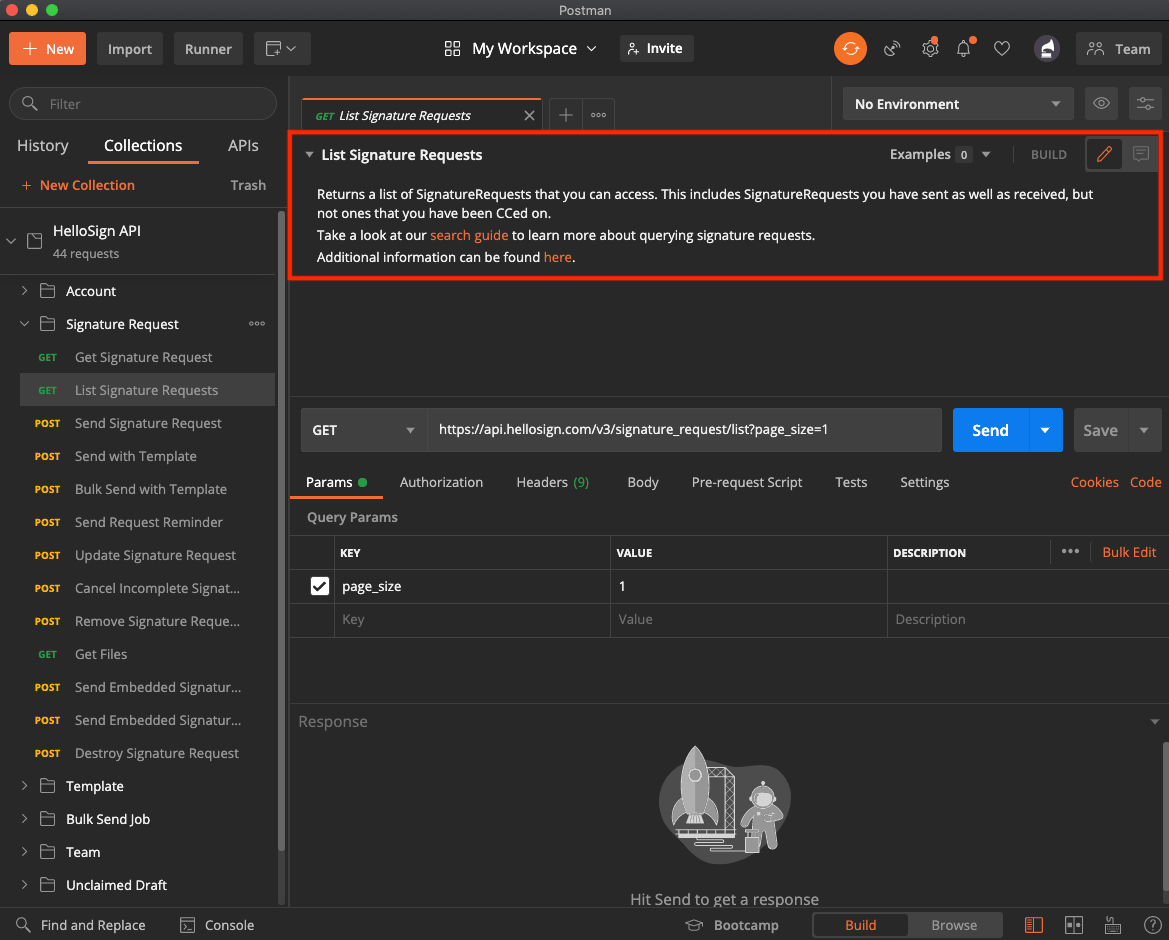
Image showing the location in Postman to find more information about the Dropbox Sign API

‍

Set the Collection Variables

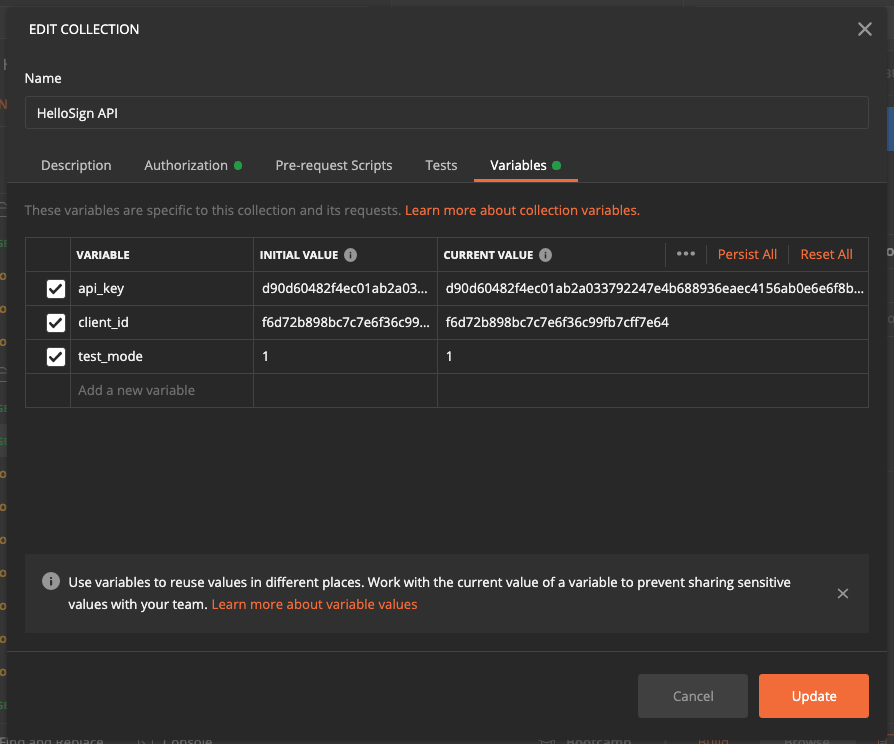
Postman supports user-defined variables with different scopes. The Dropbox Sign API collection makes use of collection variables. Once you enter your authorization information into the collection variables, you’ll be authorized to call each endpoint in the collection (according to the permissions on your Dropbox Sign account).

  • When logged into Dropbox Sign, grab your API Key, and optionally your Client ID, from your API page (located under Integrations —> API).  
Image showing where to find your API key in the Dropbox Sign app.

‍

Image showing the "Variables" tab in Postman

‍

Note: API calls sent in test mode are not legally binding and don’t count towards your plan.

‍

With your Dropbox Sign credentials entered as collection variables, you’re ready to start making API calls!

‍

Use Postman to Call the Dropbox Sign API

Let’s use Postman to call Send Signature Request, manually complete the signature, inspect the request status with Get Signature Request,  and call Get Files to download the signed file.

‍

Image showing the "signature_request" object in Postman, with the "signature_request_id" item highlighted.

‍

Go to the inbox of the email you just provided. You should receive a signature request from HelloSign. Click the link in the email and fully complete the signing flow before proceeding to the next step.
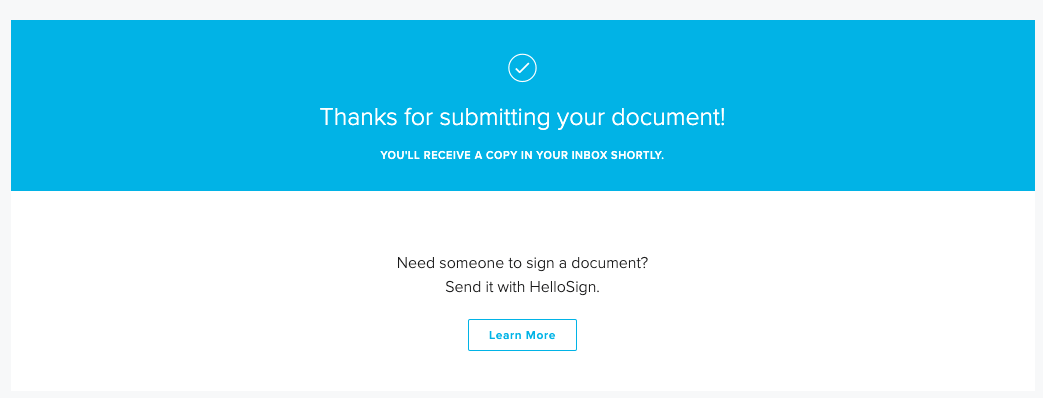
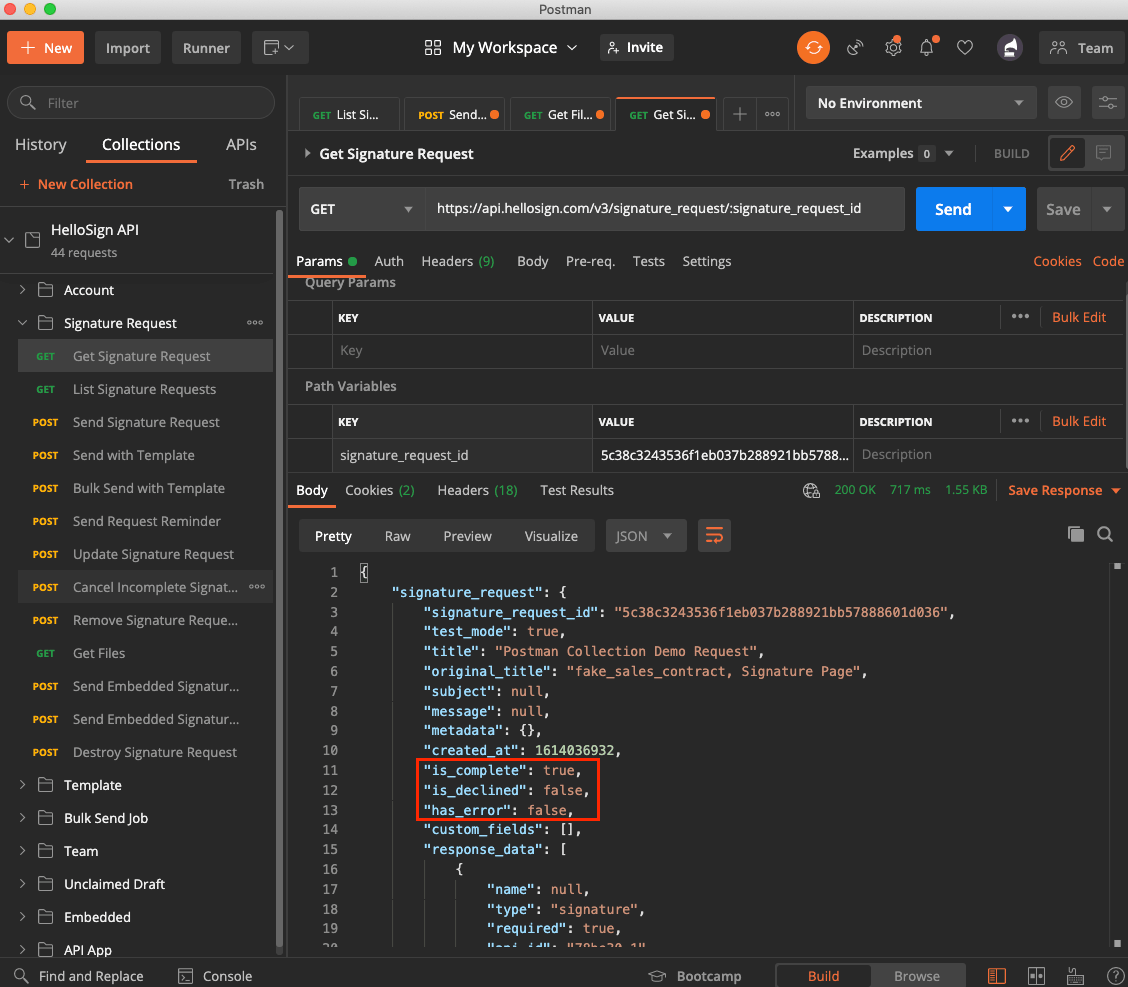
Image showing the API success message from Dropbox Sign

‍

Image showing the "signature_request" response object in Postman, with the "is_complete", "is_declined" and "has_error" flags highlighted

‍

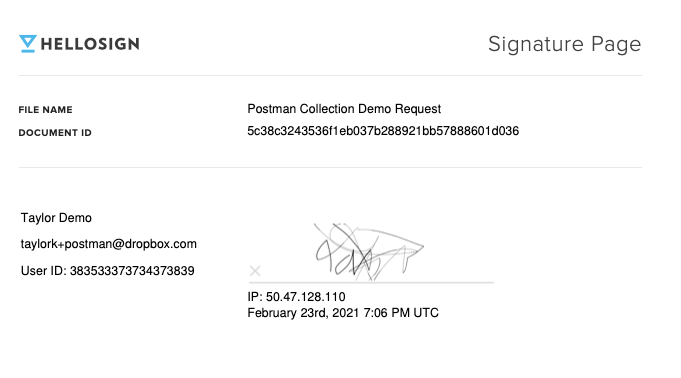
Image showing the successfully signed document in Dropbox Sign's web interface

Exploring the Dropbox Sign API Using Postman

Thanks for following along! You can use the Dropbox Sign API Postman collection on Dropbox Sign’s Public Workspace, or import it here:

‍

‍

We’re big fans of Postman and use this collection internally. When you’re ready to add the Dropbox Sign API to your codebase, the Quick Start Guide is a great next step!

Bądź na bieżąco

Gotowe! Sprawdź skrzynkę odbiorczą.

Thank you!
Thank you for subscribing!

Lorem ipsum

Lorem ipsum dolor sit amet, consectetur adipiscing elit. Suspendisse varius enim in eros elementum tristique. Duis cursus, mi quis viverra ornare, eros dolor interdum nulla, ut commodo diam libero vitae erat. Aenean faucibus nibh et justo cursus id rutrum lorem imperdiet. Nunc ut sem vitae risus tristique posuere.

Lorem ipsum
ikona strzałki w prawo
ikona zamykania

Up next:

Ilustracja przedstawiająca podpis ręczny z bliska, reprezentująca nowoczesne rozwiązania w°zakresie podpisów cyfrowych.
Programiści
15
min czytania

Integracja Dropbox Sign z Ruby on Rails: samouczek krok po kroku

Ilustracja przedstawiająca podpis ręczny z bliska, reprezentująca nowoczesne rozwiązania w°zakresie podpisów cyfrowych.
Programiści
15
min czytania

Dropbox Sign vs. SignNow for developers

Szablon

Szablon umowy o pracę

Produkty
Dropbox SignDropbox Sign APIDropbox FaxIntegracje
Dlaczego Dropbox Sign?
Podpisy elektronicznePodpisz dokumentyPodpisywanie i wypełnianie plików PDFUmowy onlineTworzenie podpisów elektronicznychEdytor podpisówPodpisywanie dokumentów programu Word
Pomoc techniczna
Centrum pomocySkontaktuj się z zespołem ds. sprzedażySkontaktuj się z pomocą technicznąZarządzaj plikami cookieRozpoczęcie pracy z Dropbox SignRozpoczęcie pracy z Dropbox Sign API
Zasoby
BlogHistorie klientówCentrum zasobówWytyczne dotyczące legalnościCentrum zaufania
Partnerzy
Partnerzy strategiczniLokalizator partnerów
Firma
KarieraWarunkiPrywatność
ikona facebookikona youtube

Akceptowane metody płatności

Logo MastercardLogo VisaLogo American ExpressLogo Discover
Odznaka zgodności z CPAOdznaka zgodności z HIPAAOdznaka Sky High Enterprise ReadyOdznaka certyfikatu ISO 9001

Podpisy elektronicznie Dropbox Sign są prawnie wiążące na terenie Stanów Zjednoczonych, Unii Europejskiej, Wielkiej Brytanii i w wielu innych państwach na całym świecie.
Aby uzyskać więcej informacji, zapoznaj się z naszymi Warunkami i Polityką prywatności