Langkau ke kandungan utama
Tiada item ditemukan.
logo dropboxsign
Mengapa Dropbox Sign?
Kembangkan atau runtuhkan akordion

Apa yang boleh anda lakukan

Tandatangan Dokumen Dalam Talian
Cipta tandatangan elektronik
Pilih atau cipta templat
Isi dan tandatangan PDF
Lengkapkan kontrak dalam talian
Pengurusan Dokumen
Terokai ciri
ikon anak panah ke kanan

Kes Gunaan

Jualan dan pembangunan perniagaan
Sumber manusia
Syarikat baru
Teknologi kewangan
Harta Tanah
Perkhidmatan Atas Permintaan
Produk
Kembangkan atau runtuhkan akordion
ikon dropbox
Sign
Permudahkan penghantaran dan tandatangan
ikon dropbox
Tandatangan API
Sepadukan e-Tandatangan dalam aliran kerja anda
ikon dropbox fax
Fax
Hantar faks tanpa mesin faks.
ikon integrasi dropbox
Integrasi
Kami tersedia di tempat anda bekerja
Sumber
Kembangkan atau runtuhkan akordion
Blog
Kepakaran aliran kerja & berita produk
Kisah pelanggan
Kisah dunia sebenar dengan hasil sebenar
Pusat bantuan
Panduan mendalam untuk produk kami
Pustaka sumber
Laporan, video dan helaian maklumat
Pembangun
Harga
Kembangkan atau runtuhkan akordion
Harga Dropbox Sign
Dapatkan pelan yang sesuai untuk anda
Harga API Dropbox Sign
Kisah dunia sebenar dengan hasil sebenar
Hubungi jualan
Daftar
Hubungi Jualan
Daftar masuk
Kembangkan atau runtuhkan akordion
Dropbox Sign
Dropbox Forms
Dropbox Fax
Percubaan percuma
logo dropboxsignikon tambahLogo Procore
Integrasi
Procore

Close construction contracts faster with built-in eSignatures for Procore

Sign and send commitments, change orders, and prime construction contracts for signature with Dropbox Sign. All without leaving Procore.

Book a demo
Start using your Procore templates right away

Effortlessly create your document from an existing Procore template or craft a brand new one. Either way, your documents will be ready for eSignature in a flash, making your workflow smoother and faster.

Start using your Procore templates right away

Effortlessly create your document from an existing Procore template or craft a brand new one. Either way, your documents will be ready for eSignature in a flash, making your workflow smoother and faster.

Automatically send email reminders

Eliminate the hassle of tracking signers. Simply create then send a form, and automated reminders will ensure the document gets signed.

Automatically send email reminders

Eliminate the hassle of tracking signers. Simply create then send a form, and automated reminders will ensure the document gets signed.

Save signed agreements back to Procore, hassle free

Executed agreements are automatically saved back to Procore for consistent record keeping and accountability. That means all your documents are stored in the right folder and accessible when you need them.

Save signed agreements back to Procore, hassle free

Executed agreements are automatically saved back to Procore for consistent record keeping and accountability. That means all your documents are stored in the right folder and accessible when you need them.

Send and sign agreements up to 80% faster with Dropbox Sign

Accelerate contract turnaround times

No more chasing signers on endless email chains and messages to get a contract signed.

Send a construction contract via Dropbox Sign, and let the integration do the work for you. Each signer will receive regular email reminders until that document is signed.

And just like that, construction managers can spend more time managing projects, rather than chasing signatures.

‍

Illustration of Dropbox Sign signature box functionality on an online contract.

Streamline subcontractor agreements

From collective bargaining agreements to worker certifications, send documents out to multiple signers with ease, without ever needing to leave Procore.

Implementing Dropbox Sign into your workflow is easy, and minimizes delays to contractor onboarding so you can get started on projects quicker.

‍

A user is organizing the “Signer Settings” for their document, with three different signers arranged in an order, complete with their names and email addresses.

Digitize key construction documents in one safe space

Correspondences, commitments, prime contracts, RFI's, submittals, inspections, observations, and more. There’s a lot of paperwork to keep track of on a construction project.

Documents signed via the Dropbox Sign for Procore integration are automatically saved back to Procore. It saves time, standardizes your record keeping, and keeps things organized throughout each project.

Each completed document will also be legally-binding, legally admissible, and conform to legislation—giving you peace of mind.

‍

An illustration of two documents and a folder, side-by-side. One document has a set of scales pictured on it, the other has a signature applied to it with a green checkmark below, and the folder features a lock symbol.

Tiada item ditemukan.

Penyelesaian yang mendorong hasil yang boleh diukur

Tiada item ditemukan.
ikon main

Lihat kajian kes
3 orang berdiri menghadap gambar rajah yang terbentang di atas meja pejabat semasa perbincangan
logo cosi
Jumlah penjimatan masa melalui Dropbox Sign dan Dropbox di syarikat kami adalah luar biasa. Kami dapat menjimatkan beratus-ratus jam yang digunakan untuk pengurusan kertas kerja dan fail, yang membolehkan kami untuk menyelesaikan kerja kreatif dengan lebih cepat".
Matt Seigel,
Presiden, Collier.Simon

Soalan-soalan lazim

Layari FAQ kami

How do I implement the Dropbox Sign for Procore eSignature integration?

Kembangkan atau runtuhkan akordion

If you have a Procore subscription, start by installing the Dropbox Sign for Procore APP via Procore Marketplace.

If you haven’t already, you should then sign up for Dropbox Sign.

Finally, follow the Dropbox Sign for Procore setup guide from Shake IT to setup and configure your new and improved workflow.

If you have any questions or concerns, contact Shake IT

‍

How do I find and sign a contract in Procore?

Kembangkan atau runtuhkan akordion

Finding a document in Procore and sending it for eSignature is easy with the Dropbox Sign integration.

  1. Start by using the search bar in Procore to find the purchase order, subcontract, or prime contract you wish to be signed.
  2. Export it as a PDF by selecting Export > PDF.
  3. Once the document is opened in a new window, download it to your device.
  4. Click on the Dropbox Sign logo in the side panel.
  5. Browse for file and select the file you just exported as a PDF.
  6. Add signers using the Add Procore User or Add External E-Mail buttons.
  7. Launch Dropbox Sign once signers have been added to open the Dropbox Sign Embedded Requesting tool.
  8. Place signature locations and any other data that the signer needs to provide.
  9. Add a Title and Message under the Email to signers heading. This will create an email that will be sent to signers as part of the request.
  10. Send for Signature to send the request.

For more detailed guidance, read the Shake IT Dropbox Sign for Procore User Guide.

‍

Does it cost anything to use the Dropbox Sign and Procore integration?

Kembangkan atau runtuhkan akordion

Shake IT manages the ProCore integration connector for Dropbox Sign. Please contact Shake IT to receive a quote.

Sumber

Image of the Dropbox Sign integration within the Salesforce app.

Seamlessly integrate eSignatures with Salesforce

Send contracts for signature, track status updates, and auto-fill contract details without ever leaving Salesforce
Ketahui lebih lanjut
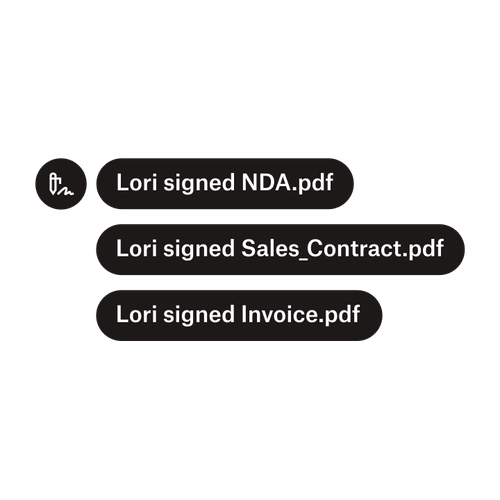
Tiga pemberitahuan yang menunjukkan Lori sudah menandatangani “NDA.pdf”, “Sale_Contract.pdf”, dan “Invoice.pdf”.

Hantar dokumen kepada berbilang penandatangan

Mencipta aliran kerja kelulusan dengan berbilang penandatangan adalah lebih mudah daripada yang anda fikirkan. Anda hanya perlukan alatan yang betul.

Baca artikel
Contoh beberapa kod sedang diusahakan sebagai sebahagian daripada pelaksanaan Dropbox Sign API.

Permudahkan aliran kerja dengan API eTandatangan kami yang mudah digunakan

Terokai cara Dropbox Sign API bersepadu dengan lancar ke dalam aplikasi atau laman web anda.

Ketahui lebih lanjut

Finalize bids, gather approvals and onboard workers more efficiently with Dropbox Sign for Procore

Mulakan percubaan percuma anda

HelloSign membolehkan anda mencipta tandatangan elektronik dalam dokumen Word, secara percuma. Ketahui cara mudah untuk menandatangani dokumen Word secara elektronik di sini.

Lebih Cepat, Lebih Pintar, Lebih Selamat: Cara Dropbox Sign Mempercepatkan Perniagaan pada tahun 2025

Penyertaan bersama dengan Dropbox Sign API

Produk
Dropbox SignDropbox Sign APIDropbox FaxIntegrasi
Sebab Dropbox Sign
Tandatangan elektronikTandatangan dokumenTandatangan dan Isi PDFKontrak dalam talianCipta tandatangan elektronikEditor TandatanganTandatangan Dokumen Word
Sokongan
Pusat bantuanHubungi jualanHubungi sokonganUrus kukiBermula: Dropbox SignBermula: Dropbox Sign API
Sumber
BlogKisah pelangganPusat sumberPanduan KesahihanPusat amanah
Rakan niaga
Rakan Niaga StrategikPencari rakan niaga
Syarikat
KerjayaTermaPrivasi
ikon facebookikon youtube

Kaedah pembayaran yang diterima

Logo MastercardLogo VisaLogo American ExpressLogo Discover
Lencana Pematuhan CPALencana pematuhan HIPAALencana Sky High Enterprise ReadyLencana Diperakui ISO 9001

Tandatangan elektronik Dropbox Sign adalah sah di sisi undang-undang di Amerika Syarikat, Kesatuan Eropah, United Kingdom, dan banyak lagi negara di seluruh dunia.
Untuk mendapatkan maklumat lanjut, sila lihat Terma dan Syarat serta Dasar Privasi kami