Accéder au contenu principal
Aucun élément n’a été trouvé.
Logo Dropbox Sign
Pourquoi choisir Dropbox Sign?
Allonger ou comprimer l’accordéon

Fonctionnalités

Signer des documents en ligne
Créer des signatures électroniques
Choisir ou créer des modèles
Remplir et signer des fichiers PDF
Réaliser des contrats en ligne
Gestion de documents
En savoir plus sur les fonctionnalités
Icône en forme de flèche droite

Cas d’utilisation

Ventes et développement commercial
Ressources humaines
Mises en route
Technologie financière
Immobilier
Services à la demande
Produits
Allonger ou comprimer l’accordéon
icône Dropbox
Sign
Envoyez et signez des documents en toute simplicité
icône Dropbox
Sign API
Intégrez la signature électronique à votre processus
Icône Dropbox Fax
Fax
Envoyez des télécopies sans télécopieur
Icône des intégrations Dropbox
Intégrations
Retrouvez-nous dans vos outils préférés
Ressources
Allonger ou comprimer l’accordéon
Blogue
Expertise en matière de processus et nouveaux produits
Témoignages
De vrais récits avec de vrais résultats
Centre d’assistance
Conseils avisés concernant nos produits
Bibliothèque de ressources
Rapports, vidéos et fiches d’information
Développeurs
Tarifs
Allonger ou comprimer l’accordéon
Tarifs Dropbox Sign
Choisissez le forfait qui vous convient
Tarifs Dropbox Sign API
De vrais récits avec de vrais résultats
Contacter le service des ventes
S’inscrire
Contacter le service des ventes
Se connecter
Allonger ou comprimer l’accordéon
Dropbox Sign
Dropbox Forms
Dropbox Fax
Essayer gratuitement
Logo Dropbox SignIcône AjouterLogo Microsoft Word
Intégrations
Microsoft Word

Make adding eSignatures to Microsoft Word a breeze with Dropbox Sign

Intuitively sign and request electronic signatures on Word documents without ever leaving Microsoft Word. All you need is Dropbox Sign and our pre-built integration.

Installer l’option aujourd’hui
Microsoft Word and Dropbox Sign demo image
Save time and stay in Word

Sign and send electronic signature requests alongside your documents, without leaving Microsoft Word.

Save time and stay in Word

Sign and send electronic signature requests alongside your documents, without leaving Microsoft Word.

Simple and easy to use

Get eSignatures for your Word Doc in a few clicks. Simply assign signers, prep your document with signature fields, and send it off for signature.

Simple and easy to use

Get eSignatures for your Word Doc in a few clicks. Simply assign signers, prep your document with signature fields, and send it off for signature.

More transparency with Dropbox Sign

An Audit Trail is affixed to each signature request to ensure every action is thoroughly tracked and time-stamped. It provides proof of document access, review, and signature.

More transparency with Dropbox Sign

An Audit Trail is affixed to each signature request to ensure every action is thoroughly tracked and time-stamped. It provides proof of document access, review, and signature.

Send signature requests and sign - directly in Microsoft Word

Install the Dropbox Sign for Word integration

Visit the Microsoft AppSource page for Dropbox Sign for Word.

Click “Get it now” and you’ll just need to sign in to Microsoft AppSource, before connecting it with your Dropbox Sign account.

Install Add-in
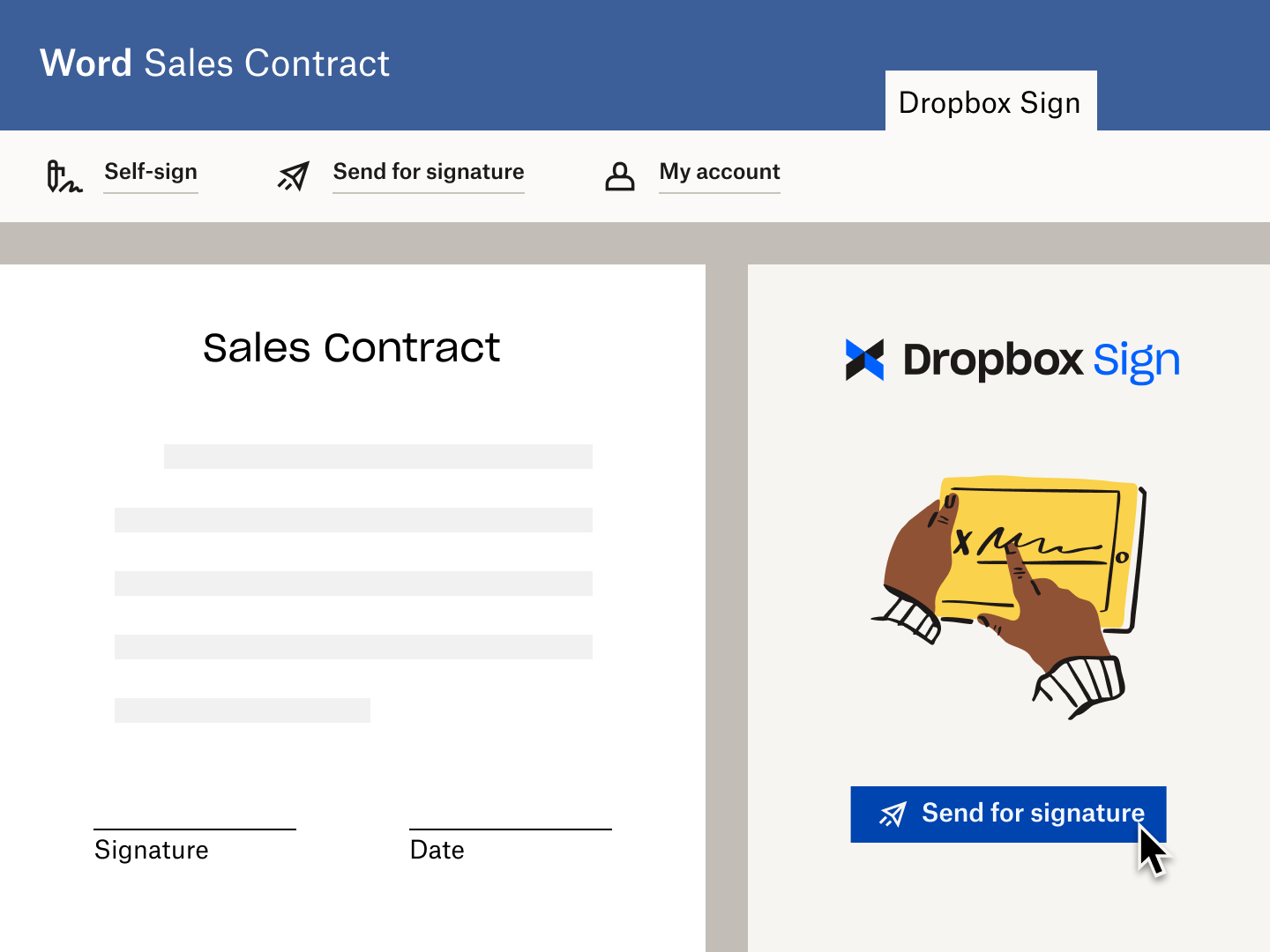
An illustration of a Word Doc with an "x" next to a place for a signature. Below it is a button with the text "Sign or Send" on it, and a cursor hovering over the button.

Start the eSignature flow inside Microsoft Word

Select “Dropbox Sign” (formerly known as “HelloSign”) in the Microsoft Ribbon. You can choose to “Self-Sign” or “Request a Signature”.

Simply add signer names and email address for signature requests.

Microsoft Word 'send for signature' with Dropbox Sign.

Track the progress of your eSignature request

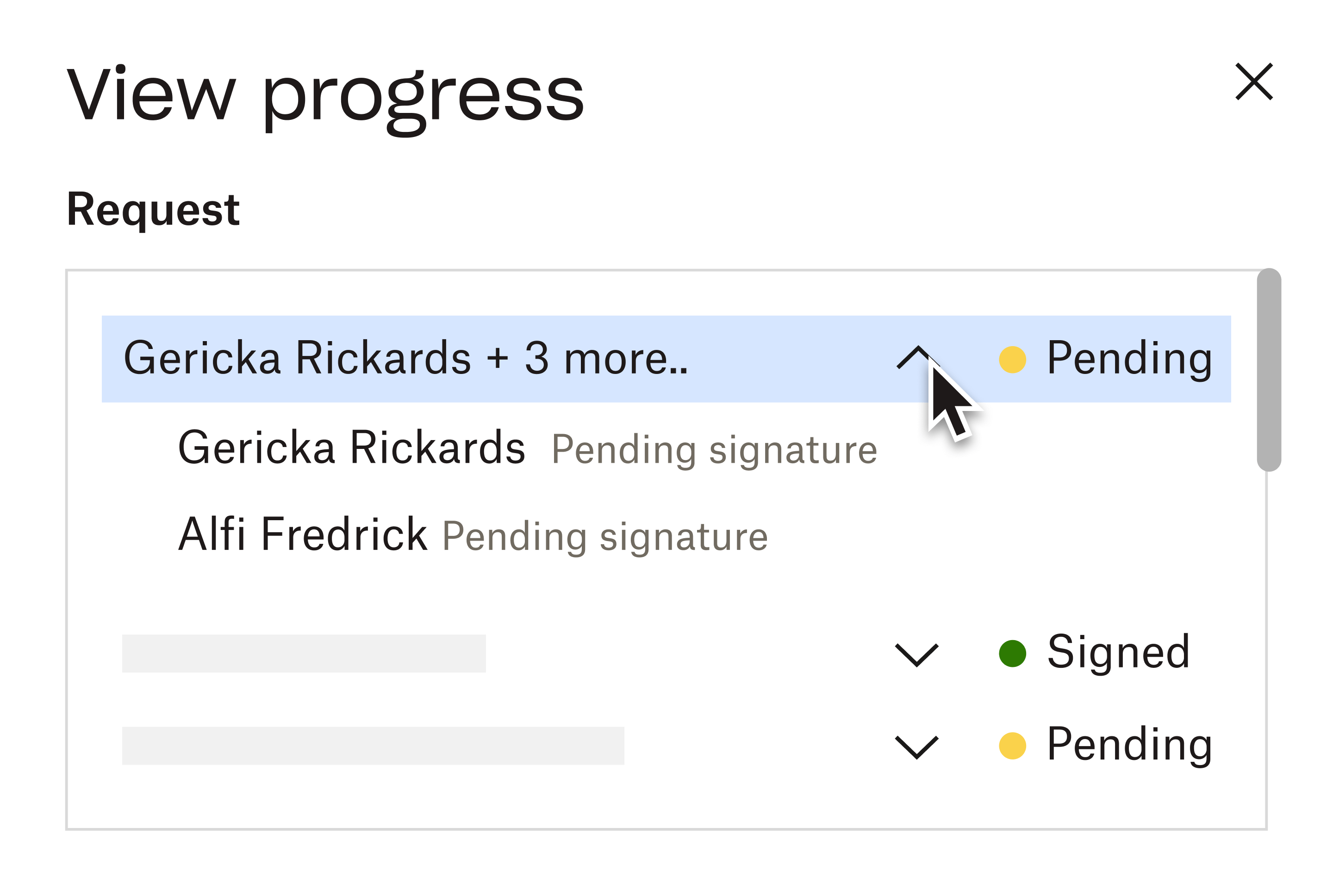
Once your eSignature request is out in the wild, you can start tracking it.

A time-stamped audit trail is automatically attached to the Word Doc, giving you total insight into its journey.

The best part? You don’t even need to leave Word. So you can let Sign do the work by sending reminders automatically, without disrupting your day-to-day work.
Try Sign for free
An interface for users to “View progress”. It shows three items sent for eSignature: Two Pending, one Signed.

Aucun élément n’a été trouvé.

Des solutions qui génèrent des résultats concrets

Aucun élément n’a été trouvé.
Icône du bouton Lecture

Software Outfitters logo
“With the HelloSign [now Dropbox Sign] API integrated into our customer portal, loan applicants usually sign documents within 30 minutes, speeding the time to document completion by over 80%”
Lire l’étude de cas
Rob Harsh
CEO of Software Outfitters
Trois personnes en pleine discussion observent un diagramme posé sur le bureau devant elles
Logo CoSi
« Dropbox Sign et Dropbox font gagner un temps précieux à notre agence. Nous économisons des centaines d’heures de formalités administratives et de gestion des dossiers, ce qui nous permet de créer nos contenus plus rapidement. »
Matt Seigel,
Président de Collier.Simon

Questions fréquentes

Consulter nos Questions fréquentes

How do I install the Dropbox Sign for Word Add-in?

Allonger ou comprimer l’accordéon

To install Dropbox Sign for Word, simply complete the following steps:

  1. Log into your 365 account and select the Word option.
  2. Open a Word file.
  3. Navigate to the Insert tab on the ribbon, and then select the Office Add-ins option from the Add-ins section of the ribbon.
  4. An Office Add-ins page opens. Select the Store option.
  5. Type Dropbox Sign in the search field, and click the search icon.
  6. Once you find the Dropbox Sign for Word add-in, click the Add button to the right of the listing.
  7. When the add-in is installed, Dropbox Sign will appear as a tab on the ribbon. Clicking the tab will display three options:‍‍
    1. ‍Self-Sign - For documents you need to sign and fill out‍
    2. Send for Signature - Documents in which you are requesting others to sign‍
    3. My Account - Access to your Dropbox Sign account, Help Center, and to log out

What is the “Self-Sign” option in Dropbox Sign for Word?

Allonger ou comprimer l’accordéon

The Self-Sign option allows you to upload a document to Dropbox Sign for signing yourself. Once the document is uploaded, a pop up window will appear in the Dropbox Sign signing editor, ready for you to sign.

What is the “Send for Signature” option in Dropbox Sign for Word?

Allonger ou comprimer l’accordéon

Similar to the Self-Sign option, clicking “Send for Signature” will begin the process of uploading your Microsoft Word document to Dropbox Sign.

Once uploaded, a pop up window will appear with Dropbox Sign’s add signers page. You can then request signatures for your Microsoft Word document using this window.

Ressources

Image showing OneDrive being able to be used with Dropbox Sign (formerly known as HelloSign).

Sign or request signatures for documents in OneDrive

Send files for eSignature and save copies of signed documents directly into OneDrive with our easy-to-use integration.

En savoir plus
An illustration of a person sitting at a desk with their hand on the trackpad of a laptop.

Create eSignatures in Microsoft Word

Dropbox Sign allows you to create electronic signatures in Word documents, for free.

Read article

Commencez à signer des documents en quelques minutes avec Dropbox Sign

Essayer gratuitement

Dropbox Sign permet de signer des contrats en ligne en toute simplicité. Découvrez comment éliminer les contrats papier.

Plus rapide, plus intelligent, plus sécurisé : comment Dropbox Sign accélère les affaires en 2025

Intégration groupée avec Dropbox Sign API

Produits
Dropbox SignDropbox Sign APIDropbox FaxIntégrations
Pourquoi choisir Dropbox Sign?
Signatures électroniquesSigner des documentsRemplir et signer des fichiers PDFContrats en ligneCréer des signatures électroniquesÉditeur de signaturesSigner des documents Word
Assistance
Centre d’assistanceContacter le service des ventesContacter l’assistanceGérer les fichiers témoinsDécouvrir Dropbox SignDécouvrir Dropbox Sign API
Ressources
BlogueTémoignagesCentre de ressourcesGuide sur la légalitéCentre de confiance
Partenaires
Partenaires stratégiquesOutil de localisation des partenaires
Entreprise
CarrièresConditions d’utilisationConfidentialité
icône Facebookicône YouTube

Modes de paiement acceptés

Logo MastercardLogo VisaLogo American ExpressLogo Discover
Badge de conformité CPABadge de conformité avec la loi HIPAABadge Skyhigh Enterprise-ReadyBadge de certification ISO 9001

Les signatures électroniques Dropbox Sign sont juridiquement contraignantes aux États-Unis, dans l’Union européenne, au Royaume-Uni et dans de nombreux pays à travers le monde.
Pour en savoir plus, consultez nos Conditions d’utilisation et notre Politique de confidentialité.