logo dropboxsign
Contact sales
Sign up
Contact sales
Start 30-day free trial
No items found.
logo dropboxsign
Dropbox Sign vs DocuSign

The Docusign alternative for simpler eSignatures

Keep agreements on track from sent to signed. Businesses choose Dropbox Sign for its ease of use, quick setup, and transparent pricing.*

*Source: G2, 2026

Start free 30-day trial
Looking for a demo? Contact sales
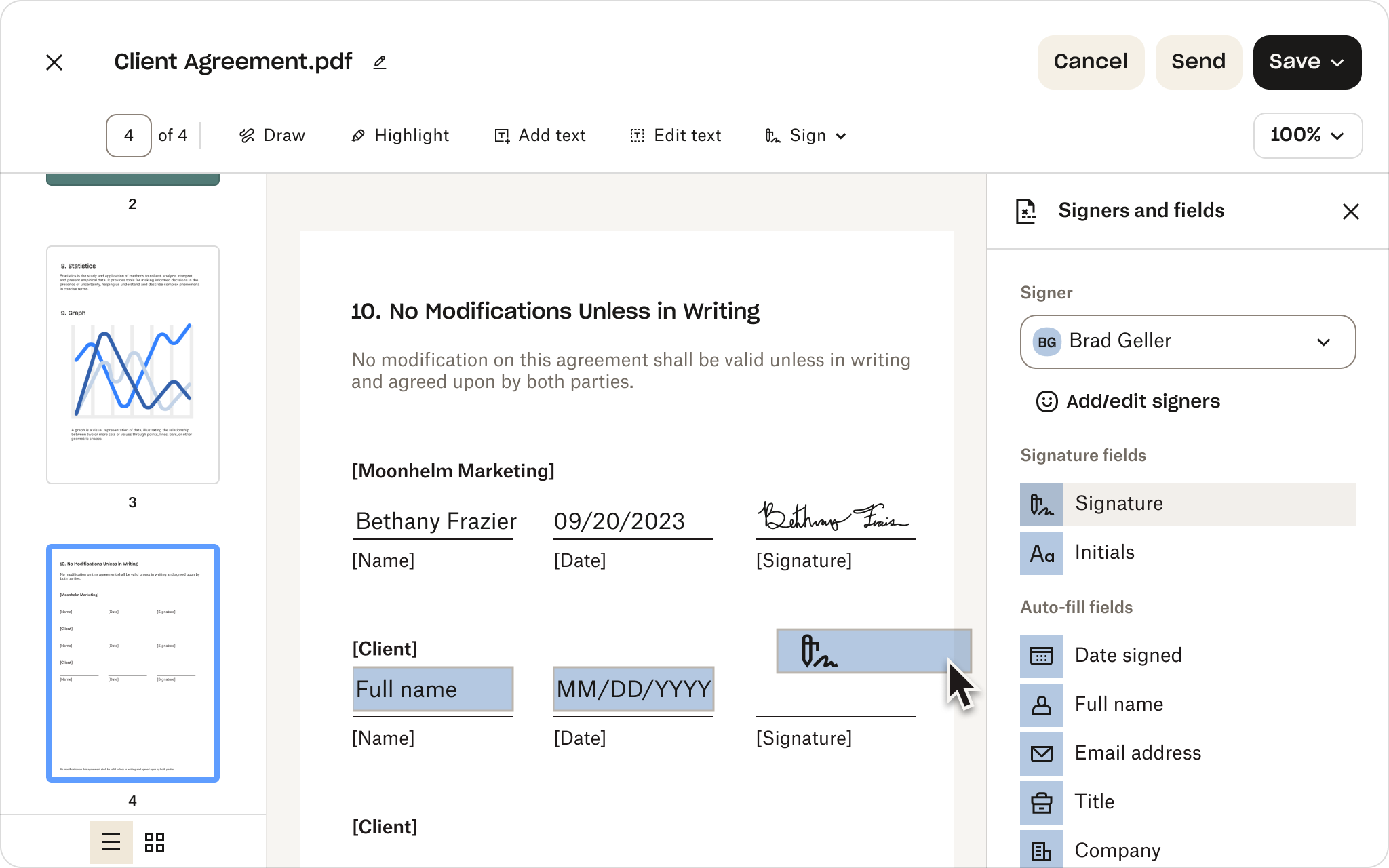
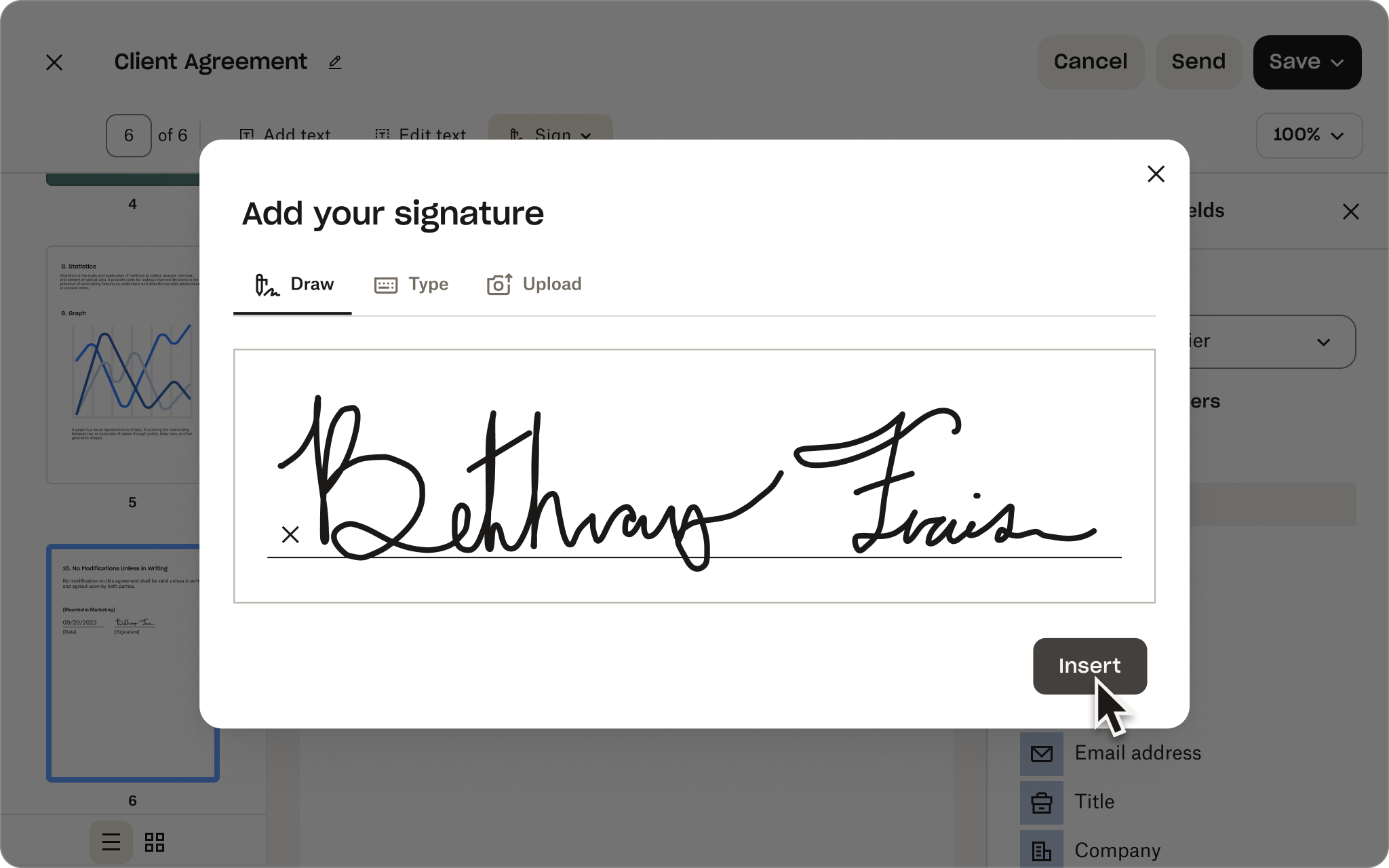
Dropbox Sign signature entry screen with handwritten signature and G2 Summer 2026 Leader badge
Dropbox Sign API vs DocuSign API

The DocuSign API alternative you can implement in hours, not months

Schedule time with a solution expert

Find out how the Dropbox Sign API can be customised to meet your business needs. Our team can help you design a solution to automate document signing workflows with dedicated implementation and support services.

Thank you!
We will be in touch with you shortly

Dropbox Sign vs DocuSign

The Docusign alternative for simpler eSignatures

Keep agreements on track from sent to signed. Businesses choose Dropbox Sign for its ease of use, quick setup, and transparent pricing.*

Request a demo
Dropbox Sign signature entry screen with handwritten signature and G2 Summer 2026 Leader badge

Capabilities without complexity

Give your team the features they need, not the overhead of a broader platform.

No lengthy implementation

Get everyone up and running quickly with less configuration and admin work.

Predictable pricing as you grow

Keep costs aligned with how your team works. No envelope caps or hidden overage fees.

‘When I was comparing DocuSign vs Dropbox Sign, Dropbox Sign was more responsive, answered my questions with greater technical depth and offered follow-up with engineers if that was needed. DocuSign was so vague, they didn’t answer my question at all.’
‘We chose Dropbox Sign because our customers rely on a trusted authority to provide top-of-the-market information security, a detailed tamper-proof audit and authentication trail, and visibility into the eSignature process.’
Christian Block
Software Engineer, Midas League
Rebecca Kacaba
CEO and Co-Founder, DealMaker
01 /02
arrow right
‘The primary reasons we chose Dropbox Sign were the level of intuitive, integrated functionality it brought our customers and the ease with which we could integrate. We were able to have a proof of concept and actually send an eSignature from our app in about a half-day.’
Matt Peebles
Sr Software Engineer, Crelate
arrow right
02/02

Dropbox Sign vs Docusign: how they stack up

See how Sign compares across the eSignature features teams rely on.

Dropbox Sign

DocuSign

Top features
DBX v DocuSign: Legally binding eSignatures icon arrow right
Feature available
Feature available
Legally binding digital signatures icon arrow right
Feature available
Feature available
DBX v DocuSign: Audit trail icon arrow right
Feature available
Feature available
Reusable templates icon arrow right
Feature available
Feature available
DBX v DocuSign: API icon arrow right
Feature available
Feature available
Bulk send icon arrow right
Feature available
Feature available
DBX v DocuSign: Unlimited signatures icon arrow right
Feature available
Feature available
Automated reminders icon arrow right
Feature available
Feature available
DBX v DocuSign: Premium branding icon arrow right
Feature available
Feature available
Audit trails icon arrow right
Feature available
Feature available
DBX v DocuSign: Only eSignature solution native to Dropbox icon arrow right
Feature available
Feature available
Enterprise-grade security icon arrow right
Feature available
Feature available
API icon arrow right
Feature available
Feature available
Embedded signing icon arrow right
Feature available
Feature available
Custom branding icon arrow right
Feature available
Feature available
Pre-built business app integrations icon arrow right
Feature available
Feature available
Dropbox integration icon arrow right
Feature available

Higher-tier plan required

Native eSignature experience in Dropbox icon arrow right
Feature available

Not available

Unlimited signature requests on per-seat plans icon arrow right
Feature available

Varies by plan

No envelope caps or hidden overage fees icon arrow right
Feature available

Limits and extra charges may apply

Predictable pricing

No unexpected price increases or hidden overage costs. Get unlimited signature requests without compromising on features.

Essentials

Starting at
US$15/user per month

Billed annually as $180 USD

View Plans

Standard

Starting at
US$25/user per month

Billed annually as $600 USD

View Plans

Dropbox Sign vs Docusign: streamline every step

Learn how Sign helps reduce app switching, implementation effort, and friction throughout the agreement process.

Build a repeatable setup

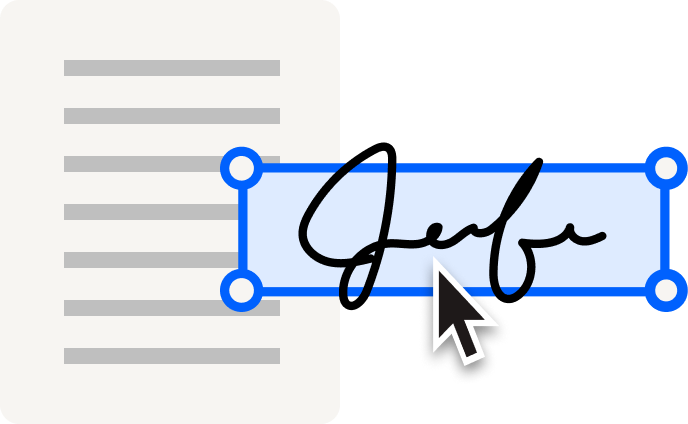
Cut repetitive work with reusable templates, drag-and-drop signer fields, and pre-filled information. Moving from Docusign? Use the migration tool to transfer your templates—including conditional logic and merge fields—for a lower-risk switch.

Explore templates icon arrow right
Send at scale and automate follow-ups

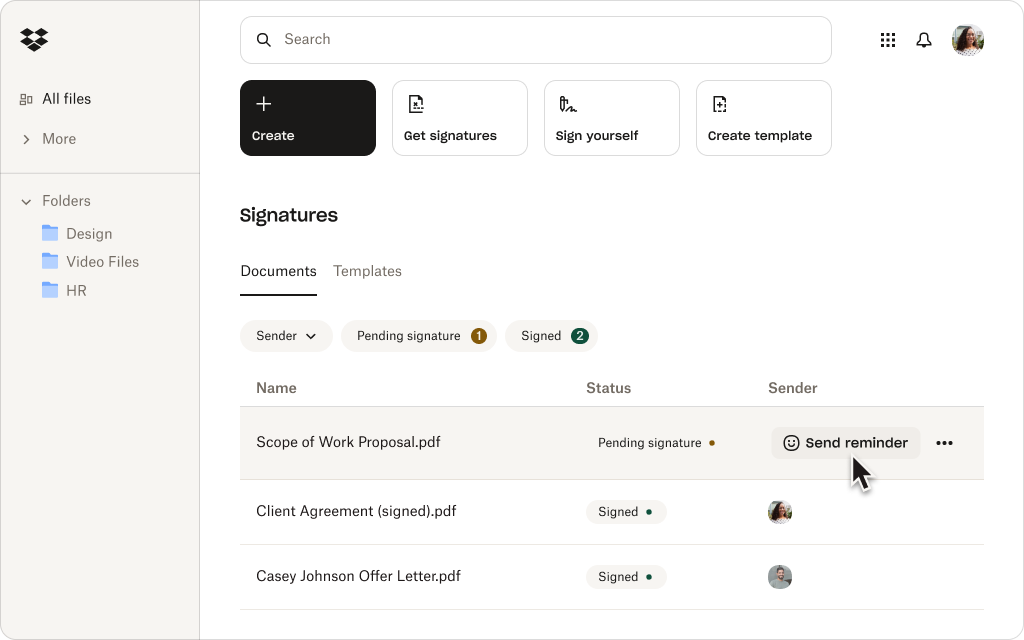
Use bulk send to create individual signature requests for large recipient lists all at once. Then, keep next steps on track with automated reminders. Sign supports different routing needs without unnecessary configuration or admin complexity.
Explore features icon arrow right
Track progress with instant visibility

Still chasing updates? Performance dashboards give your team a clear view of where requests stand, so they can catch delays early, prioritize follow-up, and keep agreements moving toward signature.

View plans icon arrow right
Create a straightforward mobile experience

From customers and vendors to new hires, give people more flexibility to sign on the go. Recipients can open, review, and complete signature requests on a phone or tablet, so being away from their desk doesn’t cause slowdowns.

Explore features icon arrow right
Fit eSignature into existing workflows

Connect Sign to supported CRM, HR, productivity, and collaboration apps. Teams using Dropbox can also prepare and send files for signature and automatically save signed copies alongside the original.

Explore integrations icon arrow right
Protect sensitive agreements

Work confidently with enterprise-grade security features, including encryption, signer authentication, and time-stamped audit trails. Sign is SOC 2 Type II compliant and supports HIPAA, GDPR, and eIDAS.

View plans icon arrow right

Customers rank Dropbox Sign above DocuSign

Businesses turn to Sign for easier setup, faster adoption, better support, and transparent pricing.*

*Source: G2, 2026

Explore G2 icon arrow right

“I love the ease of use of Dropbox Sign(formerly HelloSign), and the fact that it's free with my Dropbox account is a big plus. It’s really convenient on my Mac because I can just right-click a PDF file, select‘Sign,’ and easily add my saved signature image on top of the document.”

Read the full review Right arrow icon
Pankaj B
Founder and CEO

“It minimizes the friction between my company and the client, speeding up the contract signing process. I like being able to upload contracts and expedite them quickly. The feature that allows me to save my signature and input it on contracts is really useful, saving me the time of printing, signing, and re-uploading.”

Read the full review Right arrow icon
Mark W
Founder

“The platform is faster, simpler, and more convenient, and you don't have to be tech-savvy to use it. I really appreciate the ease of use, especially the drag-and-drop features for initials and text. Everything about it has been very efficient. I like that we’re able to set queues on who gets to sign first and send signature requests in a predetermined sequence.”

Read the full review Right arrow icon
Shoaib S
People and Culture Officer

01/00

Ready to build your eSignature integration?

Dropbox Sign API makes it easier to create, launch, and maintain integrated signing experiences—with the flexibility to adapt as your needs evolve.

Simplify contract workflows

Dropbox Sign is fully embedded within Dropbox to simplify contract workflows. With Dropbox, you can quickly sign, store and share contracts – all in one platform.

Trusted by millions

‘We were manually using DocuSign for eSignatures, but template creation takes you out of Salesforce to docusign.com. Dropbox Sign integrated easier into our technology stack. We found it to be a better fit.’

View case study

Everett Lynn, CEO

‘What I like most about Dropbox Sign is that it provides an equivalent level of functionality, is more affordable compared to DocuSign and other eSignature solutions, and it provides an enhanced mobile end user experience.’

Bob Negrey, VP of Information Technology

‘Dropbox Sign is allowing our customers to sign NDAs without having to leave our website or having to sign up for Dropbox Sign, which helps create a better experience that we weren’t able to achieve with DocuSign.’

Martin Cozzi, CEO

‘Unlike DocuSign, Dropbox Sign gives us as many merge fields as we want and enables us to control and design the embedded experience. Our developers can create templates with various fields like signatures, initials, textboxes, checkboxes, and Dropbox Sign’s pre-filled fields merge that data onto the invoice and automatically sync it with the contract. This is exactly what we wanted to deliver for advisors and firms of all sizes’

View case study

Joe Timmer, Lead Developer

See all stories

Dropbox Sign and Docusign FAQs

Is Dropbox Sign free?

Expand or collapse accordion

Yes. If you’re comparing free Docusign alternatives, Sign offers a limited free plan with three signature requests per month and unlimited self-signing. For higher-volume needs and advanced features, choose from a range of paid plans or start a free trial.

Do signers need a Dropbox Sign account?

Expand or collapse accordion

No. They can open, review, and sign a document from the signature-request email without a Sign account. However, to view completed copies later, signers will need to create one.

Is Dropbox Sign the same as HelloSign?

Expand or collapse accordion

Yes. Dropbox Sign, formerly HelloSign, is the same eSignature product under the Dropbox brand. That means older comparisons framed as HelloSign vs Docusign or Docusign vs HelloSign now refer to Dropbox Sign vs Docusign.

What makes Dropbox Sign a strong Docusign alternative?

Expand or collapse accordion

Sign gives teams the eSignature capabilities they rely on without the complexity of a broader agreement platform. It’s intuitive, designed for fast implementation, and offers transparent, predictable pricing with no envelope caps or hidden overage fees.

Can I use Dropbox Sign directly with Dropbox?

Expand or collapse accordion

Yes. If you’re a Dropbox customer, you can prepare documents and request signatures from your workspace and automatically save signed copies beside the original. Sign also connects to supported CRM, HR, productivity, and collaboration applications.

Experience 80% faster document turnaround time with Dropbox Sign.

Start your 30-day free trial
Contact sales

*Source: G2, 2026

Find out how you can start saving time and money with the Dropbox Sign API. Our team can help customise a solution that meets your business needs, and make the transition as smooth as possible with dedicated implementation and support services.

Thank you!
We will be in touch with you shortly.

CPA Compliance BadgeHIPAA compliance badgeSky High Enterprise Ready badgeISO 9001 Certified badge

Dropbox Sign electronic signatures are legally binding in the United States, European Union, United Kingdom and in many countries around the world.
For more information, please view our Terms and Conditions and Privacy Policy