ข้ามไปยังเนื้อหาหลัก
โลโก้ Dropbox Sign
ติดต่อฝ่ายขาย
ลงทะเบียน
ติดต่อฝ่ายขาย
เริ่มการทดลองใช้ฟรี 30 วัน
ไม่พบรายการ
โลโก้ Dropbox Sign
Dropbox Sign เทียบกับ DocuSign

The Docusign alternative for simpler eSignatures

Keep agreements on track from sent to signed. Businesses choose Dropbox Sign for its ease of use, quick setup, and transparent pricing.*

*Source: G2, 2026

เริ่มการทดลองใช้ฟรี 30 วัน
อยากดูการสาธิตใช่ไหม ติดต่อฝ่ายขาย
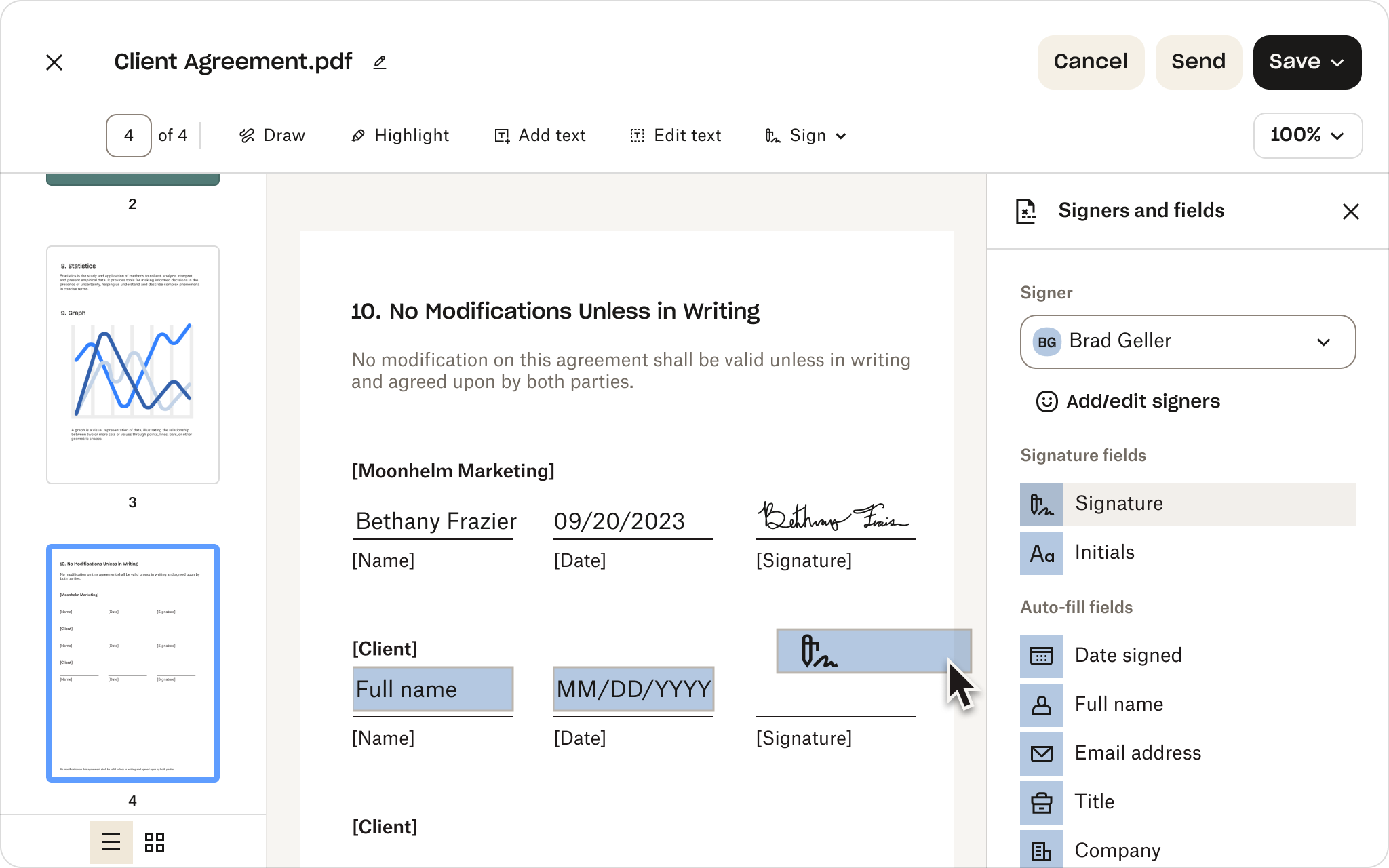
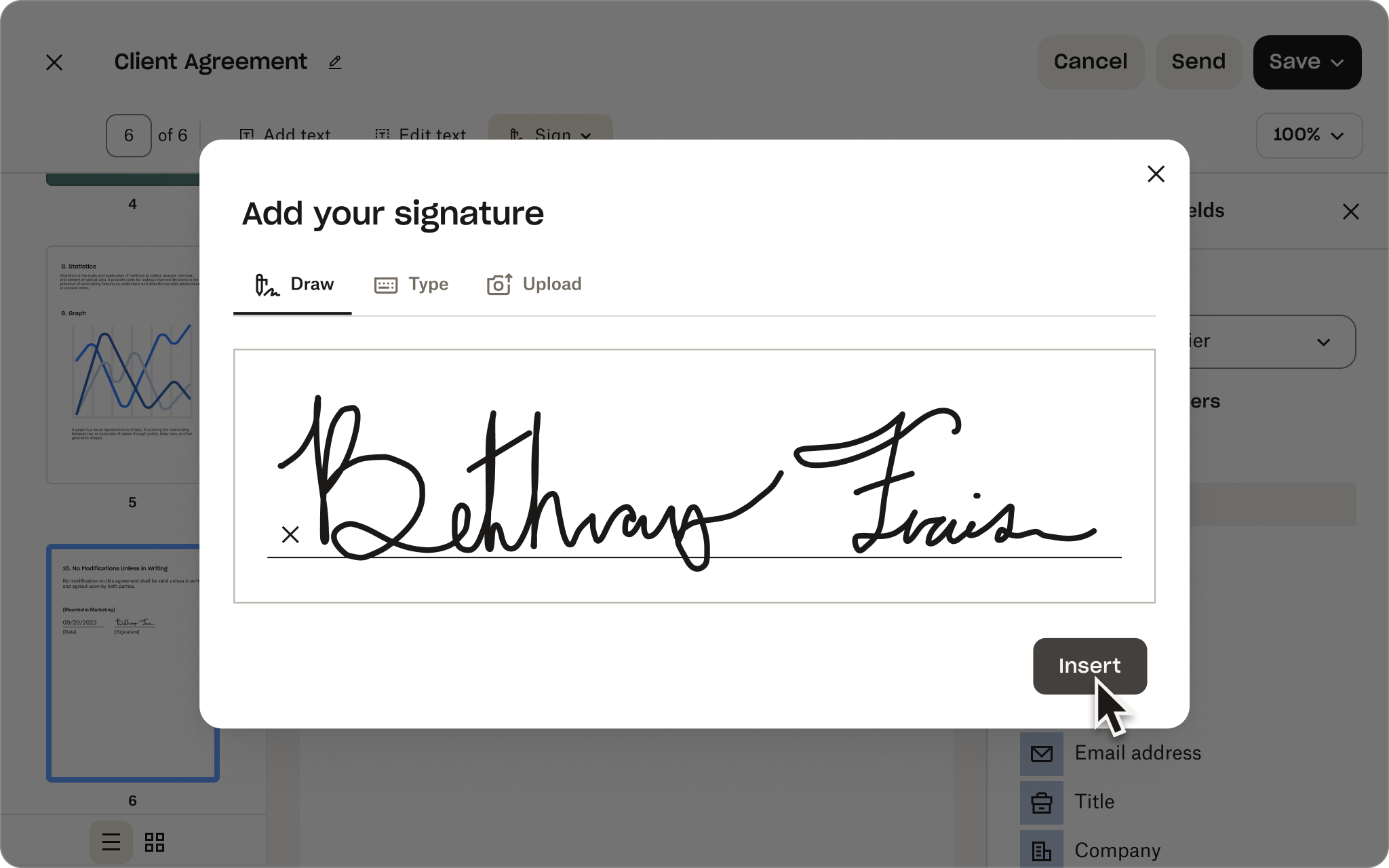
หน้าจอป้อนลายเซ็นของ Dropbox Sign พร้อมลายเซ็นมือและป้าย G2 Summer 2026 Leader
Dropbox Sign API เทียบกับ DocuSign API

ทางเลือก DocuSign API ที่คุณสามารถใช้งานได้ในไม่กี่ชั่วโมงโดยไม่ต้องใช้เวลาเป็นเดือน

นัดเวลาคุยกับผู้เชี่ยวชาญด้านโซลูชัน

ดูว่า Dropbox Sign API สามารถปรับแต่งตามความต้องการทางธุรกิจของคุณได้อย่างไร ทีมของเราสามารถช่วยคุณออกแบบโซลูชันเพื่อทำให้ขั้นตอนการเซ็นเอกสารเป็นอัตโนมัติด้วยบริการปรับใช้และการสนับสนุนพิเศษ

ขอบคุณ!
เราจะติดต่อคุณกลับไปในเร็วๆ นี้

Dropbox Sign เทียบกับ DocuSign

The Docusign alternative for simpler eSignatures

Keep agreements on track from sent to signed. Businesses choose Dropbox Sign for its ease of use, quick setup, and transparent pricing.*

ขอรับการสาธิต
หน้าจอป้อนลายเซ็นของ Dropbox Sign พร้อมลายเซ็นมือและป้าย G2 Summer 2026 Leader

Capabilities without complexity

Give your team the features they need, not the overhead of a broader platform.

No lengthy implementation

Get everyone up and running quickly with less configuration and admin work.

Predictable pricing as you grow

Keep costs aligned with how your team works. No envelope caps or hidden overage fees.

“ตอนที่ฉันเปรียบเทียบระหว่าง DocuSign กับ Dropbox Sign ฉันได้รับการตอบสนองที่ดีกว่าจาก Dropbox Sign Dropbox Sign ตอบคำถามด้วยข้อมูลที่ลงลึกทางเทคนิคมากกว่า และเสนอการติดตามผลกับวิศวกรหากจำเป็น ขณะที่ DocuSign ตอบคำถามคลุมเครือมาก จนเหมือนไม่ได้ตอบคำถามของฉันเลย”
"เราเคยเลือก Dropbox Sign เนื่องจากลูกค้าของเราต้องอาศัยหน่วยงานที่เชื่อถือได้ในการรักษาข้อมูลให้มีความปลอดภัยระดับสูงสุดในตลาด ทั้งยังพึ่งพาเส้นทางการตรวจสอบและการรับรองแบบป้องกันการเปลี่ยนแปลง รวมถึงการมองเห็นข้อมูลในกระบวนการของลายเซ็นอิเล็กทรอนิกส์"
Christian Block
วิศวกรซอฟต์แวร์ของ Midas League
Rebecca Kacaba
ประธานเจ้าหน้าที่บริหารและผู้ร่วมก่อตั้งของ DealMaker
01 /02
ลูกศรขวา
“เหตุผลหลักที่เราเลือก Dropbox Sign คือระดับของฟังก์ชันการทำงานที่ใช้งานง่ายและมีการผสานการทำงานที่ซึ่งลูกค้าของเราได้รับ และความสะดวกในการที่เราจะผสานการทำงานด้วยได้ เราสามารถมีกระบวนการทดสอบแนวคิดก่อนเริ่มโปรเจ็กต์ได้ และสามารถส่งลายเซ็นอิเล็กทรอนิกส์จากแอปของเราได้จริงโดยใช้เวลาดำเนินการเพียงประมาณครึ่งวัน”
Matt Peebles
วิศวกรซอฟต์แวร์อาวุโสของ Crelate
ลูกศรขวา
02/02

Dropbox Sign vs Docusign: how they stack up

See how Sign compares across the eSignature features teams rely on.

Dropbox Sign

DocuSign

คุณสมบัติเด่น
DBX v DocuSign: Legally binding eSignatures ไอคอนลูกศรชี้ไปทางขวา
คุณสมบัติที่มีอยู่
คุณสมบัติที่มีอยู่
Legally binding digital signatures ไอคอนลูกศรชี้ไปทางขวา
คุณสมบัติที่มีอยู่
คุณสมบัติที่มีอยู่
DBX v DocuSign: Audit trail ไอคอนลูกศรชี้ไปทางขวา
คุณสมบัติที่มีอยู่
คุณสมบัติที่มีอยู่
แม่แบบที่ใช้ซ้ำได้ ไอคอนลูกศรชี้ไปทางขวา
คุณสมบัติที่มีอยู่
คุณสมบัติที่มีอยู่
DBX v DocuSign: API ไอคอนลูกศรชี้ไปทางขวา
คุณสมบัติที่มีอยู่
คุณสมบัติที่มีอยู่
ส่งแบบจำนวนมาก ไอคอนลูกศรชี้ไปทางขวา
คุณสมบัติที่มีอยู่
คุณสมบัติที่มีอยู่
DBX v DocuSign: Unlimited signatures ไอคอนลูกศรชี้ไปทางขวา
คุณสมบัติที่มีอยู่
คุณสมบัติที่มีอยู่
การแจ้งเตือนอัตโนมัติ ไอคอนลูกศรชี้ไปทางขวา
คุณสมบัติที่มีอยู่
คุณสมบัติที่มีอยู่
DBX v DocuSign: Premium branding ไอคอนลูกศรชี้ไปทางขวา
คุณสมบัติที่มีอยู่
คุณสมบัติที่มีอยู่
แนวทางการตรวจสอบ ไอคอนลูกศรชี้ไปทางขวา
คุณสมบัติที่มีอยู่
คุณสมบัติที่มีอยู่
DBX v DocuSign: Only eSignature solution native to Dropbox ไอคอนลูกศรชี้ไปทางขวา
คุณสมบัติที่มีอยู่
คุณสมบัติที่มีอยู่
การรักษาความปลอดภัยระดับองค์กร ไอคอนลูกศรชี้ไปทางขวา
คุณสมบัติที่มีอยู่
คุณสมบัติที่มีอยู่
API ไอคอนลูกศรชี้ไปทางขวา
คุณสมบัติที่มีอยู่
คุณสมบัติที่มีอยู่
การลงนามแบบฝังตัว ไอคอนลูกศรชี้ไปทางขวา
คุณสมบัติที่มีอยู่
คุณสมบัติที่มีอยู่
การสร้างแบรนด์แบบกำหนดเอง ไอคอนลูกศรชี้ไปทางขวา
คุณสมบัติที่มีอยู่
คุณสมบัติที่มีอยู่
Pre-built business app integrations ไอคอนลูกศรชี้ไปทางขวา
คุณสมบัติที่มีอยู่
คุณสมบัติที่มีอยู่
Dropbox integration ไอคอนลูกศรชี้ไปทางขวา
คุณสมบัติที่มีอยู่

Higher-tier plan required

Native eSignature experience in Dropbox ไอคอนลูกศรชี้ไปทางขวา
คุณสมบัติที่มีอยู่

ไม่มีให้ใช้

Unlimited signature requests on per-seat plans ไอคอนลูกศรชี้ไปทางขวา
คุณสมบัติที่มีอยู่

Varies by plan

No envelope caps or hidden overage fees ไอคอนลูกศรชี้ไปทางขวา
คุณสมบัติที่มีอยู่

Limits and extra charges may apply

ราคาที่คาดการณ์ได้

ไม่มีการขึ้นราคาโดยไม่แจ้งล่วงหน้าหรือมีค่าใช้จ่ายส่วนเกินแอบแฝง รับการขอลายเซ็นแบบไม่จำกัดได้โดยไม่กระทบต่อคุณสมบัติต่างๆ

Essentials

เริ่มต้นที่
15 ดอลลาร์สหรัฐต่อผู้ใช้/เดือน

เก็บค่าบริการแบบรายปีเป็นจำนวน 180 ดอลลาร์สหรัฐ

ดูโปรแกรม

Standard

เริ่มต้นที่
25 ดอลลาร์สหรัฐต่อผู้ใช้/เดือน

เก็บค่าบริการเแบบรายปีจำนวน 600 ดอลลาร์สหรัฐ

ดูโปรแกรม

Dropbox Sign vs Docusign: streamline every step

Learn how Sign helps reduce app switching, implementation effort, and friction throughout the agreement process.

Build a repeatable setup

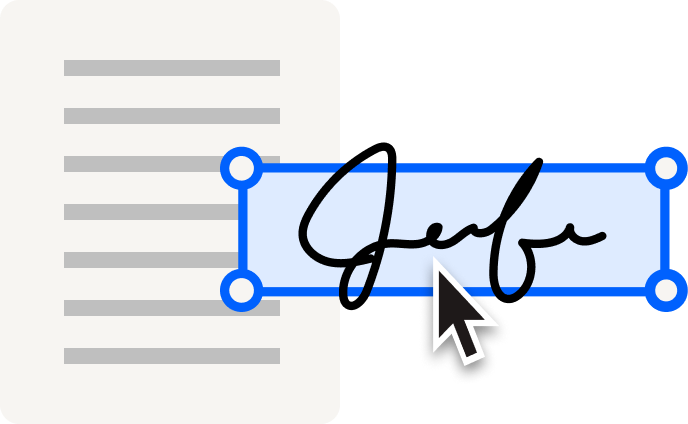
Cut repetitive work with reusable templates, drag-and-drop signer fields, and pre-filled information. Moving from Docusign? Use the migration tool to transfer your templates—including conditional logic and merge fields—for a lower-risk switch.

Explore templates ไอคอนลูกศรชี้ไปทางขวา
Send at scale and automate follow-ups

Use bulk send to create individual signature requests for large recipient lists all at once. Then, keep next steps on track with automated reminders. Sign supports different routing needs without unnecessary configuration or admin complexity.

สำรวจคุณสมบัติ ไอคอนลูกศรชี้ไปทางขวา
Track progress with instant visibility

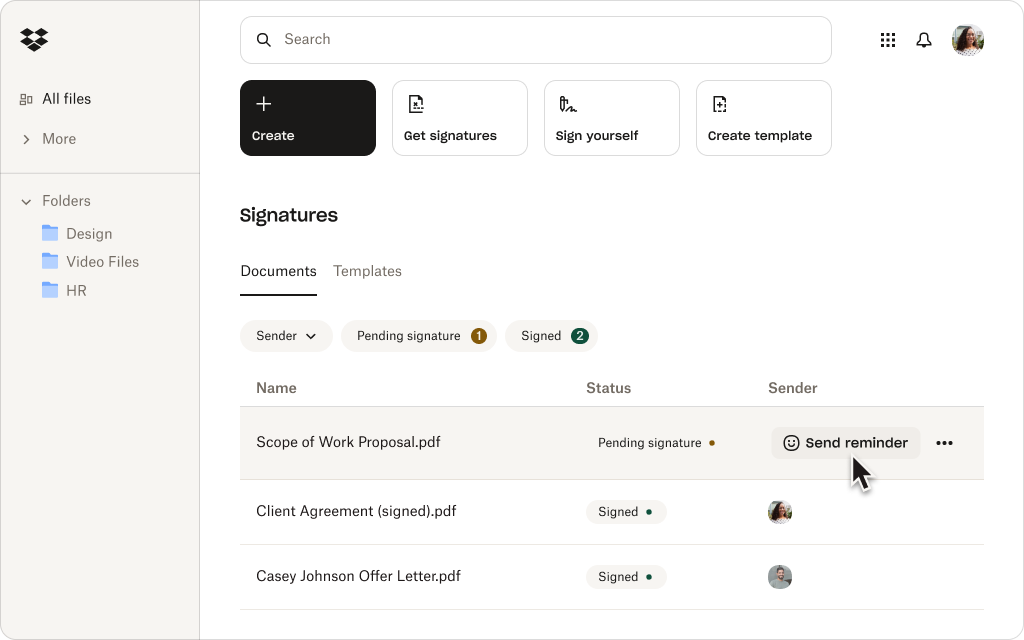
Still chasing updates? Performance dashboards give your team a clear view of where requests stand, so they can catch delays early, prioritize follow-up, and keep agreements moving toward signature.

ดูแผนบริการ ไอคอนลูกศรชี้ไปทางขวา
Create a straightforward mobile experience

From customers and vendors to new hires, give people more flexibility to sign on the go. Recipients can open, review, and complete signature requests on a phone or tablet, so being away from their desk doesn’t cause slowdowns.

สำรวจคุณสมบัติ ไอคอนลูกศรชี้ไปทางขวา
Fit eSignature into existing workflows

Connect Sign to supported CRM, HR, productivity, and collaboration apps. Teams using Dropbox can also prepare and send files for signature and automatically save signed copies alongside the original.

Explore integrations ไอคอนลูกศรชี้ไปทางขวา
Protect sensitive agreements

Work confidently with enterprise-grade security features, including encryption, signer authentication, and time-stamped audit trails. Sign is SOC 2 Type II compliant and supports HIPAA, GDPR, and eIDAS.

ดูแผนบริการ ไอคอนลูกศรชี้ไปทางขวา

ลูกค้าเทใจให้ Dropbox Sign มากกว่า DocuSign

Businesses turn to Sign for easier setup, faster adoption, better support, and transparent pricing.*

*Source: G2, 2026

Explore G2 ไอคอนลูกศรชี้ไปทางขวา

“I love the ease of use of Dropbox Sign(formerly HelloSign), and the fact that it's free with my Dropbox account is a big plus. It’s really convenient on my Mac because I can just right-click a PDF file, select‘Sign,’ and easily add my saved signature image on top of the document.”

อ่านรีวิวฉบับเต็ม ไอคอนลูกศรชี้ไปทางขวา
Pankaj B
Founder and CEO

“It minimizes the friction between my company and the client, speeding up the contract signing process. I like being able to upload contracts and expedite them quickly. The feature that allows me to save my signature and input it on contracts is really useful, saving me the time of printing, signing, and re-uploading.”

อ่านรีวิวฉบับเต็ม ไอคอนลูกศรชี้ไปทางขวา
Mark W
Founder

“The platform is faster, simpler, and more convenient, and you don't have to be tech-savvy to use it. I really appreciate the ease of use, especially the drag-and-drop features for initials and text. Everything about it has been very efficient. I like that we’re able to set queues on who gets to sign first and send signature requests in a predetermined sequence.”

อ่านรีวิวฉบับเต็ม ไอคอนลูกศรชี้ไปทางขวา
Shoaib S
People and Culture Officer

01/00

Ready to build your eSignature integration?

Dropbox Sign API makes it easier to create, launch, and maintain integrated signing experiences—with the flexibility to adapt as your needs evolve.

ลดความซับซ้อนของขั้นตอนการทำงานด้านสัญญา

Dropbox Sign ได้รับการฝังตัวเต็มรูปแบบภายใน Dropbox เพื่อลดความซับซ้อนของขั้นตอนการทำงานด้านสัญญา ด้วย Dropbox คุณสามารถลงนาม จัดเก็บ และแบ่งปันสัญญาได้อย่างรวดเร็ว ทั้งหมดในแพลตฟอร์มเดียว

ได้รับความไว้วางใจจากผู้ใช้นับล้าน

“เราเคยใช้ DocuSign สำหรับสร้างลายเซ็นอิเล็กทรอนิกส์ด้วยตนเอง แต่การสร้างแม่แบบจะบังคับให้คุณออกจาก Salesforce และไปยังเว็บไซต์ docusign.com แต่ Dropbox Sign ผสานการทำงานกับเทคโนโลยีต่างๆ ของเราได้ง่ายดายขึ้น เราจึงพบว่าเป็นวิธีที่เหมาะสมกว่า”

ดูกรณีศึกษา

Everett Lynn, CEO

“สิ่งที่ผมชอบมากที่สุดเกี่ยวกับ Dropbox Sign คือการที่มีฟังก์ชันการทำงานในระดับที่เทียบเท่ากับ DocuSign และโซลูชัน eSignature อื่นๆ แถมมีราคาไม่แพงเมื่อเทียบกันแล้ว อีกทั้ง Dropbox Sign ยังมอบประสบการณ์ผู้ใช้ปลายทางบนอุปกรณ์เคลื่อนที่ซึ่งได้รับการปรับปรุงให้ดียิ่งขึ้น”

Bob Negrey, VP of Information Technology

“Dropbox Sign ช่วยให้ลูกค้าของเราลงนาม NDA โดยไม่ต้องออกจากเว็บไซต์หรือไม่จำเป็นต้องสมัครใช้งาน Dropbox Sign ซึ่งช่วยสร้างประสบการณ์ที่ดีขึ้นที่เราไม่สามารถบรรลุได้ด้วย Docusign”

Martin Cozzi, ประธานเจ้าหน้าที่บริหาร

“Dropbox Sign ต่างจาก DocuSign ตรงที่ช่วยให้เราสามารถรวมฟิลด์ได้มากเท่าที่ต้องการ อีกทั้งยังช่วยให้เราสามารถควบคุมและออกแบบประสบการณ์การใช้งานที่ฝังตัวได้ ผู้พัฒนาของเราสามารถสร้างแม่แบบที่มีฟิลด์ต่างๆ เช่น ลายเซ็น ชื่อย่อ กล่องข้อความ ช่องทำเครื่องหมาย และช่องที่กรอกไว้ล่วงหน้าของ Dropbox Sign จะรวมข้อมูลนั้นลงในใบแจ้งหนี้และซิงค์กับสัญญาโดยอัตโนมัติ นี่คือสิ่งที่เราต้องการมอบให้แก่ที่ปรึกษาและบริษัททุกขนาด”

ดูกรณีศึกษา

Joe Timmer, Lead Developer

ดูเรื่องราวทั้งหมด

Dropbox Sign and Docusign FAQs

Dropbox Sign ฟรีหรือเปล่า

ขยายหรือซ่อนเนื้อหา

Yes. If you’re comparing free Docusign alternatives, Sign offers a limited free plan with three signature requests per month and unlimited self-signing. For higher-volume needs and advanced features, choose from a range of paid plans or start a free trial.

Do signers need a Dropbox Sign account?

ขยายหรือซ่อนเนื้อหา

No. They can open, review, and sign a document from the signature-request email without a Sign account. However, to view completed copies later, signers will need to create one.

Is Dropbox Sign the same as HelloSign?

ขยายหรือซ่อนเนื้อหา

Yes. Dropbox Sign, formerly HelloSign, is the same eSignature product under the Dropbox brand. That means older comparisons framed as HelloSign vs Docusign or Docusign vs HelloSign now refer to Dropbox Sign vs Docusign.

What makes Dropbox Sign a strong Docusign alternative?

ขยายหรือซ่อนเนื้อหา

Sign gives teams the eSignature capabilities they rely on without the complexity of a broader agreement platform. It’s intuitive, designed for fast implementation, and offers transparent, predictable pricing with no envelope caps or hidden overage fees.

Can I use Dropbox Sign directly with Dropbox?

ขยายหรือซ่อนเนื้อหา

Yes. If you’re a Dropbox customer, you can prepare documents and request signatures from your workspace and automatically save signed copies beside the original. Sign also connects to supported CRM, HR, productivity, and collaboration applications.

พบกับเวลาดำเนินการเอกสารที่รวดเร็วขึ้น 80% ด้วย Dropbox Sign

เริ่มทดลองใช้งานฟรี 30 วัน
ติดต่อฝ่ายขาย

*Source: G2, 2026

พบวิธีเริ่มประหยัดเวลาและเงินด้วย Dropbox Sign API ทีมของเราสามารถช่วยปรับแต่งโซลูชันให้ตรงกับความต้องการของธุรกิจคุณ และทำให้การเปลี่ยนมาใช้ราบรื่นที่สุดเท่าที่จะเป็นไปได้ ด้วยการนำมาใช้งานและฝ่ายสนับสนุนการบริการแบบเฉพาะสำหรับคุณ

ขอบคุณ!
เราจะติดต่อคุณกลับไปในเร็วๆ นี้

ป้ายการปฏิบัติตามข้อกำหนดของ CPAป้ายการปฏิบัติตามข้อกำหนดของ HIPAAป้าย Sky High Enterprise Readyป้ายการรับรองตามมาตรฐาน ISO 9001

ลายเซ็นอิเล็กทรอนิกส์ของ Dropbox Sign มีผลผูกพันทางกฎหมายในสหรัฐอเมริกา สหภาพยุโรป สหราชอาณาจักร และในหลายประเทศทั่วโลก
สำหรับข้อมูลเพิ่มเติม โปรดดูข้อตกลงและเงื่อนไขและนโยบายความเป็นส่วนตัวของเรา