Hoppa till huvudinnehåll
Inga objekt hittades.
logo för dropbox sign
Varför Dropbox Sign?
Expandera eller kollapsa dragspel

Det här kan du göra

Skriv under dokument online
Skapa elektroniska signaturer
Välj eller skapa mallar
Fylla i och skriva under PDF
Slutför kontrakt online
Dokumenthantering
Utforska funktioner
ikon för högerpil

Användarfall

Försäljning och företagsutveckling
Personal
Uppstartföretag
Finansteknik
Fastigheter
På begäran-tjänster
Produkter
Expandera eller kollapsa dragspel
ikon för Dropbox
Sign
Gör det enkelt att skicka och skriva under
ikon för Dropbox
Sign API
Integrera eSign i ditt arbetsflöde
logo för dropbox fax
Fax
Skicka fax utan en fax
ikon för dropbox-integreringar
Integreringar
Vi möter dig där du arbetar
Resurser
Expandera eller kollapsa dragspel
Blogg
Nyheter om arbetsflödesexpertis och produkter
Kundberättelser
Verkliga berättelser med verkliga resultat
Hjälpcenter
Fördjupad vägledning kring våra produkter
Resursbibliotek
Rapporter, videor och informationsblad
Utvecklare
Prissättning
Expandera eller kollapsa dragspel
Dropbox Sign-prissättning
Hitta den plan som passar dig bäst
Dropbox Sign API-prissättning
Verkliga berättelser med verkliga resultat
Kontakta säljavdelningen
Registrera dig
Kontakta säljavdelningen
Logga in
Expandera eller kollapsa dragspel
Dropbox Sign
Dropbox Forms
Dropbox Fax
Provperiod utan kostnad
Blogg
/
Utvecklare

Exploring the Dropbox Sign API Using Postman

av 
Taylor Krusen
April 6, 2021
3
min lästid
"Exploring the Dropbox Sign API Using Postman" header image
ikon för verktygstips

Nytt utseende, samma fantastiska produkt! HelloSign är nu Dropbox Sign.

ikon för att stänga

‍

You’ll need Postman in order to follow along. You can use either the Postman web client or the Postman desktop agent (supports Mac, Linux, and Windows).  The images in this article are from the Postman desktop agent for Mac.

‍

Import the Postman Collection

If you’re using the Postman web client, then you can skip this step and jump right to building in the Dropbox Sign Public Workspace.

‍

For folks using the desktop agent, you can import the Dropbox Sign API collection into your Postman instance by using this button:

‍

‍

Alternatively, you can import the collection by clicking the “Run in Postman” button in the collection documentation page. Similar to the Dropbox Sign API, the Postman collection is organized into a series of Objects and Methods. Each object has various methods that can be used to interact with that object through the API.

‍

Note that each respective endpoint in the Dropbox Sign API collection has documentation (click the dropdown arrow) that includes links to that endpoint’s API reference documentation.
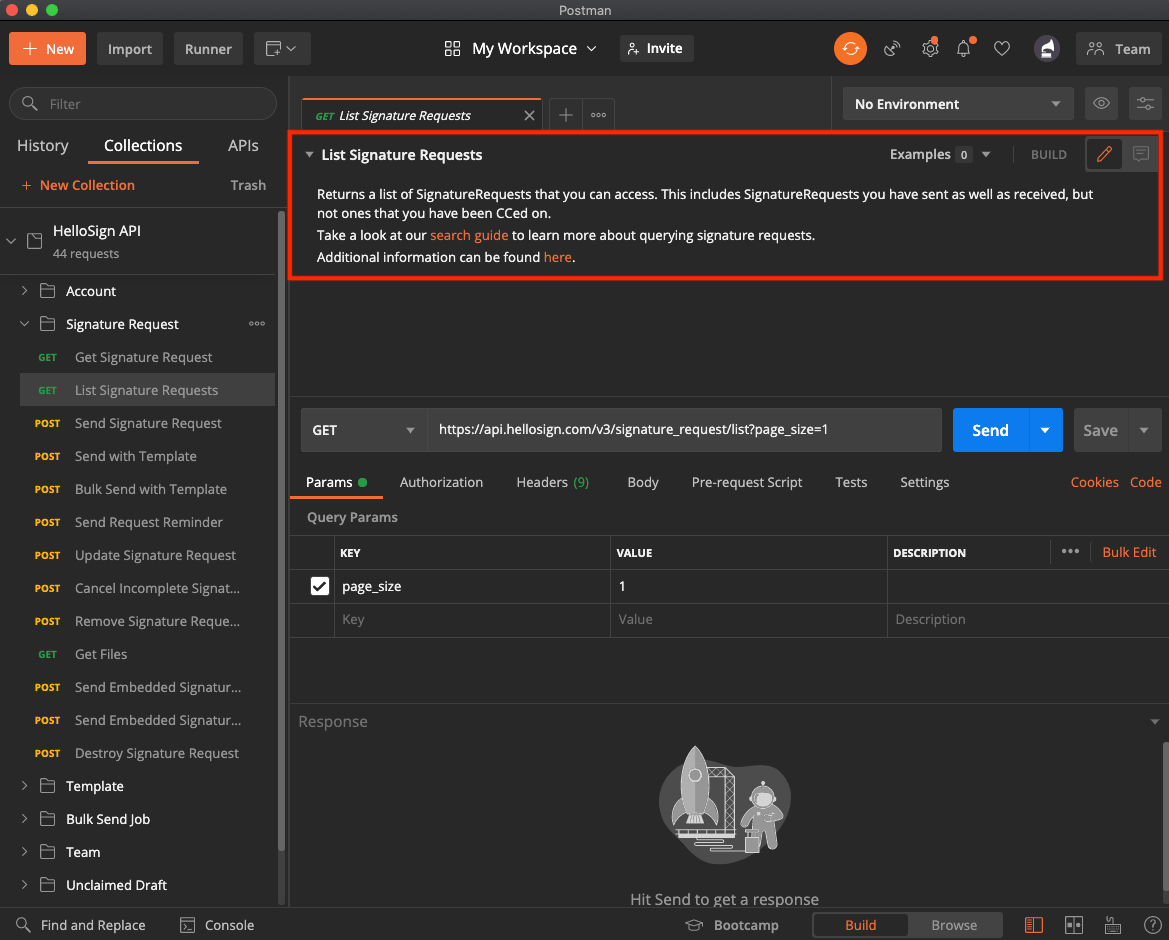
Image showing the location in Postman to find more information about the Dropbox Sign API

‍

Set the Collection Variables

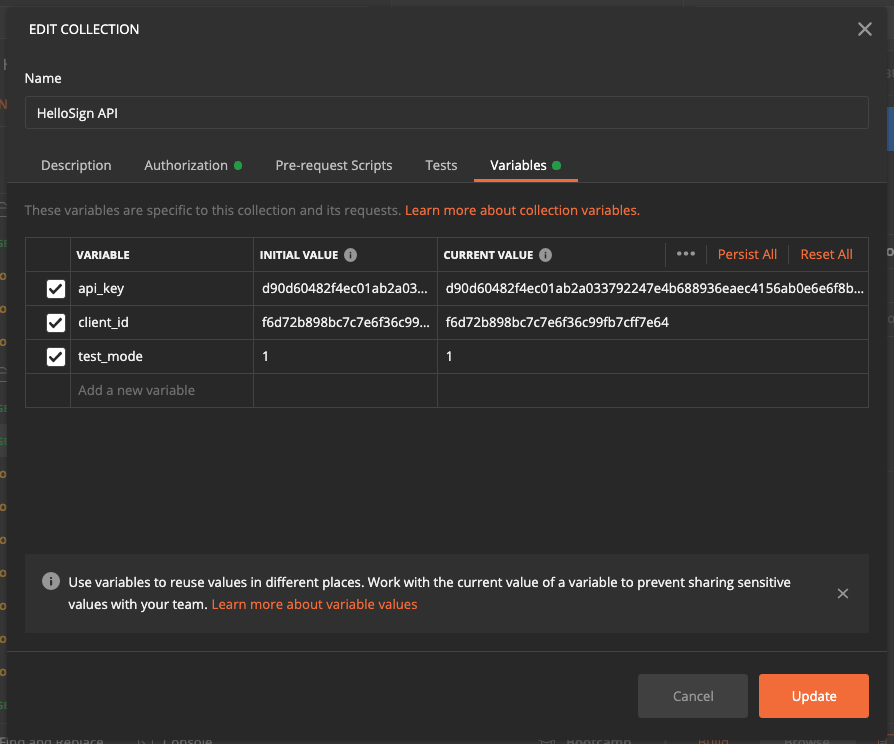
Postman supports user-defined variables with different scopes. The Dropbox Sign API collection makes use of collection variables. Once you enter your authorization information into the collection variables, you’ll be authorized to call each endpoint in the collection (according to the permissions on your Dropbox Sign account).

  • When logged into Dropbox Sign, grab your API Key, and optionally your Client ID, from your API page (located under Integrations —> API).  
Image showing where to find your API key in the Dropbox Sign app.

‍

Image showing the "Variables" tab in Postman

‍

Note: API calls sent in test mode are not legally binding and don’t count towards your plan.

‍

With your Dropbox Sign credentials entered as collection variables, you’re ready to start making API calls!

‍

Use Postman to Call the Dropbox Sign API

Let’s use Postman to call Send Signature Request, manually complete the signature, inspect the request status with Get Signature Request,  and call Get Files to download the signed file.

‍

Image showing the "signature_request" object in Postman, with the "signature_request_id" item highlighted.

‍

Go to the inbox of the email you just provided. You should receive a signature request from HelloSign. Click the link in the email and fully complete the signing flow before proceeding to the next step.
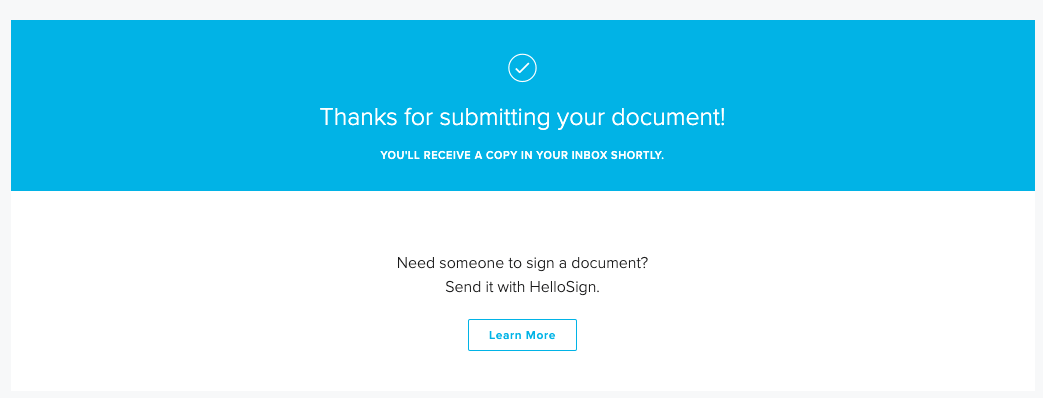
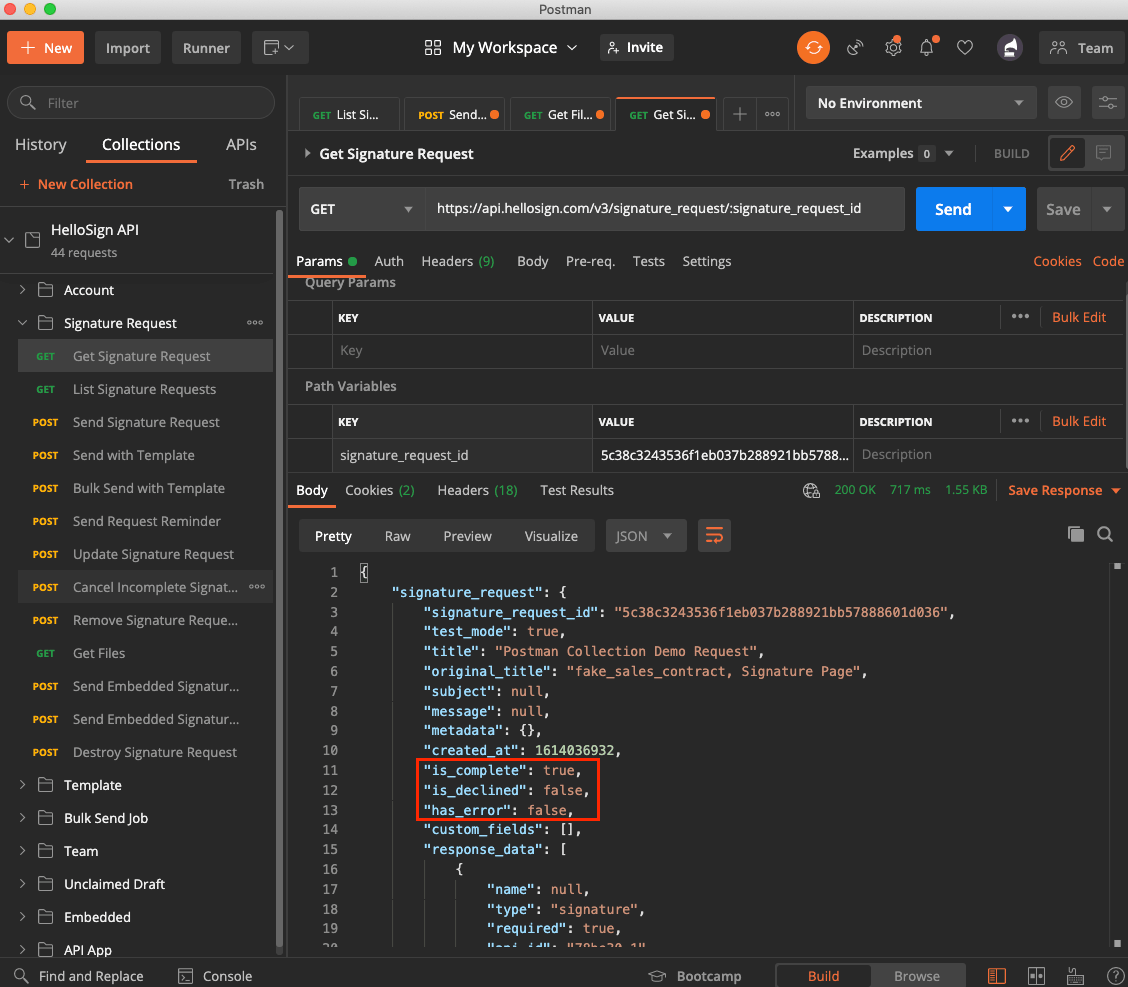
Image showing the API success message from Dropbox Sign

‍

Image showing the "signature_request" response object in Postman, with the "is_complete", "is_declined" and "has_error" flags highlighted

‍

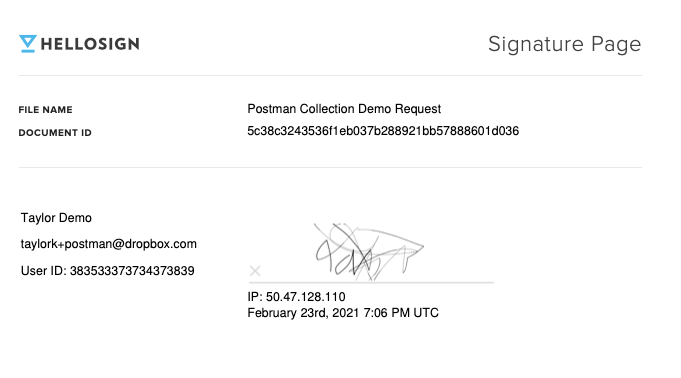
Image showing the successfully signed document in Dropbox Sign's web interface

Exploring the Dropbox Sign API Using Postman

Thanks for following along! You can use the Dropbox Sign API Postman collection on Dropbox Sign’s Public Workspace, or import it here:

‍

‍

We’re big fans of Postman and use this collection internally. When you’re ready to add the Dropbox Sign API to your codebase, the Quick Start Guide is a great next step!

Håll er uppdaterade

Klart! Kolla i inkorgen.

Thank you!
Thank you for subscribing!

Lorem ipsum

Lorem ipsum dolor sit amet, consectetur adipiscing elit. Suspendisse varius enim in eros elementum tristique. Duis cursus, mi quis viverra ornare, eros dolor interdum nulla, ut commodo diam libero vitae erat. Aenean faucibus nibh et justo cursus id rutrum lorem imperdiet. Nunc ut sem vitae risus tristique posuere.

Lorem ipsum
ikon för högerpil
ikon för att stänga

Up next:

Närbild av en handskriven signatur som representerar moderna lösningar för digital signering.
Utvecklare
15
min lästid

Integrera Dropbox Sign med Ruby on Rails: En steg-för-steg-handledning

Närbild av en handskriven signatur som representerar moderna lösningar för digital signering.
Utvecklare
15
min lästid

Dropbox Sign vs. SignNow for developers

Mall

Mall för anställningsavtal

Produkter
Dropbox SignDropbox Sign APIDropbox FaxIntegreringar
Varför Dropbox Sign
Elektroniska signaturerSkriv under dokumentSignera och fyll i PDF-filerOnlineavtalSkapa elektroniska signaturerSignaturredigerareSign Word-dokument
Support
HjälpcenterKontakta säljavdelningenKontakta vår supportHantera cookiesKomma igång: Dropbox SignKomma igång: Dropbox Sign API
Resurser
BloggKundberättelserResurscenterLegalitetsvägledningTrust center
Samarbetspartners
Strategiska partnerPartnersökverktyg
Företag
JobbVillkorSekretess
ikon för Facebookikon för YouTube

Godkända betalningsmetoder

Mastercard-logoVisa-logoAmerican Express-logoDiscover-logo
Badge för efterlevnad av CPAHIPAA-efterlevnadsikonSky High Enterprise Ready-ikonISO 9001-certifieringsikon

Elektroniska underskrifter med Dropbox Sign är juridiskt bindande i USA, EU, Storbritannien och i många länder runt om i världen.
Du hittar mer information i våra villkor och vår integritetspolicy