Пропустить и перейти к основному содержимому
Элементы не найдены.
Логотип Dropbox Sign
Почему именно Dropbox Sign
Развернутый или свернутый графический элемент «Аккордеон»

Что вы можете сделать

Подписать документы онлайн
Создание электронных подписей
Выберите или создайте шаблоны
Заполнить и подписать документы PDF
Подготовить онлайн-контракты
Управление документами
Подробнее о функциях
Значок «Стрелка вправо»

Примеры использования

Продажи и развитие бизнеса
Отдел кадров
Стартапы
Финансовые технологии
Недвижимость
Услуги по запросу
Продукты
Развернутый или свернутый графический элемент «Аккордеон»
значок Dropbox
Sign
Легко и удобно отправляйте и подписывайте документы
значок Dropbox
Sign API
Интегрируйте электронные подписи в свой рабочий процесс
Значок Dropbox Fax
Fax
Отправляйте факсы без использования факсимильного аппарата.
Значок интеграций Dropbox
Интеграция
Мы всегда там, где вам это необходимо
Материалы
Развернутый или свернутый графический элемент «Аккордеон»
Блог
Организация процессов и новости о продукции
Истории наших клиентов
Реальные истории с реальными результатами
Справочный центр
Подробные руководства по нашим продуктам
Библиотека ресурсов
Отчеты, видеоролики и информационные документы
Разработчикам
Тарифы
Развернутый или свернутый графический элемент «Аккордеон»
Тарифы Dropbox Sign
Выберите подходящий для вас тарифный план
Тарифы Dropbox Sign API
Реальные истории с реальными результатами
Отдел продаж
Зарегистрироваться
Обратиться в отдел продаж
Войти
Развернутый или свернутый графический элемент «Аккордеон»
Dropbox Sign
Dropbox Forms
Dropbox Fax
Бесплатный ознакомительный период
Блог
/
Разработчикам

Exploring the Dropbox Sign API Using Postman

by 
Taylor Krusen
April 6, 2021
3
мин. на чтение
"Exploring the Dropbox Sign API Using Postman" header image
значок подсказки

Обновленный внешний вид, тот же великолепный продукт! HelloSign теперь называется Dropbox Sign

значок «закрыть»

‍

You’ll need Postman in order to follow along. You can use either the Postman web client or the Postman desktop agent (supports Mac, Linux, and Windows).  The images in this article are from the Postman desktop agent for Mac.

‍

Import the Postman Collection

If you’re using the Postman web client, then you can skip this step and jump right to building in the Dropbox Sign Public Workspace.

‍

For folks using the desktop agent, you can import the Dropbox Sign API collection into your Postman instance by using this button:

‍

‍

Alternatively, you can import the collection by clicking the “Run in Postman” button in the collection documentation page. Similar to the Dropbox Sign API, the Postman collection is organized into a series of Objects and Methods. Each object has various methods that can be used to interact with that object through the API.

‍

Note that each respective endpoint in the Dropbox Sign API collection has documentation (click the dropdown arrow) that includes links to that endpoint’s API reference documentation.
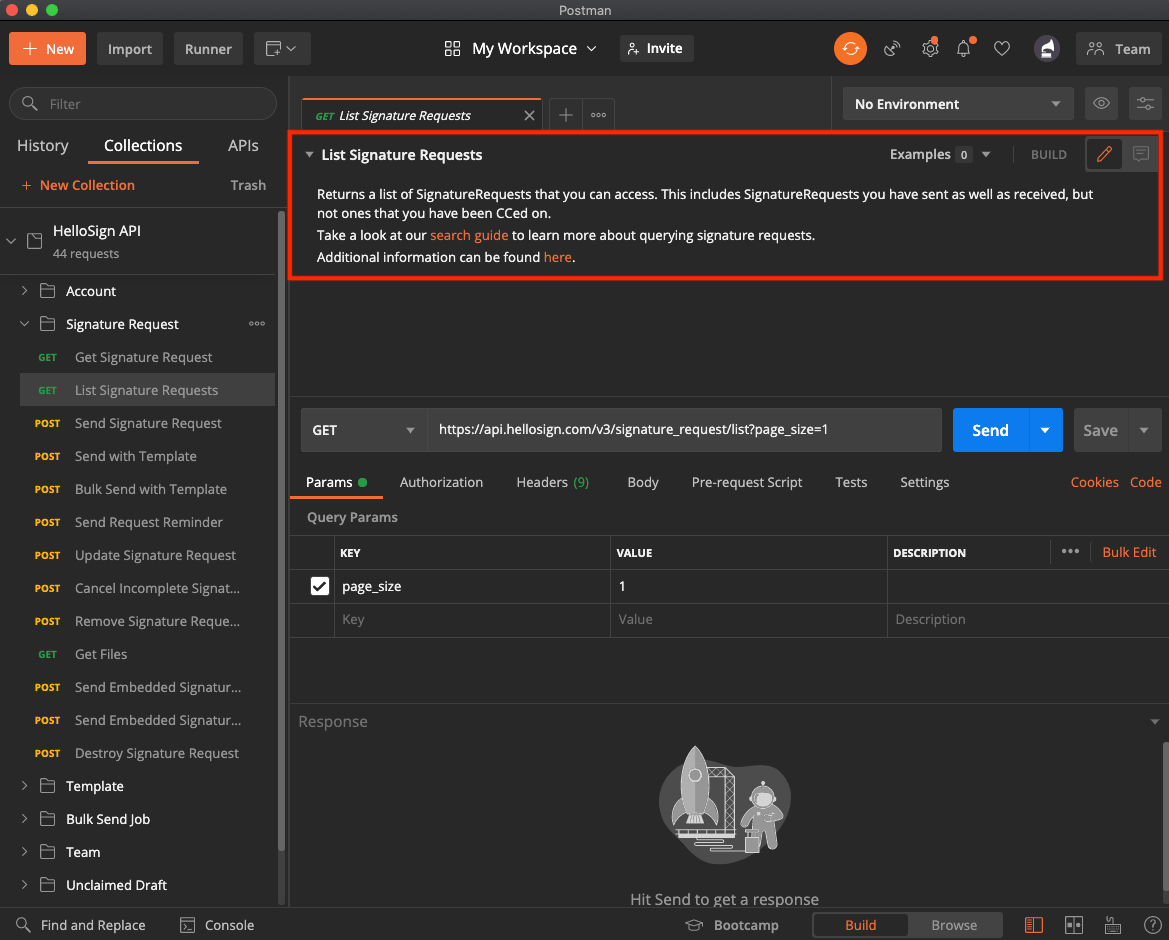
Image showing the location in Postman to find more information about the Dropbox Sign API

‍

Set the Collection Variables

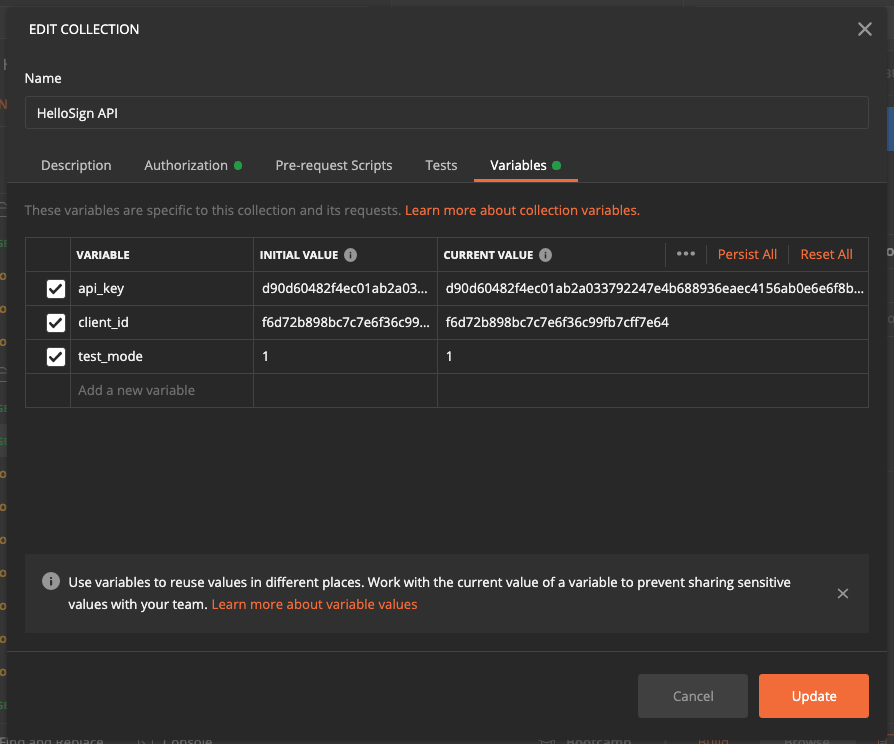
Postman supports user-defined variables with different scopes. The Dropbox Sign API collection makes use of collection variables. Once you enter your authorization information into the collection variables, you’ll be authorized to call each endpoint in the collection (according to the permissions on your Dropbox Sign account).

  • When logged into Dropbox Sign, grab your API Key, and optionally your Client ID, from your API page (located under Integrations —> API).  
Image showing where to find your API key in the Dropbox Sign app.

‍

Image showing the "Variables" tab in Postman

‍

Note: API calls sent in test mode are not legally binding and don’t count towards your plan.

‍

With your Dropbox Sign credentials entered as collection variables, you’re ready to start making API calls!

‍

Use Postman to Call the Dropbox Sign API

Let’s use Postman to call Send Signature Request, manually complete the signature, inspect the request status with Get Signature Request,  and call Get Files to download the signed file.

‍

Image showing the "signature_request" object in Postman, with the "signature_request_id" item highlighted.

‍

Go to the inbox of the email you just provided. You should receive a signature request from HelloSign. Click the link in the email and fully complete the signing flow before proceeding to the next step.
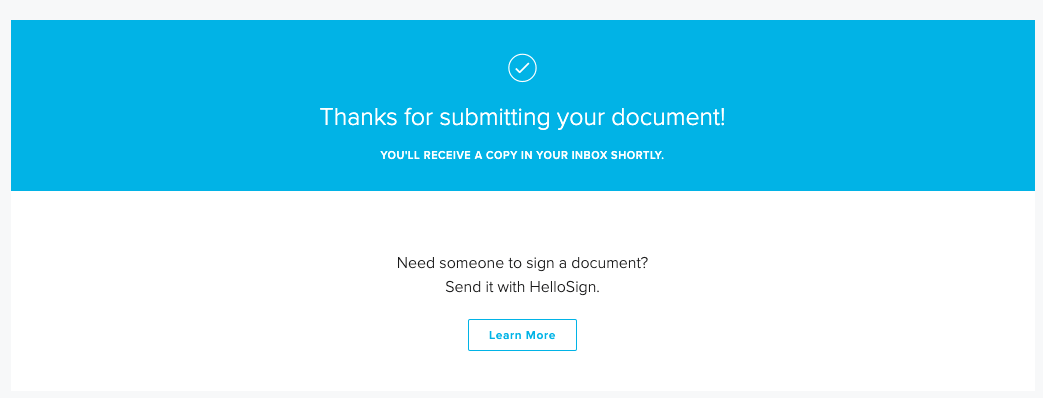
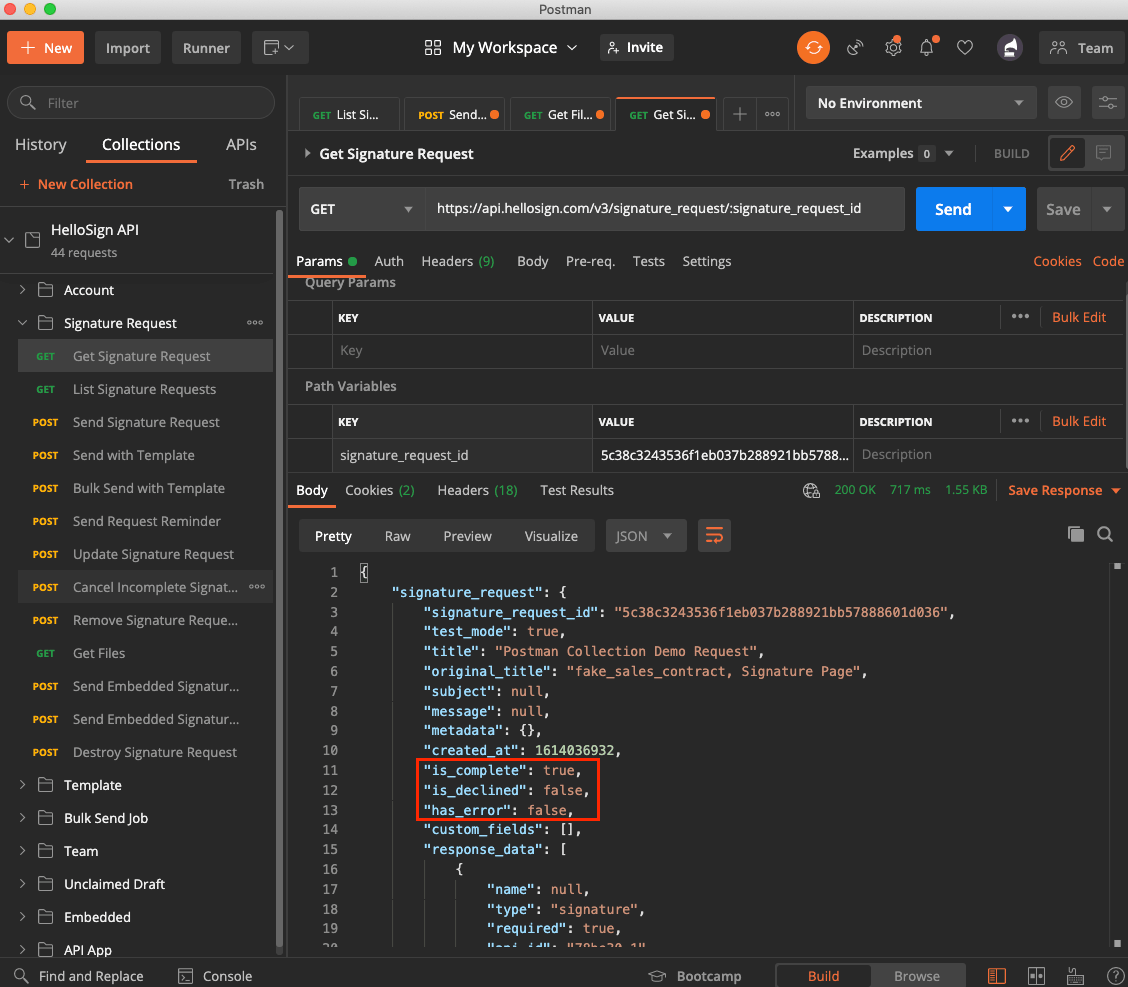
Image showing the API success message from Dropbox Sign

‍

Image showing the "signature_request" response object in Postman, with the "is_complete", "is_declined" and "has_error" flags highlighted

‍

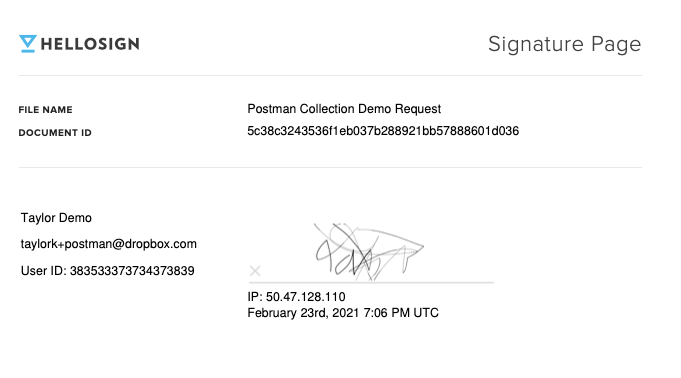
Image showing the successfully signed document in Dropbox Sign's web interface

Exploring the Dropbox Sign API Using Postman

Thanks for following along! You can use the Dropbox Sign API Postman collection on Dropbox Sign’s Public Workspace, or import it here:

‍

‍

We’re big fans of Postman and use this collection internally. When you’re ready to add the Dropbox Sign API to your codebase, the Quick Start Guide is a great next step!

Будьте в курсе всего

Готово. Проверьте входящую почту.

Thank you!
Thank you for subscribing!

Lorem ipsum

Lorem ipsum dolor sit amet, consectetur adipiscing elit. Suspendisse varius enim in eros elementum tristique. Duis cursus, mi quis viverra ornare, eros dolor interdum nulla, ut commodo diam libero vitae erat. Aenean faucibus nibh et justo cursus id rutrum lorem imperdiet. Nunc ut sem vitae risus tristique posuere.

Lorem ipsum
Значок «Стрелка вправо»
значок «закрыть»

Up next:

Изображение крупным планом рукописной подписи, представляющее современные решения для цифровой подписи.
Разработчикам
15
мин. на чтение

Интеграция Dropbox Sign с Ruby on Rails: пошаговое руководство

Изображение крупным планом рукописной подписи, представляющее современные решения для цифровой подписи.
Разработчикам
15
мин. на чтение

Dropbox Sign vs. SignNow for developers

Шаблон

Шаблон договора

Продукты
Dropbox SignDropbox Sign APIDropbox FaxИнтеграция
Почему именно Dropbox Sign
Электронные подписиПодписать документыЗаполнение и подписание PDFКонтракты в электронной формеСоздание электронных подписейРедактор подписиПодписать документы Word
Поддержка
Справочный центрОтдел продажОбратитесь в службу поддержкиУправление файлами cookieНачало работы с Dropbox SignНачало работы с Dropbox Sign API
Материалы
БлогИстории наших клиентовРесурсный центрРуководство по соблюдению законовЦентр управления безопасностью
Партнеры
Стратегические партнерыПоиск партнеров
Компания
ВакансииУсловияПолитика конфиденциальности
значок Facebookзначок Youtube

Принимаемые способы оплаты

Логотип MastercardЛоготип VisaЛоготип American ExpressЛоготип Discover
Значок соответствия требованиям CPAЗначок, соответствующий требованиям закона HIPAAЗначок Sky High Enterprise ReadyЗначок, сертифицированный по стандарту ISO 9001

Электронные подписи Dropbox Sign являются юридически обязывающими в США, Европейском Союзе, Великобритании и во многих странах мира.
Более подробную информацию вы найдете в наших Условиях и Политике конфиденциальности