Hopp til hovedinnhold
Ingen elementer funnet.
logo for dropboxsign
Hvorfor Dropbox Sign?
Utvid eller skjul trekkspillmeny

Hva du kan gjøre

Skriv under dokumenter på nett
Opprett elektroniske underskrifter
Velg eller opprett mal
Fylle ut og skrive under på PDF-er
Fylle ut kontrakter på nett
Dokumenthåndtering
Utforsk funksjoner
logo med pil til høyre

Brukstilfeller

Salgs- og forretningsutvikling
Personale
Oppstartsbedrifter
Økonomisk teknologi
Eiendom
On-Demand-tjenester
Produkter
Utvid eller skjul trekkspillmeny
ikon dropbox
Sign
Gjør det enkelt å sende og skrive under
ikon dropbox
Sign API
Integrer eSign i arbeidsflyten din
logo for dropbox fax
Fax
Send fakser uten faksmaskin
ikon for dropbox-integrasjoner
Integrering
Vi møter deg der du jobber
Ressurser
Utvid eller skjul trekkspillmeny
Blogg
Arbeidsflytkompetanse og produktnyheter
Kundehistorier
Historier fra den virkelige verden med virkelige resultater
Hjelpesenter
Utdypende veiledning for produktene våre
Ressursbibliotek
Rapporter, videoer og infoark
Utviklere
Priser
Utvid eller skjul trekkspillmeny
Dropbox Sign-priser
Finn den rette planen for deg
Dropbox Sign API-priser
Historier fra den virkelige verden med virkelige resultater
Kontakt salg
Registrer deg
Kontakt salgsavdelingen
Logg på
Utvid eller skjul trekkspillmeny
Dropbox Sign
Dropbox Forms
Dropbox Fax
Gratis prøveperiode
logo for dropboxsignlegg til-ikonProcore-logo
Integrering
Procore

Close construction contracts faster with built-in eSignatures for Procore

Sign and send commitments, change orders, and prime construction contracts for signature with Dropbox Sign. All without leaving Procore.

Book a demo
Start using your Procore templates right away

Effortlessly create your document from an existing Procore template or craft a brand new one. Either way, your documents will be ready for eSignature in a flash, making your workflow smoother and faster.

Start using your Procore templates right away

Effortlessly create your document from an existing Procore template or craft a brand new one. Either way, your documents will be ready for eSignature in a flash, making your workflow smoother and faster.

Automatically send email reminders

Eliminate the hassle of tracking signers. Simply create then send a form, and automated reminders will ensure the document gets signed.

Automatically send email reminders

Eliminate the hassle of tracking signers. Simply create then send a form, and automated reminders will ensure the document gets signed.

Save signed agreements back to Procore, hassle free

Executed agreements are automatically saved back to Procore for consistent record keeping and accountability. That means all your documents are stored in the right folder and accessible when you need them.

Save signed agreements back to Procore, hassle free

Executed agreements are automatically saved back to Procore for consistent record keeping and accountability. That means all your documents are stored in the right folder and accessible when you need them.

Send and sign agreements up to 80% faster with Dropbox Sign

Accelerate contract turnaround times

No more chasing signers on endless email chains and messages to get a contract signed.

Send a construction contract via Dropbox Sign, and let the integration do the work for you. Each signer will receive regular email reminders until that document is signed.

And just like that, construction managers can spend more time managing projects, rather than chasing signatures.

‍

Illustration of Dropbox Sign signature box functionality on an online contract.

Streamline subcontractor agreements

From collective bargaining agreements to worker certifications, send documents out to multiple signers with ease, without ever needing to leave Procore.

Implementing Dropbox Sign into your workflow is easy, and minimizes delays to contractor onboarding so you can get started on projects quicker.

‍

A user is organizing the “Signer Settings” for their document, with three different signers arranged in an order, complete with their names and email addresses.

Digitize key construction documents in one safe space

Correspondences, commitments, prime contracts, RFI's, submittals, inspections, observations, and more. There’s a lot of paperwork to keep track of on a construction project.

Documents signed via the Dropbox Sign for Procore integration are automatically saved back to Procore. It saves time, standardizes your record keeping, and keeps things organized throughout each project.

Each completed document will also be legally-binding, legally admissible, and conform to legislation—giving you peace of mind.

‍

An illustration of two documents and a folder, side-by-side. One document has a set of scales pictured on it, the other has a signature applied to it with a green checkmark below, and the folder features a lock symbol.

Ingen elementer funnet.

Løsninger som gir målbare resultater

Ingen elementer funnet.
Ikon for avspilling

Se casestudie
Tre personer står og snakker sammen over et diagram på et kontorbord.
cosi-logo
«Mengden tid Dropbox Sign og Dropbox har spart selskapet vårt er utrolig. Vi kan frigi hundrevis av timer vi ellers ville brukt på papirarbeid og filbehandling, slik at det kreative arbeidet går raskere.»
Matt Seigel,
president, Collier.Simon

Vanlige spørsmål

Se våre ofte stilte spørsmål

How do I implement the Dropbox Sign for Procore eSignature integration?

Utvid eller skjul trekkspillmeny

If you have a Procore subscription, start by installing the Dropbox Sign for Procore APP via Procore Marketplace.

If you haven’t already, you should then sign up for Dropbox Sign.

Finally, follow the Dropbox Sign for Procore setup guide from Shake IT to setup and configure your new and improved workflow.

If you have any questions or concerns, contact Shake IT

‍

How do I find and sign a contract in Procore?

Utvid eller skjul trekkspillmeny

Finding a document in Procore and sending it for eSignature is easy with the Dropbox Sign integration.

  1. Start by using the search bar in Procore to find the purchase order, subcontract, or prime contract you wish to be signed.
  2. Export it as a PDF by selecting Export > PDF.
  3. Once the document is opened in a new window, download it to your device.
  4. Click on the Dropbox Sign logo in the side panel.
  5. Browse for file and select the file you just exported as a PDF.
  6. Add signers using the Add Procore User or Add External E-Mail buttons.
  7. Launch Dropbox Sign once signers have been added to open the Dropbox Sign Embedded Requesting tool.
  8. Place signature locations and any other data that the signer needs to provide.
  9. Add a Title and Message under the Email to signers heading. This will create an email that will be sent to signers as part of the request.
  10. Send for Signature to send the request.

For more detailed guidance, read the Shake IT Dropbox Sign for Procore User Guide.

‍

Does it cost anything to use the Dropbox Sign and Procore integration?

Utvid eller skjul trekkspillmeny

Shake IT manages the ProCore integration connector for Dropbox Sign. Please contact Shake IT to receive a quote.

Ressurser

Image of the Dropbox Sign integration within the Salesforce app.

Seamlessly integrate eSignatures with Salesforce

Send contracts for signature, track status updates, and auto-fill contract details without ever leaving Salesforce
Finn ut mer
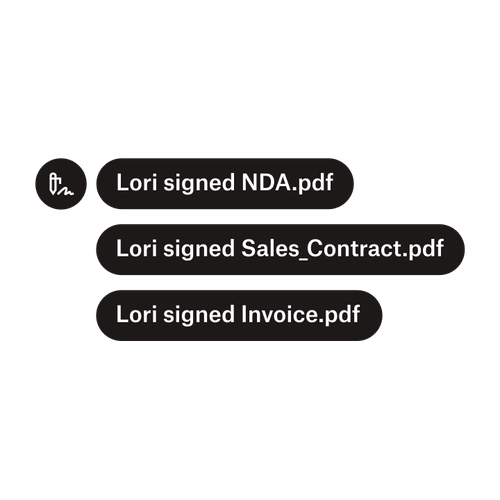
Tre varsler indikerer at Lori har skrevet under på «NDA.pdf», «Sale_Contract.pdf» og «Invoice.pdf».

Send dokumenter til flere underskrivere

Det å lage godkjenningsarbeidsflyter med flere underskrivere er enklere enn du tror. Du trenger bare det rette verktøyet.

Les artikkelen
Et eksempel på arbeid med kode som en del av implementeringen av Dropbox Sign API.

Forenkle arbeidsflyter med vårt brukervennlige API for e-underskrift

Finn ut hvordan Dropbox Sign API enkelt integreres i programmet eller nettstedet ditt.

Finn ut mer

Finalize bids, gather approvals and onboard workers more efficiently with Dropbox Sign for Procore

Start gratis prøveperiode

Med Dropbox Sign kan brukere lage sikre digitale underskrifter på noen minutter. Registrer deg og kom i gang med underskrifter i dag!

Raskere, smartere, sikrere: Slik akselererer Dropbox Sign virksomheten sin i 2025

Kohortregistrering med Dropbox Sign API

Produkter
Dropbox SignDropbox Sign APIDropbox FaxIntegrering
Hvorfor Dropbox Sign
Elektroniske underskrifterSkriv under dokumenterSkriv under og fyll ut en PDFKontrakter på nettOpprett elektroniske underskrifterUnderskriftsredigererSkriv under på Word-dokumenter
Støtte
HjelpesenterKontakt salgKontakt kundestøtteAdministrer informasjonskapslerKomme i gang: Dropbox SignKomme i gang: Dropbox Sign API
Ressurser
BloggKundehistorierRessurssenterLegalitetsveiledningTrust Center
Partnere
Strategiske partnereFinn en partner
Bedrift
KarriererVilkårPersonvern
ikon facebookikon youtube

Godkjente betalingsmåter

Mastercard-logoVisa-logoAmerican Express-logoDiscover-logo
CPA-overholdelsesbadgeHIPAA-overholdelsesbadgeSky High Enterprise Ready-badgeISO-9001-sertifisert-badge

Dropbox Sign elektroniske underskrifter er juridisk bindende i USA, EU, Storbritannia og i mange land rundt om i verden.
For mer informasjon, se vilkårene og betingelsene og personvernerklæringen