メイン コンテンツにスキップする
Dropbox Sign のロゴ
セールス担当に連絡
登録
セールス担当へ連絡する
30 日間無料トライアルを開始
該当する項目はありません。
Dropbox Sign のロゴ
Dropbox Sign vs Docusign

The Docusign alternative for simpler eSignatures

Keep agreements on track from sent to signed. Businesses choose Dropbox Sign for its ease of use, quick setup, and transparent pricing.*

*Source: G2, 2026

30 日間無料トライアル
デモをご希望ですか? セールス担当に連絡
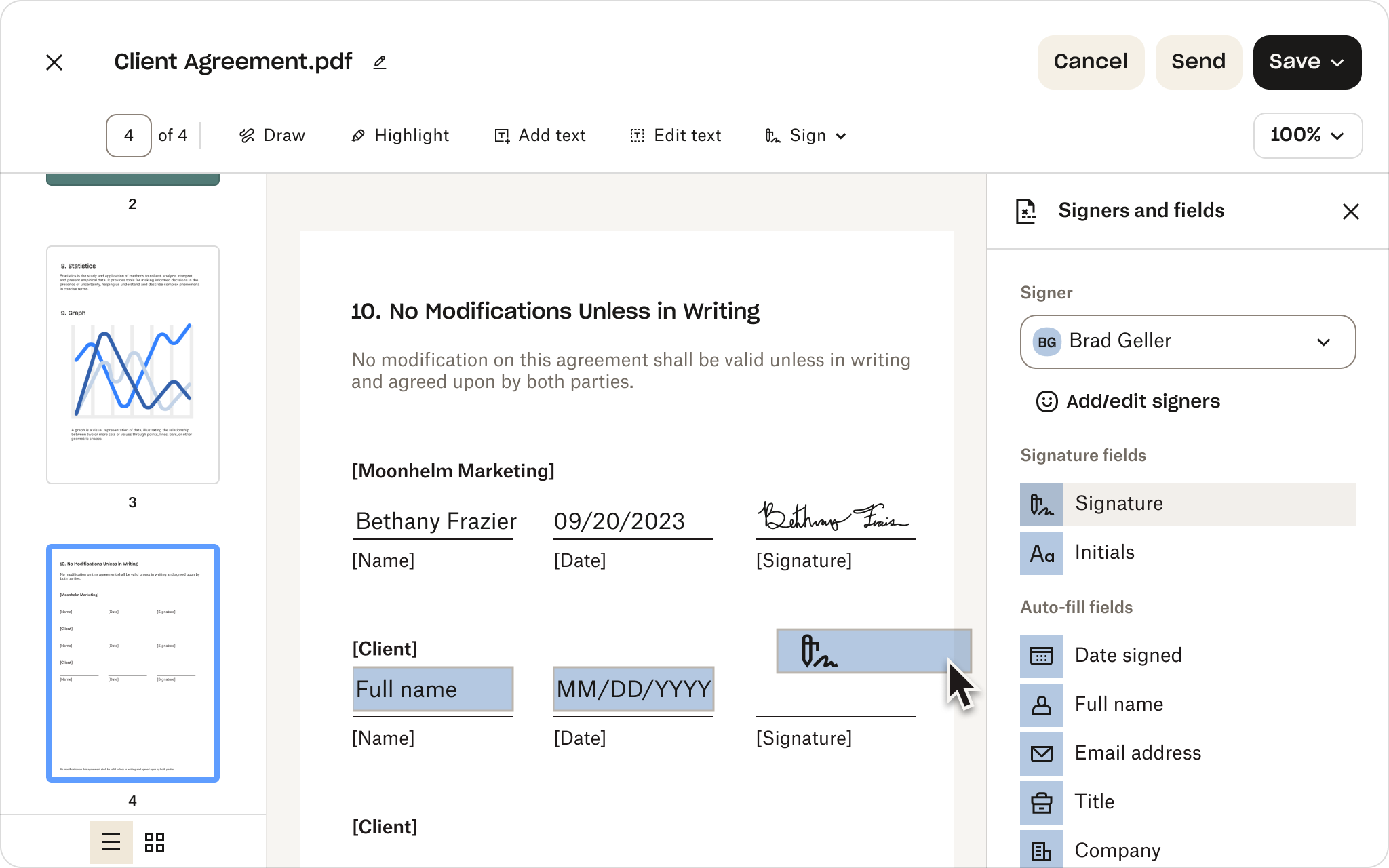
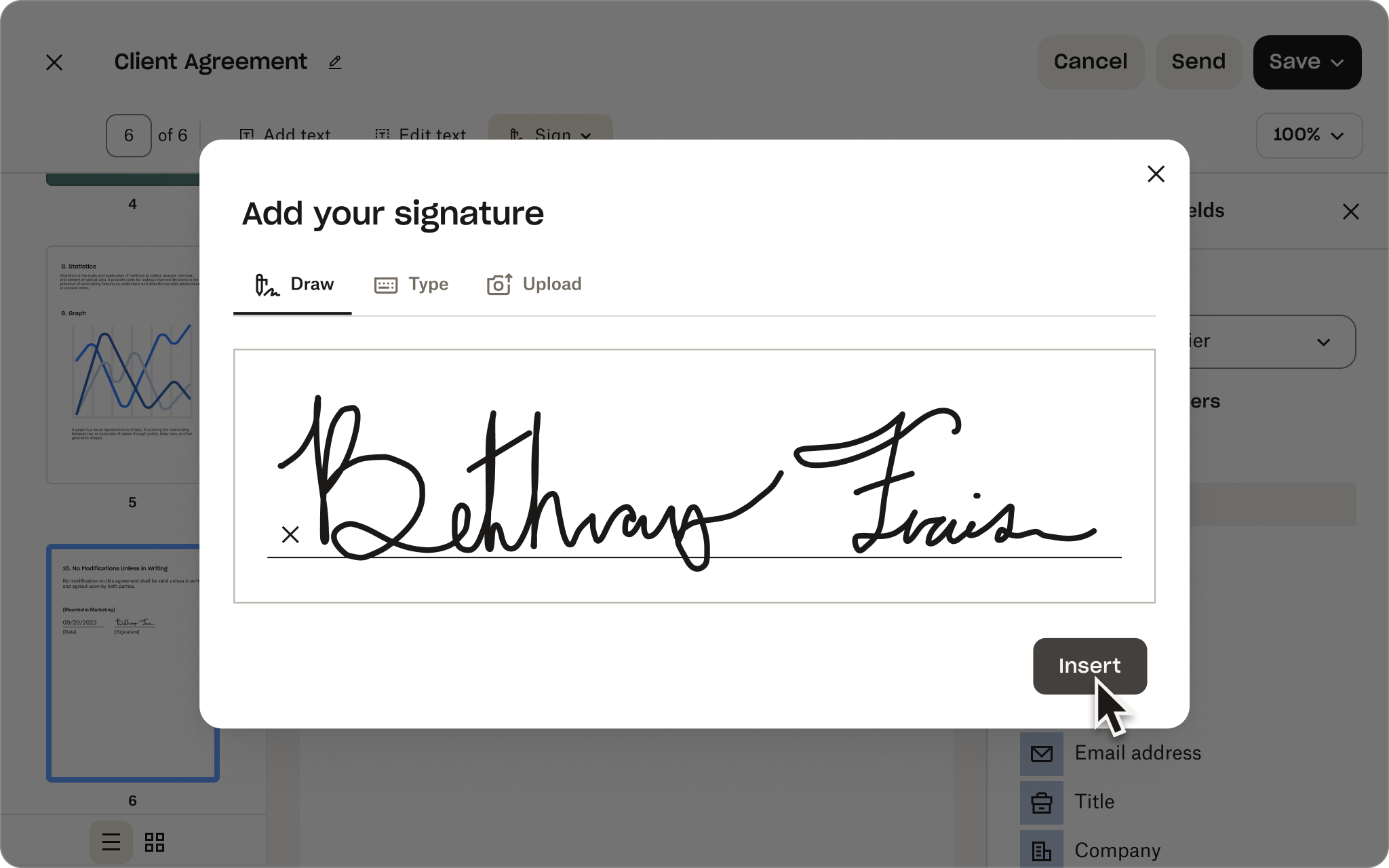
手書き署名と「G2 Summer 2026 Leader」バッジが表示されている Dropbox Sign の署名入力画面
Dropbox Sign API と DocuSign API の比較

数か月ではなく数時間で実装できる DocuSign API の代替手段

ソリューション エキスパートとの時間を予定に組む

ビジネス ニーズに合わせてどのように Dropbox Sign API をカスタマイズできるかをご確認ください。ドキュメントの署名ワークフローを自動化するソリューションの設計を Dropbox チームがお手伝いします。導入サービスとサポートを専任のチームが担当します。

ありがとうございます。
担当者より折り返しご連絡を差し上げます。

Dropbox Sign vs Docusign

The Docusign alternative for simpler eSignatures

Keep agreements on track from sent to signed. Businesses choose Dropbox Sign for its ease of use, quick setup, and transparent pricing.*

デモを申し込む
手書き署名と「G2 Summer 2026 Leader」バッジが表示されている Dropbox Sign の署名入力画面

Capabilities without complexity

Give your team the features they need, not the overhead of a broader platform.

No lengthy implementation

Get everyone up and running quickly with less configuration and admin work.

Predictable pricing as you grow

Keep costs aligned with how your team works. No envelope caps or hidden overage fees.

「DocuSign と Dropbox Sign を比較すると、Dropbox Sign はより反応が早く、技術的な質問にも回答をくれて、必要に応じてエンジニアがフォローアップしてくれました。DocuSign はあいまいな対応で、まったく質問に回答してくれませんでした。」
「私たちが Dropbox Sign を選んだのは、業界最高水準の情報セキュリティ、改ざん防止対策を施した詳細な監査証跡、透明性のある電子署名プロセスを提供する、信頼の置ける専門企業をお客様が求めていたからです。」
クリスチャン・ブロック氏
Midas League ソフトウェア エンジニア
レベッカ・カカバ氏
DealMaker CEO 兼共同創設者
01 /02
右矢印
「Dropbox Sign を選んだ第一の理由は、当社の顧客に提供できる直感的な統合機能のレベルの高さと、統合の容易さでした。実際、概念実証を行い、当社のアプリから電子署名を送信できるようになるまで、ほんの半日しかかかっていません。」
マット・ピーブルス氏
Crelate シニア ソフトウェア エンジニア
右矢印
02/02

Dropbox Sign vs Docusign: how they stack up

See how Sign compares across the eSignature features teams rely on.

Dropbox Sign

Docusign

主な機能
DBX v DocuSign: Legally binding eSignatures 右矢印のアイコン
利用可能な機能
利用可能な機能
Legally binding digital signatures 右矢印のアイコン
利用可能な機能
利用可能な機能
DBX v DocuSign: Audit trail 右矢印のアイコン
利用可能な機能
利用可能な機能
繰り返し利用できるテンプレート 右矢印のアイコン
利用可能な機能
利用可能な機能
DBX v DocuSign: API 右矢印のアイコン
利用可能な機能
利用可能な機能
一括送信 右矢印のアイコン
利用可能な機能
利用可能な機能
DBX v DocuSign: Unlimited signatures 右矢印のアイコン
利用可能な機能
利用可能な機能
リマインダーを自動化 右矢印のアイコン
利用可能な機能
利用可能な機能
DBX v DocuSign: Premium branding 右矢印のアイコン
利用可能な機能
利用可能な機能
監査証跡 右矢印のアイコン
利用可能な機能
利用可能な機能
DBX v DocuSign: Only eSignature solution native to Dropbox 右矢印のアイコン
利用可能な機能
利用可能な機能
エンタープライズ レベルのセキュリティ 右矢印のアイコン
利用可能な機能
利用可能な機能
API 右矢印のアイコン
利用可能な機能
利用可能な機能
サイト内署名 右矢印のアイコン
利用可能な機能
利用可能な機能
カスタム ブランド設定 右矢印のアイコン
利用可能な機能
利用可能な機能
Pre-built business app integrations 右矢印のアイコン
利用可能な機能
利用可能な機能
Dropbox integration 右矢印のアイコン
利用可能な機能

Higher-tier plan required

Native eSignature experience in Dropbox 右矢印のアイコン
利用可能な機能

利用不可

Unlimited signature requests on per-seat plans 右矢印のアイコン
利用可能な機能

Varies by plan

No envelope caps or hidden overage fees 右矢印のアイコン
利用可能な機能

Limits and extra charges may apply

予測可能な価格設定

予期しない値上げや追加料金の心配はありません。必要な機能を犠牲にすることなく、無制限で署名依頼を送信できます。

Essentials

価格
1 ユーザーあたり 15 US ドル/月

180 US ドル(年額)

プランを見る

Standard

価格
1 ユーザーあたり 25 US ドル/月

600 US ドル(年額)

プランを見る

Dropbox Sign vs Docusign: streamline every step

Learn how Sign helps reduce app switching, implementation effort, and friction throughout the agreement process.

Build a repeatable setup

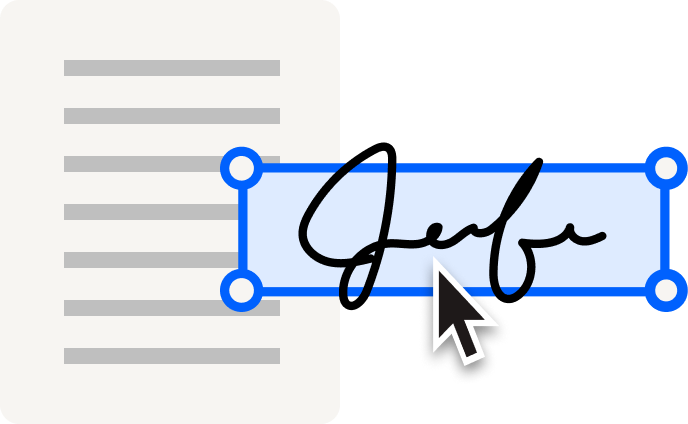
Cut repetitive work with reusable templates, drag-and-drop signer fields, and pre-filled information. Moving from Docusign? Use the migration tool to transfer your templates—including conditional logic and merge fields—for a lower-risk switch.

Explore templates 右矢印のアイコン
Send at scale and automate follow-ups

Use bulk send to create individual signature requests for large recipient lists all at once. Then, keep next steps on track with automated reminders. Sign supports different routing needs without unnecessary configuration or admin complexity.

機能を見る 右矢印のアイコン
Track progress with instant visibility

Still chasing updates? Performance dashboards give your team a clear view of where requests stand, so they can catch delays early, prioritize follow-up, and keep agreements moving toward signature.

プランを見る 右矢印のアイコン
Create a straightforward mobile experience

From customers and vendors to new hires, give people more flexibility to sign on the go. Recipients can open, review, and complete signature requests on a phone or tablet, so being away from their desk doesn’t cause slowdowns.

機能を見る 右矢印のアイコン
Fit eSignature into existing workflows

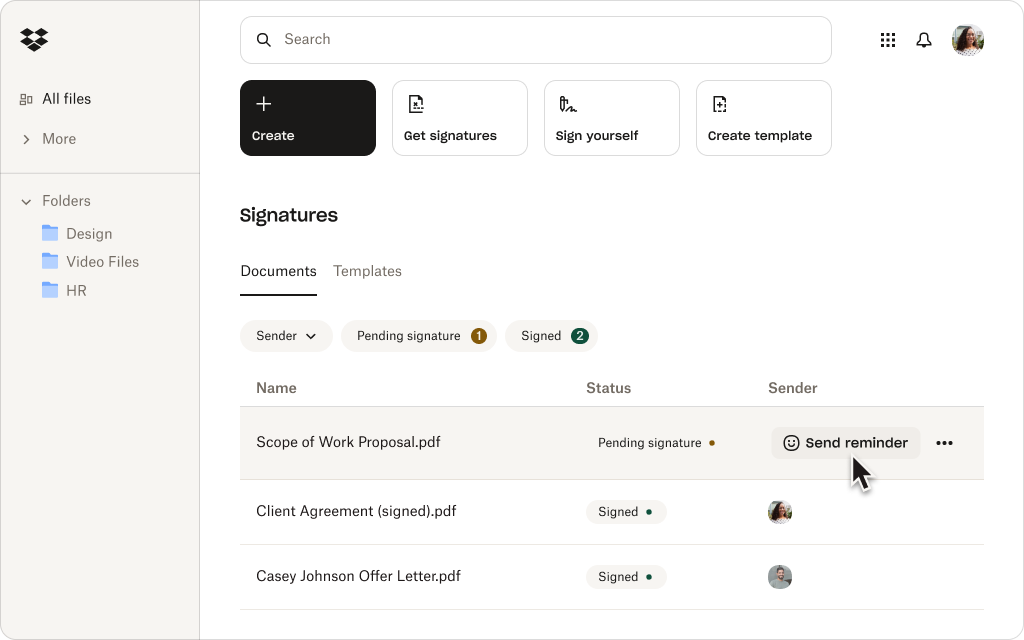
Connect Sign to supported CRM, HR, productivity, and collaboration apps. Teams using Dropbox can also prepare and send files for signature and automatically save signed copies alongside the original.

Explore integrations 右矢印のアイコン
Protect sensitive agreements

Work confidently with enterprise-grade security features, including encryption, signer authentication, and time-stamped audit trails. Sign is SOC 2 Type II compliant and supports HIPAA, GDPR, and eIDAS.

プランを見る 右矢印のアイコン

Customers rank Dropbox Sign above Docusign

Businesses turn to Sign for easier setup, faster adoption, better support, and transparent pricing.*

*Source: G2, 2026

Explore G2 右矢印のアイコン

“I love the ease of use of Dropbox Sign(formerly HelloSign), and the fact that it's free with my Dropbox account is a big plus. It’s really convenient on my Mac because I can just right-click a PDF file, select‘Sign,’ and easily add my saved signature image on top of the document.”

レビュー全文を読む 右矢印のアイコン
Pankaj B
Founder and CEO

“It minimizes the friction between my company and the client, speeding up the contract signing process. I like being able to upload contracts and expedite them quickly. The feature that allows me to save my signature and input it on contracts is really useful, saving me the time of printing, signing, and re-uploading.”

レビュー全文を読む 右矢印のアイコン
Mark W
共同設立者

“The platform is faster, simpler, and more convenient, and you don't have to be tech-savvy to use it. I really appreciate the ease of use, especially the drag-and-drop features for initials and text. Everything about it has been very efficient. I like that we’re able to set queues on who gets to sign first and send signature requests in a predetermined sequence.”

レビュー全文を読む 右矢印のアイコン
Shoaib S
People and Culture Officer

01/00

Ready to build your eSignature integration?

Dropbox Sign API makes it easier to create, launch, and maintain integrated signing experiences—with the flexibility to adapt as your needs evolve.

契約ワークフローをシンプルに

Dropbox Sign は Dropbox と完全に一体化しており、シンプルな契約ワークフローを実現します。Dropbox を使用すれば、契約書の署名から保存、共有まで、プラットフォーム 1 つですべてをカバーできます。

数百万人が信頼するソリューション

「電子署名には DocuSign を手動で使用していましたが、テンプレートを作成するには Salesforce から離れて docusign.com 上で行う必要がありました。Dropbox Sign は当社のテクノロジー スタックに簡単に統合できたので、こちらの方が適しています。」

導入事例を見る

CEO エバレット・リン氏

「Dropbox Sign で一番気に入っているのは、DocuSign やその他の電子署名ソリューションと同等のサービスを提供しながらも、価格が手頃で、モバイルでのエンド ユーザー エクスペリエンスが優れている点です。」

IT 担当 VP ボブ・ネグレー氏

「Dropbox Sign なら、お客様は当社のウェブサイトの画面から移動することも、Dropbox Sign のアカウントを作成する必要もなく、NDA に署名できるのです。DocuSign ではこのようなフローを実現できませんでした。」

CEO マーティン・コッツィ氏

「DocuSign とは異なり、Dropbox Sign では差し込みフィールドを必要な数だけ利用でき、設計や組み込みのエクスペリエンスも自分たちでコントロールできます。署名、イニシャル、テキストボックス、チェックボックスなどさまざまなフィールドを使ってテンプレートをカスタマイズできるほか、Dropbox Sign の事前入力フィールドによって請求書にデータが取り込まれ、契約書にも自動で同期されます。これこそ、アドバイザーやあらゆる規模の企業に提供したいと私たちが考えていたものです。」

導入事例を見る

リード デベロッパー ジョー・ティマー氏

すべてのストーリーを見る

Dropbox Sign and Docusign FAQs

Dropbox Sign は無料ですか?

アコーディオンの展開と折りたたみ

Yes. If you’re comparing free Docusign alternatives, Sign offers a limited free plan with three signature requests per month and unlimited self-signing. For higher-volume needs and advanced features, choose from a range of paid plans or start a free trial.

Do signers need a Dropbox Sign account?

アコーディオンの展開と折りたたみ

No. They can open, review, and sign a document from the signature-request email without a Sign account. However, to view completed copies later, signers will need to create one.

Is Dropbox Sign the same as HelloSign?

アコーディオンの展開と折りたたみ

Yes. Dropbox Sign, formerly HelloSign, is the same eSignature product under the Dropbox brand. That means older comparisons framed as HelloSign vs Docusign or Docusign vs HelloSign now refer to Dropbox Sign vs Docusign.

What makes Dropbox Sign a strong Docusign alternative?

アコーディオンの展開と折りたたみ

Sign gives teams the eSignature capabilities they rely on without the complexity of a broader agreement platform. It’s intuitive, designed for fast implementation, and offers transparent, predictable pricing with no envelope caps or hidden overage fees.

Can I use Dropbox Sign directly with Dropbox?

アコーディオンの展開と折りたたみ

Yes. If you’re a Dropbox customer, you can prepare documents and request signatures from your workspace and automatically save signed copies beside the original. Sign also connects to supported CRM, HR, productivity, and collaboration applications.

Dropbox Sign で署名完了までにかかる時間を 80 % 短縮

30 日間の無料トライアルを開始
セールス担当に連絡

*Source: G2, 2026

Dropbox Sign API で時間と費用を節約する方法をご覧ください。Dropbox のチームがお客様のビジネス ニーズに合わせたソリューションのカスタマイズをお手伝いします。また、専任チームから導入とサポートに関するサービスを受けられるため、可能な限りスムーズに移行を進められます。

ありがとうございます。
担当者より折り返しご連絡を差し上げます。

CPA 準拠のバッジHIPAA 準拠のバッジSky High Enterprise Ready のバッジISO 9001 認証のバッジ

Dropbox Sign の電子署名は、米国、欧州連合、英国などを含め、世界中の多くの国で法的に有効です。
詳細については、利用規約およびプライバシー ポリシーをご覧ください。