


Produk hebat yang sama dengan tampilan baru! HelloSign kini menjadi Dropbox Sign.

We don’t subscribe to every catchy slogan, but “teamwork makes the dream work” is one we can stand behind. There’s nothing more important than collaborating and communicating effectively within teams.
Below you’ll find our favorite tips and tricks for using Dropbox Sign to keep your team in the loop.
Enjoy!
1. Keep everyone in the know by cc'ing all stakeholders
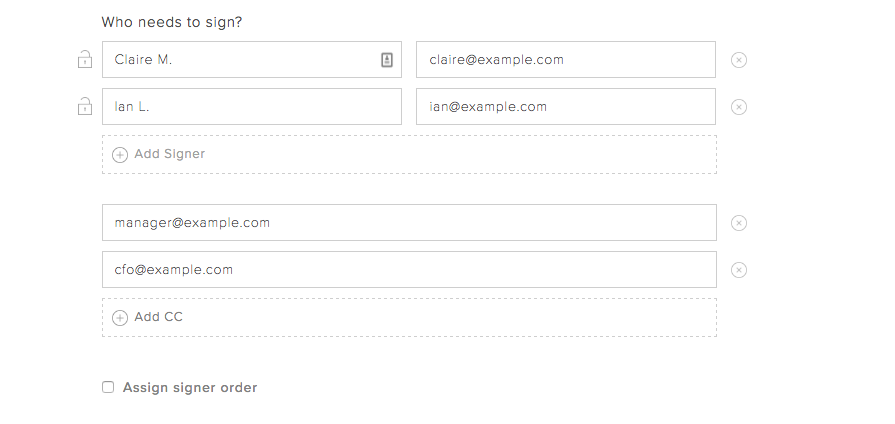
Did you know you can "cc" email addresses when sending your document for signature? It’s the perfect way to keep stakeholders in the know, even when their signature isn’t required.
You can “cc” your company’s CFO if you’re pushing through payroll paperwork, your Director of Sales when closing a deal, and much more.

Simply select the “Add CC” option when determining who needs to sign your document.
2. Make sure the right people get the document at the right time by creating a signing order
Many documents require an order of operations when it comes to getting them completed. For example, maybe you need to have something approved by HR before you can send it to your employee.That’s not a problem with Dropbox Sign’s signing order option. You’ll see it when you’re determining who needs to sign the document.
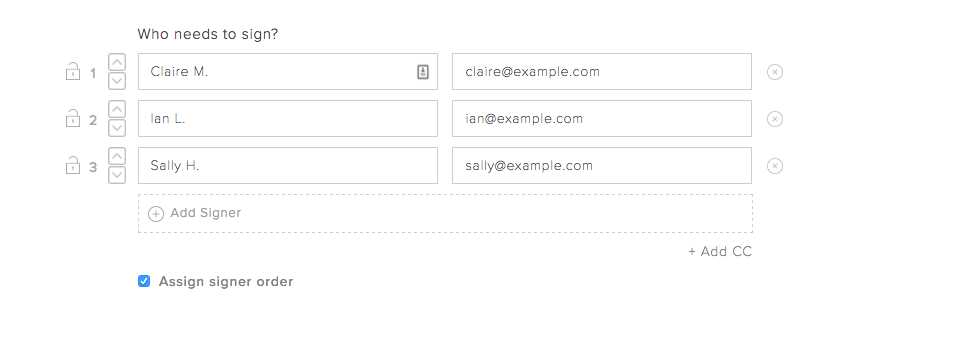
Use the up and down arrows to reorder names and emails. The first person on the list will receive the document first, with others getting the document in the descending order.
3. Set signer permissions so your document is only accessible to the right people
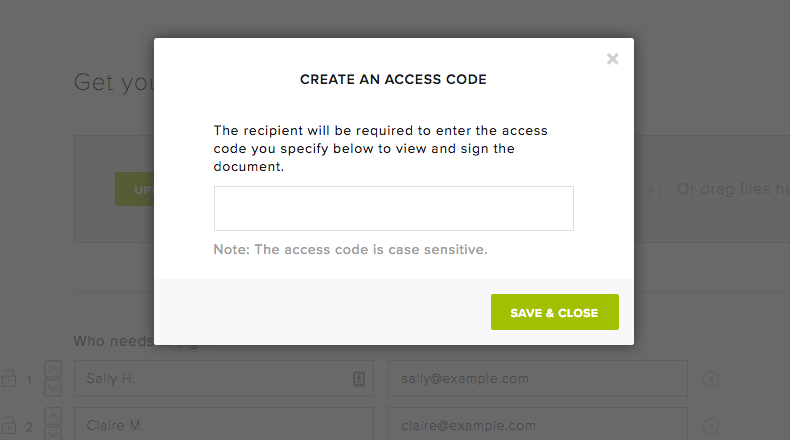
Sensitive documents require extra precautions. Dropbox Sign allows you to set a unique access code for each document. Signers or viewers won’t be able to access the document until they’ve entered the correct code.
This is an excellent option when you’re dealing confidential or sensitive team documents like internal financial information and the likes.
4. Share Dropbox Sign templates with team members to eliminate redundant formatting
Dropbox Sign templates are an excellent way to get your team members on the same page without requiring them to double down on work.
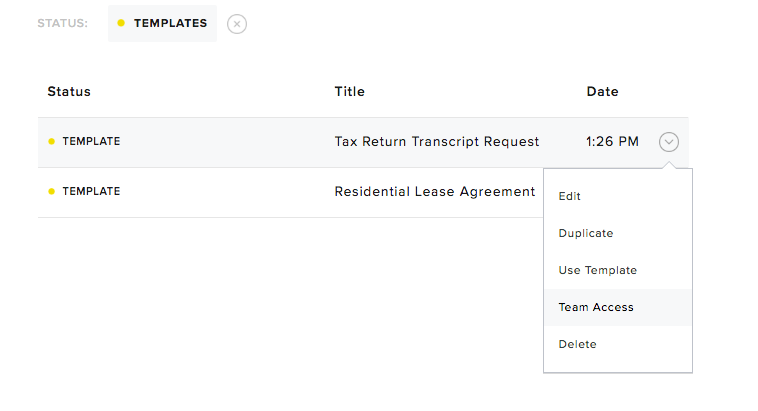
You can easily share pre-formatted document templates with team members on your Dropbox Sign account. For example, say you’re a real estate agency and all your brokers send out the same lease paperwork when closing a deal. You can share the lease paperwork template with them so they can start selling. No redundant administrative work required!
It’s also easy to change access permissions for templates at any time.
5. Standardize your team’s messaging for each document email
If you’re an admin of your Dropbox Sign business account, you can customize and control the email messaging that goes out in document activity emails.
This includes managing things like email tagline, “From” field, email signature, logo, and the page where signers are taken after they complete signing the document.
This is perfect for standardizing messaging and making sure that every recipient is getting the right (and consistent) information.

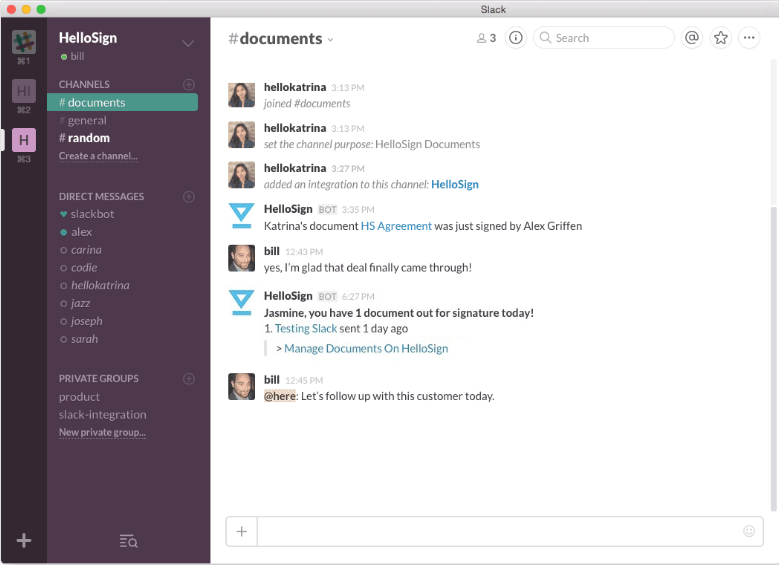
6. Celebrate team wins in real time using the Slack integration
Most companies use an internal chat tool to communicate across teams. Many use Slack! If that’s you, then the Dropbox Sign for Slack integration is the perfect fit.
By connecting your Dropbox Sign and Slack accounts, you can see document activity in real time on a devoted Slack channel.You’ll see when a document has been viewed, opened – and most importantly – signed.
Click here to enable the integration!
Empower Your Dream Team
Interested in learning more? You can try out Dropbox Sign’s team features by signing up for a free 30-day trial. If you’re already a Dropbox Sign customer, simply visit our plans page to see what upgrades might be right for you.
Mengikuti perkembangan
Thank you!
Thank you for subscribing!



