Accéder au contenu principal
Aucun élément n’a été trouvé.
Logo Dropbox Sign
Pourquoi choisir Dropbox Sign ?
Développer ou réduire l’accordéon

Fonctionnalités

Signer des documents en ligne
Créer des signatures électroniques
Choisir ou créer des modèles
Remplir et signer des fichiers PDF
Terminer des contrats en ligne
Gestion de documents
En savoir plus sur les fonctionnalités
Icône en forme de flèche droite

Cas d’usage

Ventes et développement commercial
Ressources humaines
Start‑up
Fintech
Immobilier
Services à la demande
Produits
Développer ou réduire l’accordéon
icône Dropbox
Sign
Envoyez et signez des documents en toute simplicité
icône Dropbox
Sign API
Intégrez la signature électronique à votre workflow
Icône Dropbox Fax
Fax
Envoyez des fax sans télécopieur
Icône des intégrations Dropbox
Intégrations
Retrouvez-nous dans vos outils préférés
Ressources
Développer ou réduire l’accordéon
Blog
Expertise en matière de workflow et nouveautés produits
Témoignages
Vrais retours d’expérience
Centre d’assistance
Conseils avisés concernant nos produits
Bibliothèque de ressources
Rapports, vidéos et fiches d’information
Développeurs
Tarifs
Développer ou réduire l’accordéon
Tarifs Dropbox Sign
Choisissez le forfait qui vous convient
Tarifs Dropbox Sign API
Vrais retours d’expérience
Contacter le service commercial
S’inscrire
Contacter le service commercial
Se connecter
Développer ou réduire l’accordéon
Dropbox Sign
Dropbox Forms
Dropbox Fax
Essayer gratuitement
Logo Dropbox SignIcône d’ajoutLogo Zapier
Intégrations
Zapier

Effortlessly add eSignatures to existing workflows with Dropbox Sign and Zapier

Zapier connects Dropbox Sign with thousands of popular apps to automate your eSignature workflows. And there’s no coding required.

Commencer
Get valuable time back

Stop sinking time into manually setting up eSignature requests. Connect Zapier and Dropbox Sign to create valuable time savings and get your docs signed, fast.

‍

Get valuable time back

Stop sinking time into manually setting up eSignature requests. Connect Zapier and Dropbox Sign to create valuable time savings and get your docs signed, fast.

‍

Minimize context switching

Transform the way your team gets documents signed by connecting Dropbox Sign with Zapier. Say goodbye to inefficiencies while juggling multiple apps. Instead, effortlessly keep track of everything in one place.

‍

Minimize context switching

Transform the way your team gets documents signed by connecting Dropbox Sign with Zapier. Say goodbye to inefficiencies while juggling multiple apps. Instead, effortlessly keep track of everything in one place.

‍

Start integrating instantly—no developer needed

Dropbox Sign and Zapier integrate seamlessly, right out of the box. There’s no coding or adjustments needed—just connect and start adding eSignatures to your workflows today.

‍

Start integrating instantly—no developer needed

Dropbox Sign and Zapier integrate seamlessly, right out of the box. There’s no coding or adjustments needed—just connect and start adding eSignatures to your workflows today.

‍

Build a Zap to connect Dropbox Sign with the tools you need

Automatically create Asana tasks for new Dropbox Sign eSignature requests

Asana can be a one-stop-shop when it comes keeping business tasks, goals, and projects on track. But what happens when you introduce eSignature software into the mix?

Create a Zap to set up custom triggers and actions, and instantly enhance your team’s project management capabilities.

‍

Commencer
The Asana logo.

Get Slack messages when documents are signed with Dropbox Sign

Stay on top of your documents directly from Slack.

With Dropbox Sign integrated, your team will receive real-time Slack notifications for each document signed or signature request made. Keep everyone in sync without missing a beat.

‍

En savoir plus
The Slack logo.

Update ActiveCampaign deals as soon as new eSignatures are finalized

Say goodbye to manually updating your deals in ActiveCampaign.

When a Dropbox Sign signature request is completed, Zapier ensures your records are always current. That means your data is always up-to-date, and your sales pipeline can keep running smoothly.

‍

Essayer
The ActiveCampaign logo.

Aucun élément n’a été trouvé.

Des solutions qui génèrent des résultats mesurables

Aucun élément n’a été trouvé.
Icône représentant un bouton Lecture

Lire l’étude de cas
Trois personnes en pleine discussion observent un diagramme posé sur le bureau devant elles
Logo Co.Si
“Dropbox Sign et Dropbox font gagner un temps précieux à notre agence. Nous économisons des centaines d’heures de formalités administratives et de gestion des dossiers, ce qui nous permet de créer nos contenus plus rapidement.”
Matt Seigel
Président de Collier.Simon

Forum aux questions

Consulter notre FAQ

How do I connect Dropbox Sign and Zapier?

Développer ou réduire l’accordéon

Zapier and Dropbox Sign integrate seamlessly, making it easy to set up and implement eSignatures in a few simple steps.

  1. Set up your Zapier and Dropbox Sign accounts.
  2. Create your “Zap”.
  3. Connect your Dropbox Sign API account.
  4. Start signing documents!

For more information, read our full guide to setting up and testing Zapier and the Dropbox Sign API.

‍

Can I log Dropbox Sign signature requests in a Google Sheets spreadsheet?

Développer ou réduire l’accordéon

If you want to record all your Dropbox Sign signature requests in a Google Spreadsheet, you can do that using the Zapier integration.

You will need each of the following:

  • a Dropbox Sign API account
  • a Google Drive account
  • a Zapier account

To get started, check out our helpful article on how to log Dropbox Sign signature requests in a Google Sheets spreadsheet.

‍

How do I send a signature request from a template?

Développer ou réduire l’accordéon

Sending a signature request from a template is quick and easy with the Zapier integration.

  1. Log in to your Zapier account.
  2. Create a new Zap with Dropbox Sign as the action.
  3. Check Signature Request from Template is the default action, then click Save + Continue.
  4. Connect your Dropbox Sign account using your email and password. Click Save + Continue.
  5. Select a template, as prompted.
  6. When asked “Is Your Dropbox Sign API Plan Paid?":
    • Select No if you do not have a paid account or are testing.
    • Select Yes if you have a paid account to start sending legally binding eSignature requests.

‍

Ressources

Image of the Dropbox Sign integration within the Salesforce app.

Seamlessly integrate eSignatures with Salesforce

Send contracts for signature, track status updates, and auto-fill contract details without ever leaving Salesforce
‍

En savoir plus
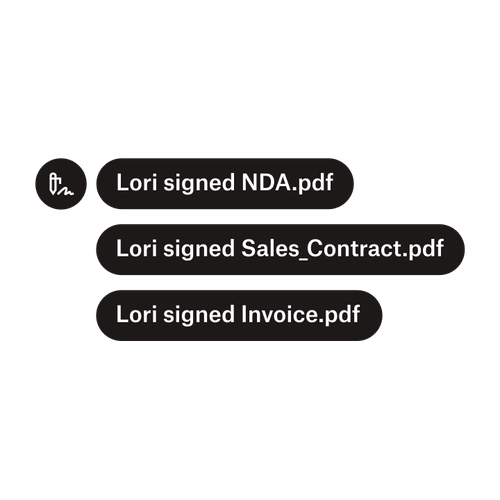
Trois notifications indiquant que Lori a signé les documents « Accord_de_confidentialité.pdf », « Contrat_vente.pdf » et « Facture.pdf »

Envoyez des documents à plusieurs signataires

La création de workflows d’approbation avec plusieurs signataires est plus simple que vous ne le pensez. Vous avez juste besoin des bons outils.

‍

Lire l’article
Exemple de code en cours de modification lors de l’implémentation de Dropbox Sign API

Simplifiez les workflows avec notre API de signature électronique simple d’utilisation

Découvrez comment Dropbox Sign API s’intègre parfaitement à votre application ou site Web.

‍

En savoir plus

Eliminate friction in your workflows with Dropbox Sign and Zapier

Essayer gratuitement

Dropbox Sign vous permet de créer gratuitement des signatures électroniques dans des documents Word. Découvrez à quel point cela est facile.

Plus rapide, plus intelligent, plus sécurisé : comment Dropbox Sign accélère les activités en 2025

Intégration groupée avec Dropbox Sign API

Produits
Dropbox SignDropbox Sign APIDropbox FaxIntégrations
Pourquoi choisir Dropbox Sign ?
Signatures électroniquesSigner des documentsRemplir et signer des fichiers PDFContrats en ligneCréer des signatures électroniquesÉditeur de signaturesSignature de documents Word
Assistance
Centre d’assistanceContacter le service commercialContacter l’assistanceGérer les cookiesDécouvrir Dropbox SignDécouvrir Dropbox Sign API
Ressources
BlogTémoignagesCentre de ressourcesGuide sur la légalitéTrust Center
Partenaires
Partenaires stratégiquesOutil de localisation des partenaires
Entreprise
RecrutementConditions d’utilisationConfidentialité
icône Facebookicône YouTube

Modes de paiement acceptés

Logo MastercardLogo VisaLogo American ExpressLogo Discover
Badge de conformité CPABadge de conformité avec la loi HIPAABadge Skyhigh Enterprise-ReadyBadge de certification ISO 9001

Les signatures électroniques Dropbox Sign sont juridiquement contraignantes aux États-Unis, dans l’Union européenne, au Royaume-Uni et dans de nombreux pays.
Pour en savoir plus, consultez nos conditions d’utilisation et notre politique de confidentialité.