Doorgaan naar hoofdtekst
Geen items gevonden.
logo dropboxsign
Waarom Dropbox Sign?
Accordeon uit- of samenvouwen

Wat je kunt doen

Documenten online ondertekenen
Elektronische handtekeningen aanmaken
Sjablonen kiezen of maken
Pdf's invullen en ondertekenen
Online contracten sluiten
Documentbeheer
Functies ontdekken
pictogram pijl naar rechts

Gebruikersscenario's

Verkoop- en bedrijfsontwikkeling
Human resources
Startups
Financiële technologie
Vastgoed
On-demandservices
Producten
Accordeon uit- of samenvouwen
dropbox-pictogram
Sign
Maak het gemakkelijk om te verzenden en te ondertekenen
dropbox-pictogram
Sign API
Integreer e-handtekeningen in je workflow
pictogram dropbox fax
Fax
Verzend faxen zonder een faxapparaat
pictogram dropbox integraties
Integraties
We ontmoeten je waar je werkt
Informatiebronnen
Accordeon uit- of samenvouwen
Blog
Workflow-expertise en productnieuws
Verhalen van klanten
Echte verhalen met echte resultaten
Helpcentrum
Diepgaande begeleiding voor onze producten
Bibliotheek met informatiebronnen
Rapporten, video's en infobladen
Ontwikkelaars
Prijzen
Accordeon uit- of samenvouwen
Dropbox Sign-prijzen
Het juiste abonnement vinden voor jou
Dropbox Sign-API-prijzen
Echte verhalen met echte resultaten
Contact met Sales
Registreren
Contact opnemen met Sales
Aanmelden
Accordeon uit- of samenvouwen
Dropbox Sign
Dropbox-formulieren
Dropbox Fax
Gratis proefperiode
logo dropboxsignpictogram toevoegenProCore-logo
Integraties
Procore

Close construction contracts faster with built-in eSignatures for Procore

Sign and send commitments, change orders, and prime construction contracts for signature with Dropbox Sign. All without leaving Procore.

Book a demo
Start using your Procore templates right away

Effortlessly create your document from an existing Procore template or craft a brand new one. Either way, your documents will be ready for eSignature in a flash, making your workflow smoother and faster.

Start using your Procore templates right away

Effortlessly create your document from an existing Procore template or craft a brand new one. Either way, your documents will be ready for eSignature in a flash, making your workflow smoother and faster.

Automatically send email reminders

Eliminate the hassle of tracking signers. Simply create then send a form, and automated reminders will ensure the document gets signed.

Automatically send email reminders

Eliminate the hassle of tracking signers. Simply create then send a form, and automated reminders will ensure the document gets signed.

Save signed agreements back to Procore, hassle free

Executed agreements are automatically saved back to Procore for consistent record keeping and accountability. That means all your documents are stored in the right folder and accessible when you need them.

Save signed agreements back to Procore, hassle free

Executed agreements are automatically saved back to Procore for consistent record keeping and accountability. That means all your documents are stored in the right folder and accessible when you need them.

Send and sign agreements up to 80% faster with Dropbox Sign

Accelerate contract turnaround times

No more chasing signers on endless email chains and messages to get a contract signed.

Send a construction contract via Dropbox Sign, and let the integration do the work for you. Each signer will receive regular email reminders until that document is signed.

And just like that, construction managers can spend more time managing projects, rather than chasing signatures.

‍

Illustration of Dropbox Sign signature box functionality on an online contract.

Streamline subcontractor agreements

From collective bargaining agreements to worker certifications, send documents out to multiple signers with ease, without ever needing to leave Procore.

Implementing Dropbox Sign into your workflow is easy, and minimizes delays to contractor onboarding so you can get started on projects quicker.

‍

A user is organizing the “Signer Settings” for their document, with three different signers arranged in an order, complete with their names and email addresses.

Digitize key construction documents in one safe space

Correspondences, commitments, prime contracts, RFI's, submittals, inspections, observations, and more. There’s a lot of paperwork to keep track of on a construction project.

Documents signed via the Dropbox Sign for Procore integration are automatically saved back to Procore. It saves time, standardizes your record keeping, and keeps things organized throughout each project.

Each completed document will also be legally-binding, legally admissible, and conform to legislation—giving you peace of mind.

‍

An illustration of two documents and a folder, side-by-side. One document has a set of scales pictured on it, the other has a signature applied to it with a green checkmark below, and the folder features a lock symbol.

Geen items gevonden.

Oplossingen voor meetbare resultaten

Geen items gevonden.
pictogram afspelen

Casestudy bekijken
Drie mensen staan gebogen over een schema op een kantoortafel, discussiërend
logo cosi
"De hoeveelheid tijd die ons bedrijf dankzij Dropbox Sign heeft bespaard, is aanzienlijk. We hoeven niet meer honderden uren extra aan papierwerk en bestandsbeheer te besteden, dus we kunnen sneller aan de slag met het creatieve werk."
Matt Seigel,
voorzitter, Collier.Simon

Veelgestelde vragen

Bekijk onze veelgestelde vragen

How do I implement the Dropbox Sign for Procore eSignature integration?

Accordeon uit- of samenvouwen

If you have a Procore subscription, start by installing the Dropbox Sign for Procore APP via Procore Marketplace.

If you haven’t already, you should then sign up for Dropbox Sign.

Finally, follow the Dropbox Sign for Procore setup guide from Shake IT to setup and configure your new and improved workflow.

If you have any questions or concerns, contact Shake IT

‍

How do I find and sign a contract in Procore?

Accordeon uit- of samenvouwen

Finding a document in Procore and sending it for eSignature is easy with the Dropbox Sign integration.

  1. Start by using the search bar in Procore to find the purchase order, subcontract, or prime contract you wish to be signed.
  2. Export it as a PDF by selecting Export > PDF.
  3. Once the document is opened in a new window, download it to your device.
  4. Click on the Dropbox Sign logo in the side panel.
  5. Browse for file and select the file you just exported as a PDF.
  6. Add signers using the Add Procore User or Add External E-Mail buttons.
  7. Launch Dropbox Sign once signers have been added to open the Dropbox Sign Embedded Requesting tool.
  8. Place signature locations and any other data that the signer needs to provide.
  9. Add a Title and Message under the Email to signers heading. This will create an email that will be sent to signers as part of the request.
  10. Send for Signature to send the request.

For more detailed guidance, read the Shake IT Dropbox Sign for Procore User Guide.

‍

Does it cost anything to use the Dropbox Sign and Procore integration?

Accordeon uit- of samenvouwen

Shake IT manages the ProCore integration connector for Dropbox Sign. Please contact Shake IT to receive a quote.

Informatiebronnen

Image of the Dropbox Sign integration within the Salesforce app.

Seamlessly integrate eSignatures with Salesforce

Send contracts for signature, track status updates, and auto-fill contract details without ever leaving Salesforce
Meer informatie
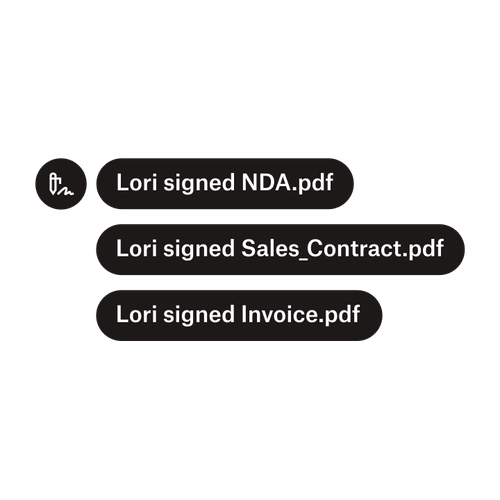
Drie meldingen geven aan dat Lori 'NDA.pdf', 'Verkoopcontract.pdf', en 'Factuur.pdf' heeft ondertekend.

Documenten naar meerdere ondertekenaars verzenden

Het creëren van goedkeuringsworkflows met meerdere ondertekenaars is eenvoudiger dan je zou denken. Je hebt alleen het juiste gereedschap nodig.

Artikel lezen
Een voorbeeld van code waaraan wordt gewerkt als onderdeel van de implementatie van de Dropbox Sign API.

Vereenvoudig workflows met onze eenvoudig te gebruiken e-handtekening-API

Ontdek hoe de Dropbox Sign API naadloos integreert in je applicatie of website.

Meer informatie

Finalize bids, gather approvals and onboard workers more efficiently with Dropbox Sign for Procore

Je gratis proefperiode starten

Ontdek hoe je snel, eenvoudig en gratis elektronische handtekeningen kunt maken met Dropbox Sign.

Sneller, slimmer, veiliger: hoe Dropbox Sign business in 2025 versnelt

Cohort onboarding met Dropbox Sign API

Producten
Dropbox SignDropbox Sign-APIDropbox FaxIntegraties
Waarom Dropbox Sign?
Elektronische handtekeningenDocumenten ondertekenenPdf's ondertekenen en invullenOnline contractenElektronische handtekeningen aanmakenHandtekeningeditorWord-documenten ondertekenen
Support
HelpcentrumContact met SalesContact met support opnemenCookies beherenAan de slag: Dropbox SignAan de slag: Dropbox Sign-API
Informatiebronnen
BlogVerhalen van klantenInformatiecentrumInformatie over wettigheidTrust Center
Partners
Strategische partnersPartner zoeken
Bedrijf
VacaturesVoorwaardenPrivacy
facebook-pictogramyoutube-pictogram

Geaccepteerde betaalmethoden

Mastercard-logoVisa-logoAmerican Express-logoOntdek-logo
Badge Naleving CPABadge HIPAA-nalevingSky High Enterprise Ready-badgeISO 9001-gecertificeerde badge

Elektronische handtekeningen van Dropbox Sign zijn juridisch bindend in de Verenigde Staten, de Europese Unie, het Verenigd Koninkrijk en in veel landen over heel de wereld.
Voor meer informatie kun je onze Algemene voorwaarden en ons Privacybeleid raadplegen