跳到主要内容
未找到任何项目。
dropboxsign 徽标
为什么选择 Dropbox Sign?
展开或折叠手风琴

您可以做什么

在线签署文档
创建电子签名
选择或创建模板
填写和签署 PDF
完成线上合同
文档管理
探索功能
向右箭头图标

用例

销售与业务拓展
人力资源
初创公司
金融科技
房地产
按需服务
产品
展开或折叠手风琴
Dropbox 图标
Sign
实现轻松发送和签字
Dropbox 图标
Sign API
将电子签名集成到您的工作流程中
dropbox fax 图标
Fax
无需传真机便能发送传真
dropbox 集成图标
集成
无缝集成助力您轻松工作
资源
展开或折叠手风琴
博客
工作流程专业知识和产品新闻
客户案例
讲述取得实际成果的真实故事
帮助中心
关于我们产品的深入指南
资源库
报告、视频和信息表
开发人员
定价
展开或折叠手风琴
Dropbox Sign 定价
找到适合您的套餐
Dropbox Sign API 定价
讲述取得实际成果的真实故事
与销售人员联系
注册
联系销售人员
登录
展开或折叠手风琴
Dropbox Sign
Dropbox Forms
Dropbox Fax
免费试用版
dropboxsign 徽标添加图标ProCore 徽标
集成
Procore

Close construction contracts faster with built-in eSignatures for Procore

Sign and send commitments, change orders, and prime construction contracts for signature with Dropbox Sign. All without leaving Procore.

Book a demo
Start using your Procore templates right away

Effortlessly create your document from an existing Procore template or craft a brand new one. Either way, your documents will be ready for eSignature in a flash, making your workflow smoother and faster.

Start using your Procore templates right away

Effortlessly create your document from an existing Procore template or craft a brand new one. Either way, your documents will be ready for eSignature in a flash, making your workflow smoother and faster.

Automatically send email reminders

Eliminate the hassle of tracking signers. Simply create then send a form, and automated reminders will ensure the document gets signed.

Automatically send email reminders

Eliminate the hassle of tracking signers. Simply create then send a form, and automated reminders will ensure the document gets signed.

Save signed agreements back to Procore, hassle free

Executed agreements are automatically saved back to Procore for consistent record keeping and accountability. That means all your documents are stored in the right folder and accessible when you need them.

Save signed agreements back to Procore, hassle free

Executed agreements are automatically saved back to Procore for consistent record keeping and accountability. That means all your documents are stored in the right folder and accessible when you need them.

Send and sign agreements up to 80% faster with Dropbox Sign

Accelerate contract turnaround times

No more chasing signers on endless email chains and messages to get a contract signed.

Send a construction contract via Dropbox Sign, and let the integration do the work for you. Each signer will receive regular email reminders until that document is signed.

And just like that, construction managers can spend more time managing projects, rather than chasing signatures.

‍

Illustration of Dropbox Sign signature box functionality on an online contract.

Streamline subcontractor agreements

From collective bargaining agreements to worker certifications, send documents out to multiple signers with ease, without ever needing to leave Procore.

Implementing Dropbox Sign into your workflow is easy, and minimizes delays to contractor onboarding so you can get started on projects quicker.

‍

A user is organizing the “Signer Settings” for their document, with three different signers arranged in an order, complete with their names and email addresses.

Digitize key construction documents in one safe space

Correspondences, commitments, prime contracts, RFI's, submittals, inspections, observations, and more. There’s a lot of paperwork to keep track of on a construction project.

Documents signed via the Dropbox Sign for Procore integration are automatically saved back to Procore. It saves time, standardizes your record keeping, and keeps things organized throughout each project.

Each completed document will also be legally-binding, legally admissible, and conform to legislation—giving you peace of mind.

‍

An illustration of two documents and a folder, side-by-side. One document has a set of scales pictured on it, the other has a signature applied to it with a green checkmark below, and the folder features a lock symbol.

未找到任何项目。

推动可衡量结果的解决方案

未找到任何项目。
播放图标

查看案例研究
3 个人仔细观察办公桌上的图表并进行讨论
Cosi 徽标
“Dropbox Sign 和 Dropbox 为我公司节省的时间令人难以置信。我们再也不用花费数百小时来进行文书工作和文件管理,这让我们能够更快地完成创造性工作。”
Matt Seigel,
Collier.Simon 总裁

常见问题解答

查看常见问题解答

How do I implement the Dropbox Sign for Procore eSignature integration?

展开或折叠手风琴

If you have a Procore subscription, start by installing the Dropbox Sign for Procore APP via Procore Marketplace.

If you haven’t already, you should then sign up for Dropbox Sign.

Finally, follow the Dropbox Sign for Procore setup guide from Shake IT to setup and configure your new and improved workflow.

If you have any questions or concerns, contact Shake IT

‍

How do I find and sign a contract in Procore?

展开或折叠手风琴

Finding a document in Procore and sending it for eSignature is easy with the Dropbox Sign integration.

  1. Start by using the search bar in Procore to find the purchase order, subcontract, or prime contract you wish to be signed.
  2. Export it as a PDF by selecting Export > PDF.
  3. Once the document is opened in a new window, download it to your device.
  4. Click on the Dropbox Sign logo in the side panel.
  5. Browse for file and select the file you just exported as a PDF.
  6. Add signers using the Add Procore User or Add External E-Mail buttons.
  7. Launch Dropbox Sign once signers have been added to open the Dropbox Sign Embedded Requesting tool.
  8. Place signature locations and any other data that the signer needs to provide.
  9. Add a Title and Message under the Email to signers heading. This will create an email that will be sent to signers as part of the request.
  10. Send for Signature to send the request.

For more detailed guidance, read the Shake IT Dropbox Sign for Procore User Guide.

‍

Does it cost anything to use the Dropbox Sign and Procore integration?

展开或折叠手风琴

Shake IT manages the ProCore integration connector for Dropbox Sign. Please contact Shake IT to receive a quote.

资源

Image of the Dropbox Sign integration within the Salesforce app.

Seamlessly integrate eSignatures with Salesforce

Send contracts for signature, track status updates, and auto-fill contract details without ever leaving Salesforce

了解更多
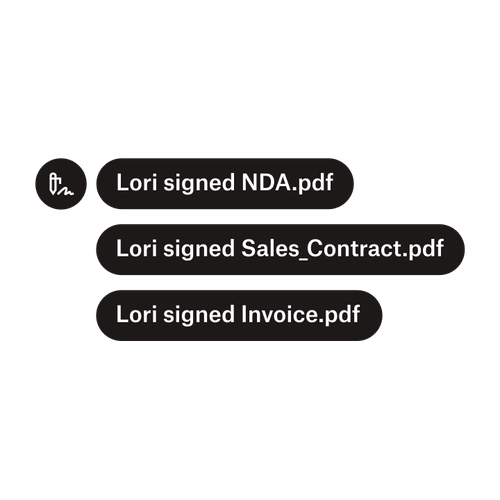
三条通知表明 Lori 已签署“NDA.pdf”、“Sale_Contract.pdf”和“Invoice.pdf”。

将文档发送给多名签字人

创建有多个签字人的审批工作流比您想象的要轻松。您需要的只是合适的工具。

阅读文章
在实施 Dropbox Sign API 的过程我们正在开发的一些代码的示例。

使用我们易用的电子签名 API 简化工作流

了解 Dropbox Sign API 如何无缝集成至您的应用或网站中。

了解更多

Finalize bids, gather approvals and onboard workers more efficiently with Dropbox Sign for Procore

开始免费试用

使用 Dropbox Sign,用户可在几分钟内安全可靠地创建数字签名。立即注册并开始签字!

更快、更智能、更安全:Dropbox Sign 如何在 2025 年加速业务发展

借助 Dropbox Sign API 引入群组

产品
Dropbox SignDropbox Sign APIDropbox Fax集成
为什么选择 Dropbox Sign
电子签名签署文档签署和填写 PDF在线合同创建电子签名签名编辑器签署 Word 文档
支持
帮助中心与销售人员联系联系支持人员管理 Cookie开始使用:Dropbox Sign开始使用:Dropbox Sign API
资源
博客客户案例资源中心合法性指南信任中心
合作伙伴
战略合作伙伴合作伙伴查找工具
公司
招贤纳士条款隐私
Facebook 图标YouTube 图标

接受的付款方式

Mastercard 徽标Visa 徽标American Express 徽标Discover 徽标
CPA 合规标记HIPAA 合规标记Sky High Enterprise Ready 标记ISO 9001 认证标志

在美国、欧盟、英国和世界许多其他地区,Dropbox Sign 电子签名均具有法律约束力。
如需了解更多信息,请查看我们的条款和条件以及隐私政策